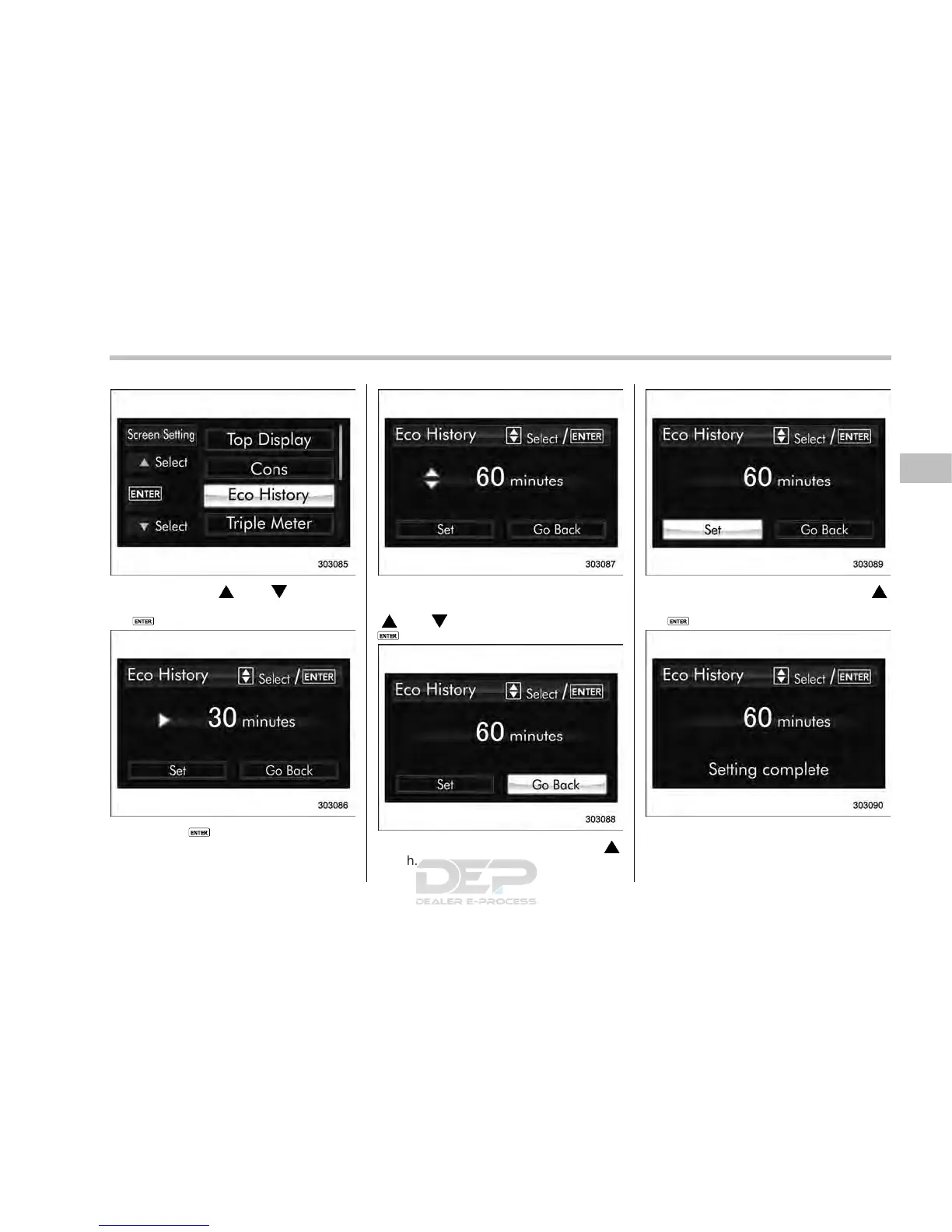
2. Operate the “ ” or “ ” switch to
select the “Eco History” item. Then push
the
button.
3. Push the button once more.
4. Select the time of the logged fuel
consumption history by operating the
“
” or “ ” switch, and then push the
button.
5. Select “Go Back” by operating the “ ”
switch.
6. Select “Se t” by operating the “ ”
switch and confirm the setting by pushing
the
button.
7. The system will notify you that the
setting is complete.
Instruments and controls/Multi function display
– CONTINUED –
3-69














 To Next Page