Instruments and controls/Mirrors
online at www.HomeLink.com and
www.youtube.com/HomeLinkGentex.
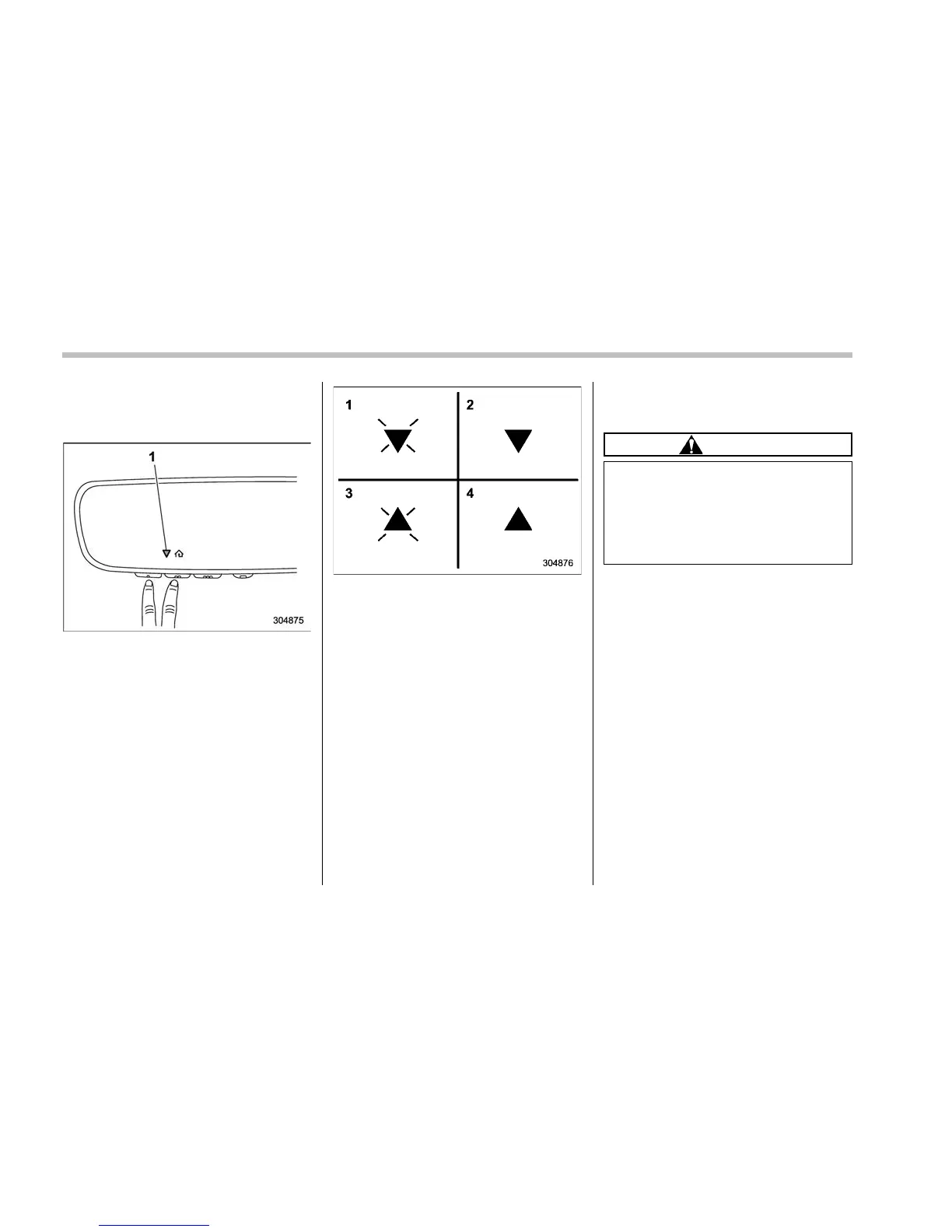
! Using Two-Way Communication
1) Status Indicator
Recall and display (at any time) the last
recorded garage door status message
communicated to HomeLink
®
by simulta-
neously pressing HomeLink
®
buttons 1
and 2 for 2 seconds. HomeLink
®
will
display the last recorded status for 3
seconds.
If two-way communication programming is
successful, HomeLink
®
will display the
status of your garage door opener with
arrow indicators (see below).
1) Garage Door Opener CLOSING (Blink-
ing Orange)
2) Garage Door Opener CLOSED (Solid
Green)
3) Garage Door Opener OPENING (Blink-
ing Orange)
4) Garage Door Opener OPENED (Solid
Green)
! Certification
In the event that there are still program-
ming difficulties or questions, additional
HomeLink
®
information and programming
videos can be found at
www.HomeLink.com,
www.youtube.com/HomeLinkGentex, or
by calling the toll-free HomeLink-hotline
at 1-800-355-3515.
. U.S.-spec. models
FCC ID: NZLAECHL5
CAUTION
FCC WARNING
Changes or modifications not ex-
pressly approved by the party re-
sponsible for compliance could void
the user’s authority to operate the
equipment.
This device complies with part 15 of the
FCC Rules. Operation is subject to the
following two conditions: (1) This de-
vice may not cause harmful interfer-
ence, and (2) this device must accept
any interference received, including
interference that may cause undesired
operation.
3-80















 To Next Page