& Registering/connecting a
Bluetooth phone
To use the hands-free system for cell
phones, it is necessary to register a cell
phone with the system. Refer to “Register-
ing/connecting Bluetooth
®
device” F5-66.
! Bluetooth phone condition display
The condi tion of the Bluetooth phone
appears on the upper right side of the
screen.
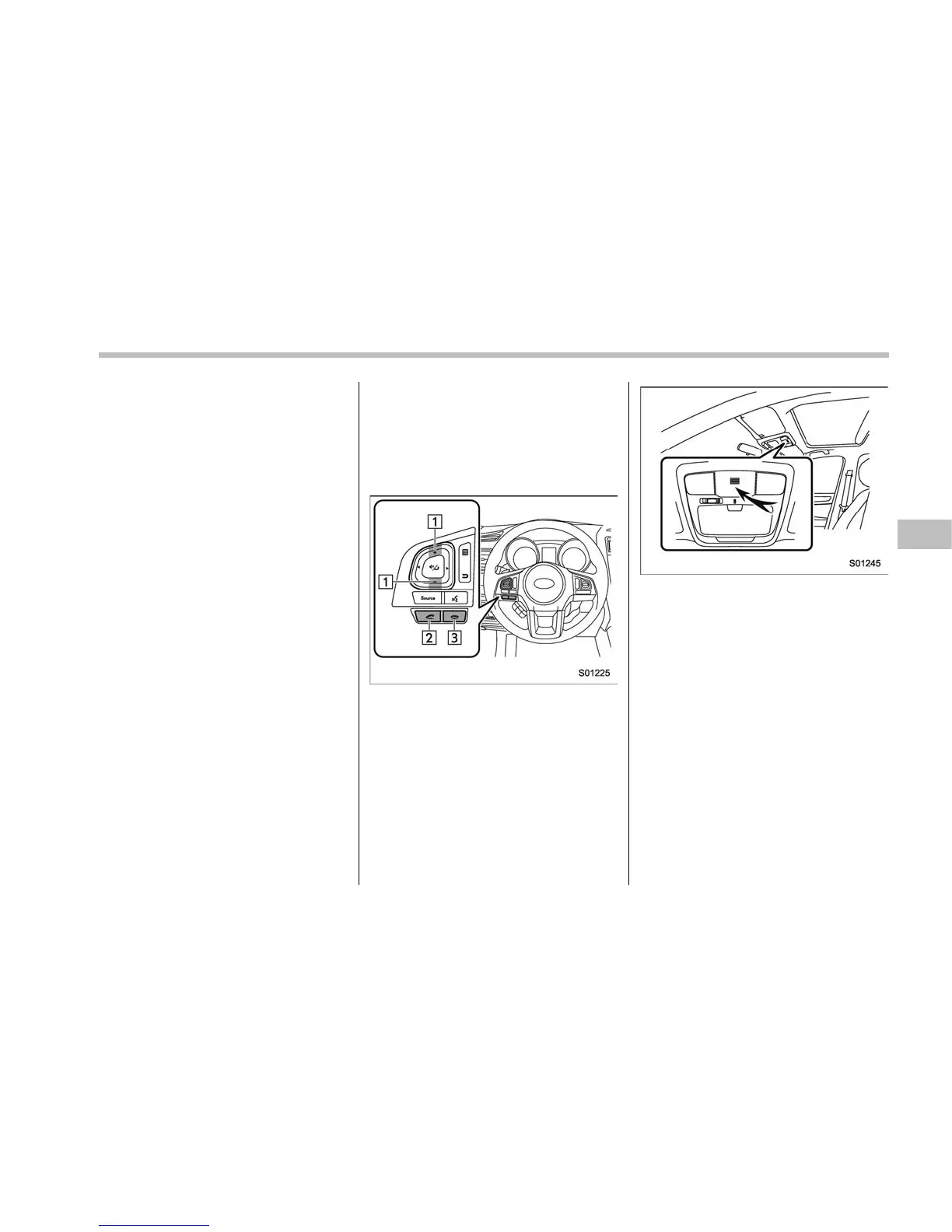
& Using the phone switch/mi-
crophone
. Steering switch
By pressing the steering switch, a call can
be received or ended without taking your
hands off the steering wheel.
1) Volume control switch
2) Off hook switch
3) On hook switch
. Microphone
The microphone is used when talking on
the phone.
& How to change the hands-
free phone system
The phone (menu) screen can be used to
make a phone call. To display the hands-
free operation screen, press the HOME
button and then select the “PHONE” key,
or press the off hook switch on the
steering wheel.
& Making a call
There are several methods by which a call
can be made, as described below.
1. Press the HOME button on the audio
panel.
2. Touch the “PHONE” key.
3. Select the desired key to make a call
from the list.
Audio/Hands–free phone system
– CONTINUED –
5-73















 To Next Page