Starting and operating/BSD/RCTA
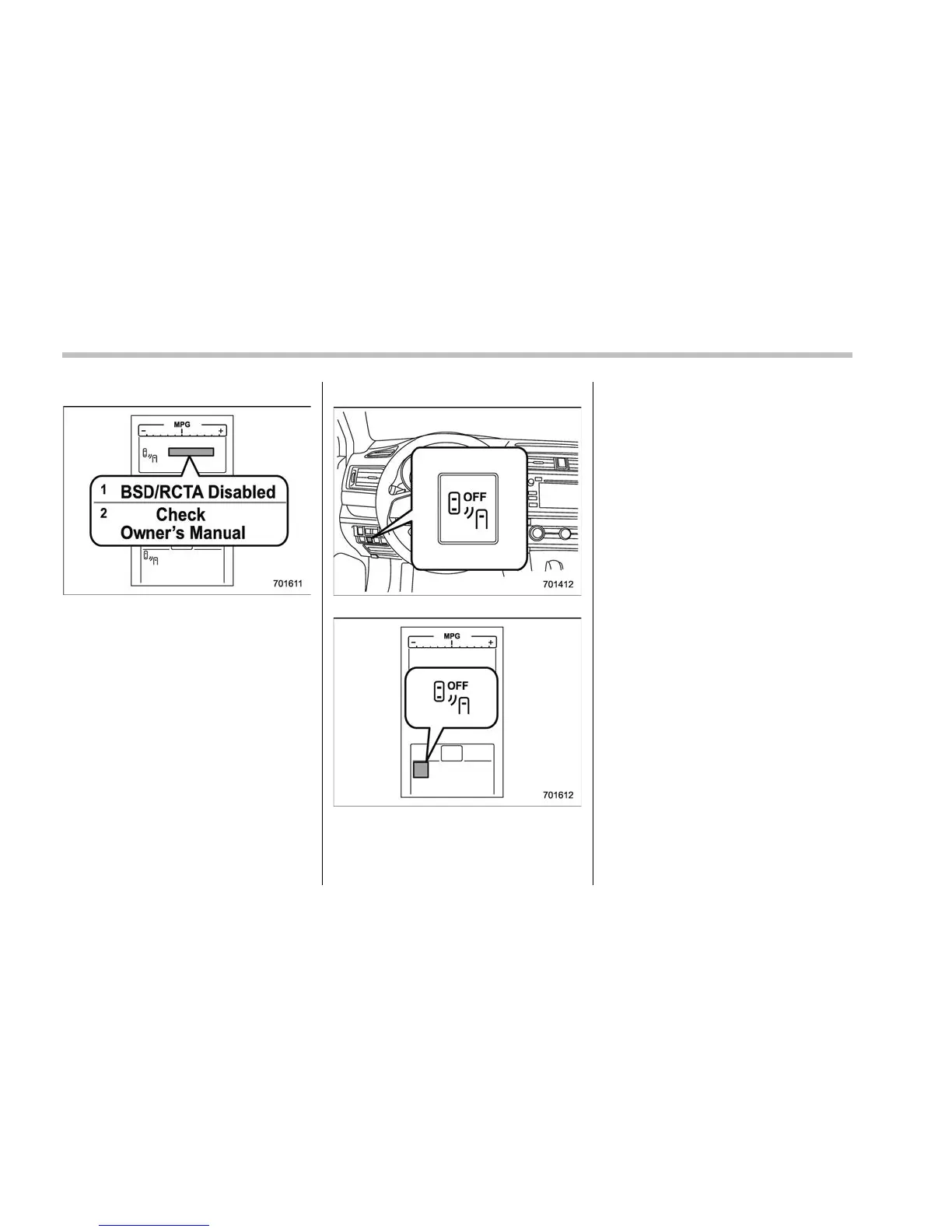
! System malfunction indicator
System malfunction indicator
1) At first, this message will appear
2) Then this message will appear
This indicator appears when a malfunction
occurs in the system. Contact a SUBARU
dealer and have the system inspected.
& BSD/RCTA OFF switch
BSD/RCTA OFF switch
BSD/RCTA OFF indicator
If the BSD/RCTA OFF switch is pressed,
the BSD/RCTA OFF indicator appears on
the multi information display of the combi-
nation meter, and the BSD/RCTA i s
deactivated.
Press the switch again to activate the
BSD/RCTA. The BSD/RCTA OFF indica-
tor disappears.
NOTE
. In the following cases, press the
BSD/RCTA OFF switch to deactivate
the system. The system may not oper-
ate properly due t o blocked radar
waves.
– When towing a trailer
– When a bicycle carrier or other
item is fitted to the rear of the
vehicle
– When using a chassis dynam-
ometer or free roller device, etc.
– When running the engine and
making the wheels rotate while
lifting up the vehicle
. If the ignition switch is turned to the
“LOCK”/“OFF” position, the last known
status of the system is maintained. For
example, if the ignition switch is turned
to the “LOCK”/“OFF” position with the
BSD/RCTA deactivated, the BSD/RCTA
remains deactivated the next time the
ignition switch is turned to the “ON”
position.
. If the vehicle battery is disconnected
due to situations such as battery
7-60















 To Next Page