Audio/Audio set
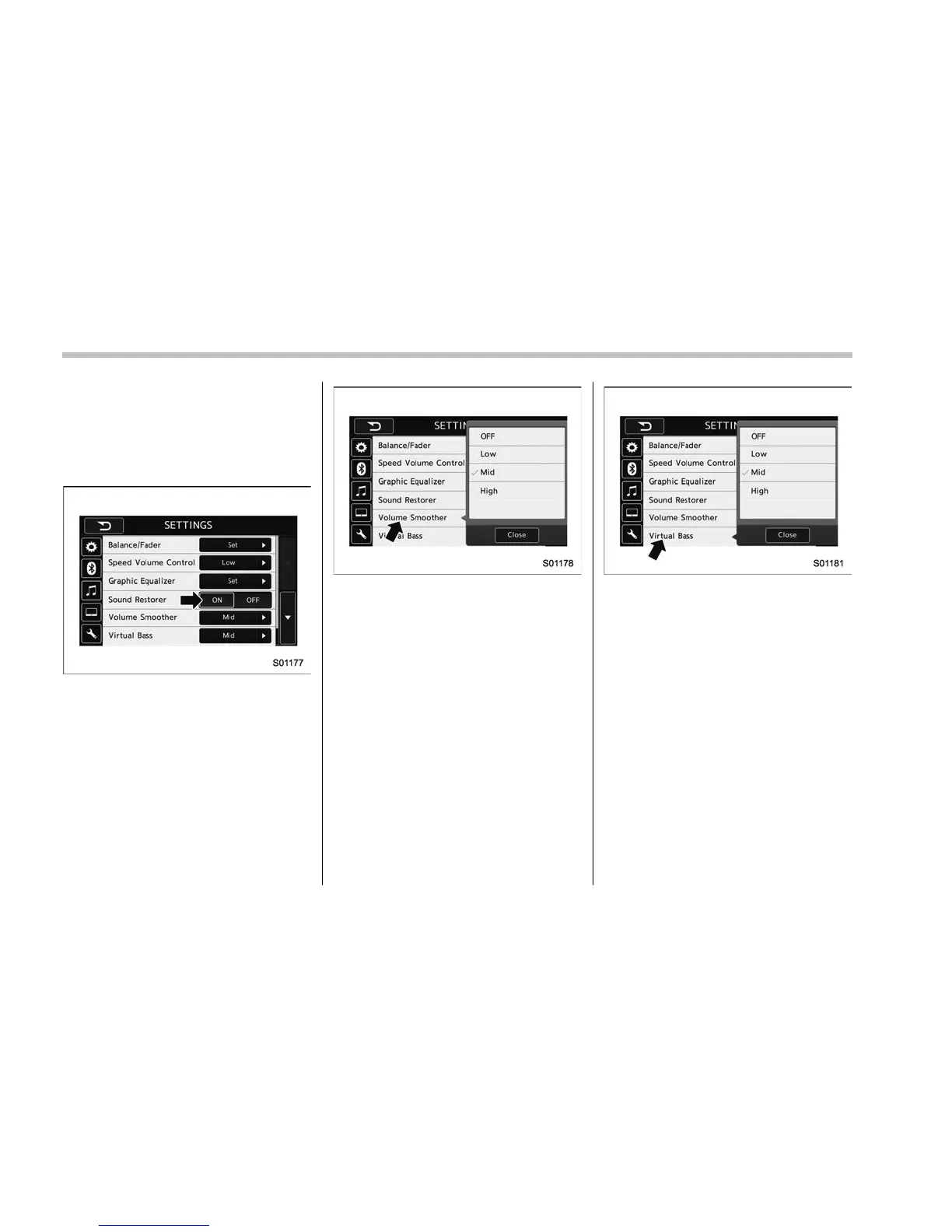
! “Sound Restorer”
You can play compressed audio data with
a sound quality that is close to the original
sound.
Select the “ON” or “OFF” key by the right
side key of the “Sound Restorer” key.
! “Volume Smoother”
This function reduces the difference in
volume among the sound sources to be
played.
1. Touch the right side key of the “Volume
Smoother” key.
2. Select the “OFF”, “Low”, “Mid” or
“High” key. The “High” key comes to have
a bigger effect. When the “OFF” key is
selected, the volume smoother function is
canceled.
! “Virtual Bass”
This function enables you to adjust the
bass tone.
1. Touch the right side key of the “Virtual
Bass” key.
2. Select the “OFF”, “Low”, “Mid” or
“High” key. The “High” key comes to have
a bigger effect. When the “OFF” key is
selected, the virtual bass function is
canceled.
! “Vocal Image Control”
Refer to ““Balance/Fader”” F5-22.
5-24















 To Next Page