北米Model "A2600BE-B" EDITED: 2020/ 10/ 1
! How to select items on the screen
s03bs0510
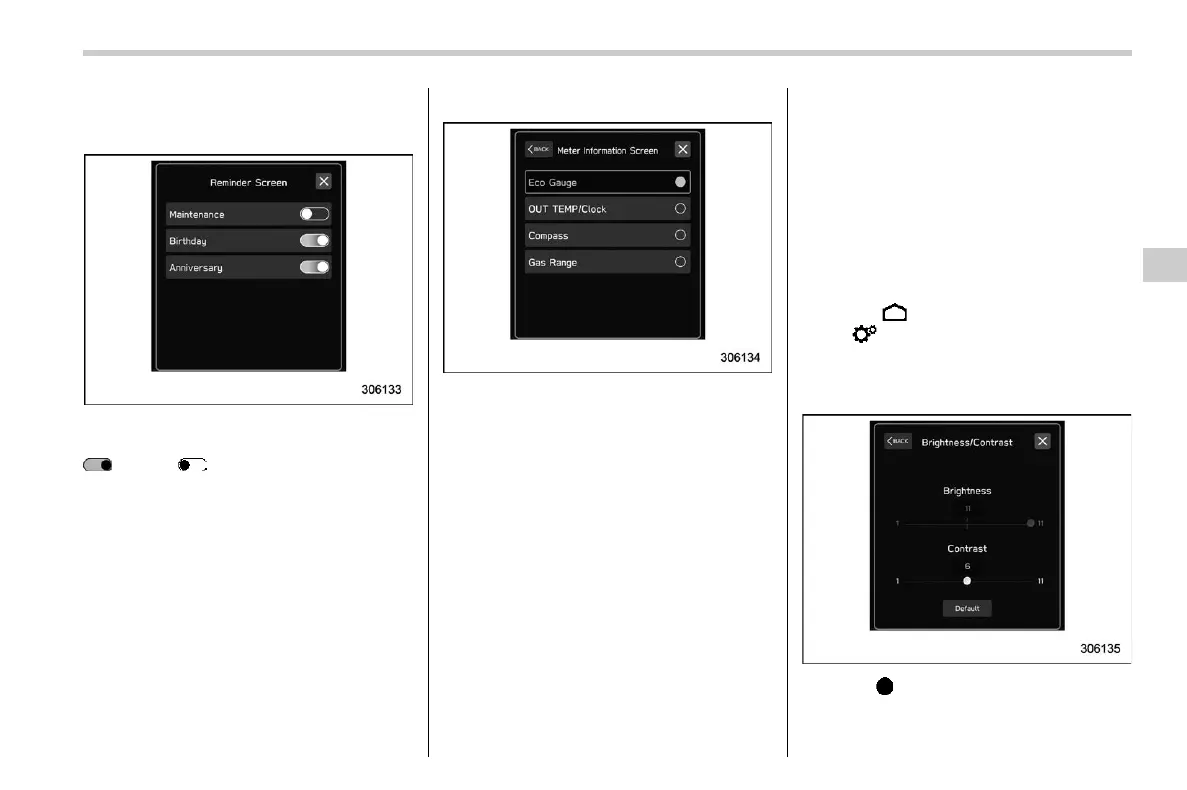
! ON/OFF setting
s03bs051001
Example
Touch the changing menu and select ON
or OFF .
! Selecting
s03bs051002
Example
Touch the preferred item.
! How to set items on the screen
s03bs0511
! Brightness/Contrast
s03bs051101
Set and adjust the brightness and contrast
of the center information display.
NOTE
“Brightness” can only be adjusted
when “Brightness Dial” is off. Refer to
“General settings” FP216.
1. Touch
(HOME).
2. ?
(Settings)
3. ? “General”
4. ? “Display”
5. ? “Brightness/Contrast”
6. Drag to adjust the brightness and
contrast.
– CONTINUED –
Center Information Display (CID)
225
3
Instruments and Controls














 To Next Page