北米Model "A2600BE-B" EDITED: 2020/ 10/ 1
Touch “Default” to revert to the factory
setting.
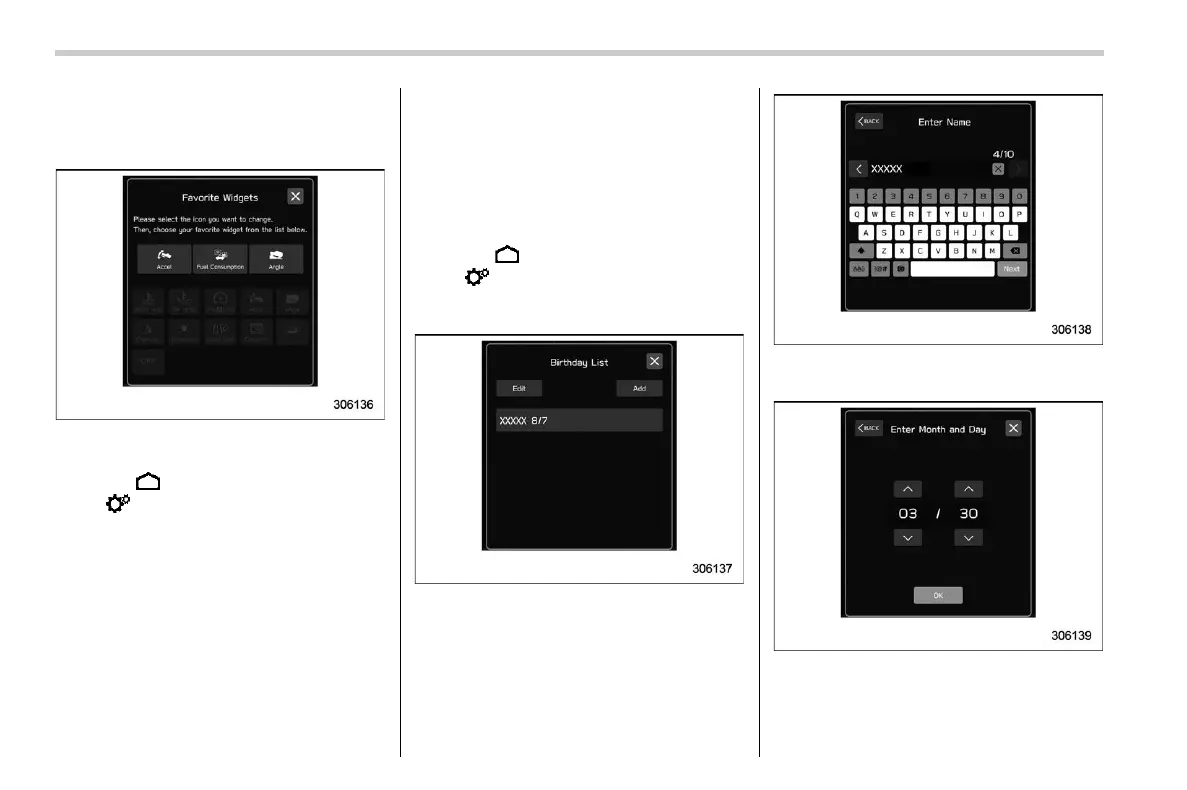
! Favorite Widgets
s03bs051102
The menu on the favorite screen can be
customized.
1. Touch
(HOME).
2. ?
(Settings)
3. ? “General”
4. ? “Favorite Widgets”
5. Select the icon of the display position.
6. Select the display item.
! Birthday List
s03bs051103
If a birthday or anniversary is approaching,
a message will be shown when the ignition
switch is turned to the “ON” position. This
function can be set to on or off by
“Reminder Screen”. For details, refer to
“General settings” FP216.
1. Touch
(HOME).
2. ?
(Settings)
3. ? “General”
4. ? “Birthday List”
5. ? “Add”
6. Enter the name.
7. ? “Next”.
8. Enter the date.
9. ? “OK”
Center Information Display (CID)
226














 To Next Page