北米Model "A2600BE-B" EDITED: 2020/ 10/ 1
NOTE
A maximum of 5 birthdays can be
stored.
! Anniversary List
s03bs051104
The procedure for setting an anniversary is
the same as “Birthday List” FP226, except
that in step 4 “Anniversary List” is selected.
! Driver Monitoring System (if
equipped)
s03bs051105
The Driver Monitoring System settings can
be changed.
For setting method for the following menu
on the Driver Monitoring System, refer to
“ON/OFF setting” FP225.
. Driver Monitoring System
. User Recognition
. Auto Retract Seat on Entry
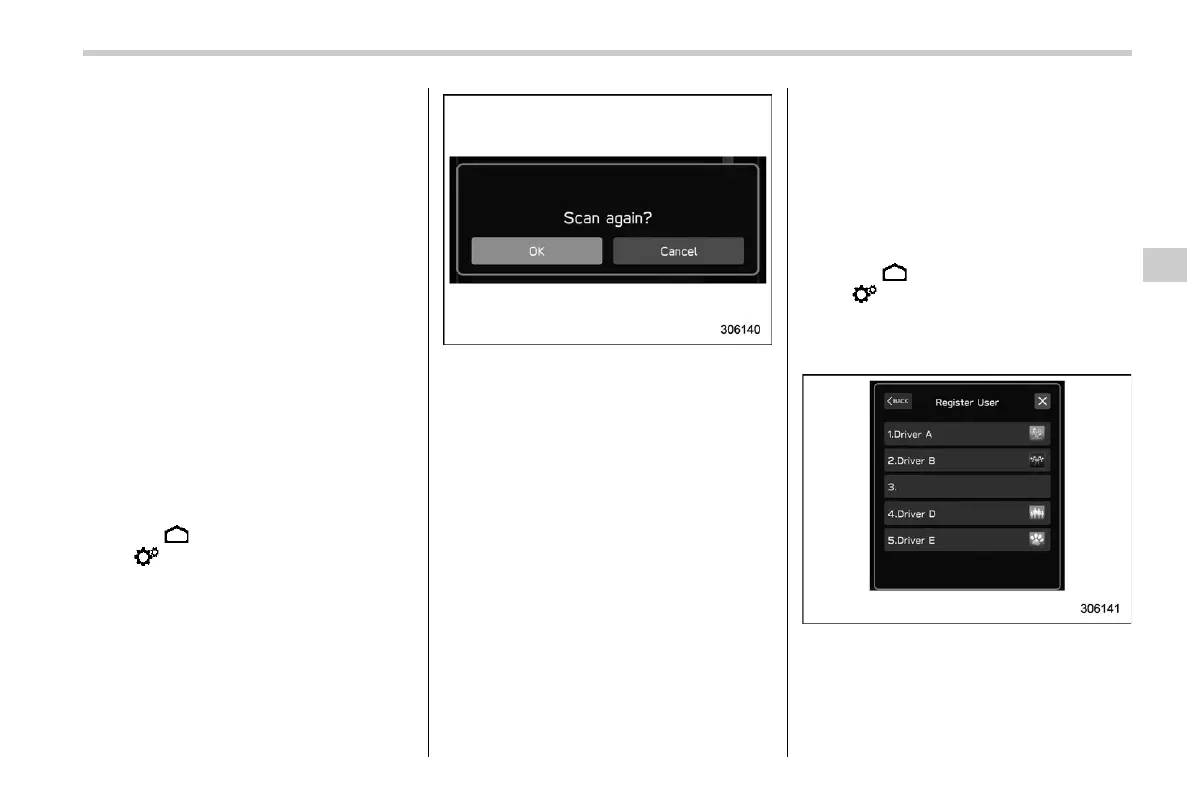
Repeat facial scan:
1. Touch
(HOME).
2. ?
(Settings)
3. ? “Car”
4. ? “Driver Monitoring System”
5. ? “Repeat facial scan”
6. ? “OK”
7. While seated in the driver’s seat, face
forward and wait for a few moments. When
the scan is completed, the completion
screen is displayed on the combination
meter (color LCD).
Register User:
1. Adjust the seat position, outside mirror
angle, and reverse tilt-down outside mirror
angle so that you are seated in the correct
driving posture.
NOTE
. Start the user registration after ad-
justing the seat position, outside mirror
angle, and reverse tilt-down outside
mirror angle. If they are adjusted during
user registration, it may be disrupted.
Refer to “Power Seat” FP32 or “Out-
side Mirrors” FP271.
. If the ignition switch is turned to the
“OFF” position before user registration
is complete, the information of the
adjusted seat position, outside mirror
angles, and reverse tilt-down outside
mirror angle will not be saved.
2. Touch
(HOME).
3. ?
(Settings)
4. ? “Car”
5. ? “Driver Monitoring System”
6. ? “Register User”
7. Select the preferred user from the list.
– CONTINUED –
Center Information Display (CID)
227
3
Instruments and Controls














 To Next Page