11
TV Overview
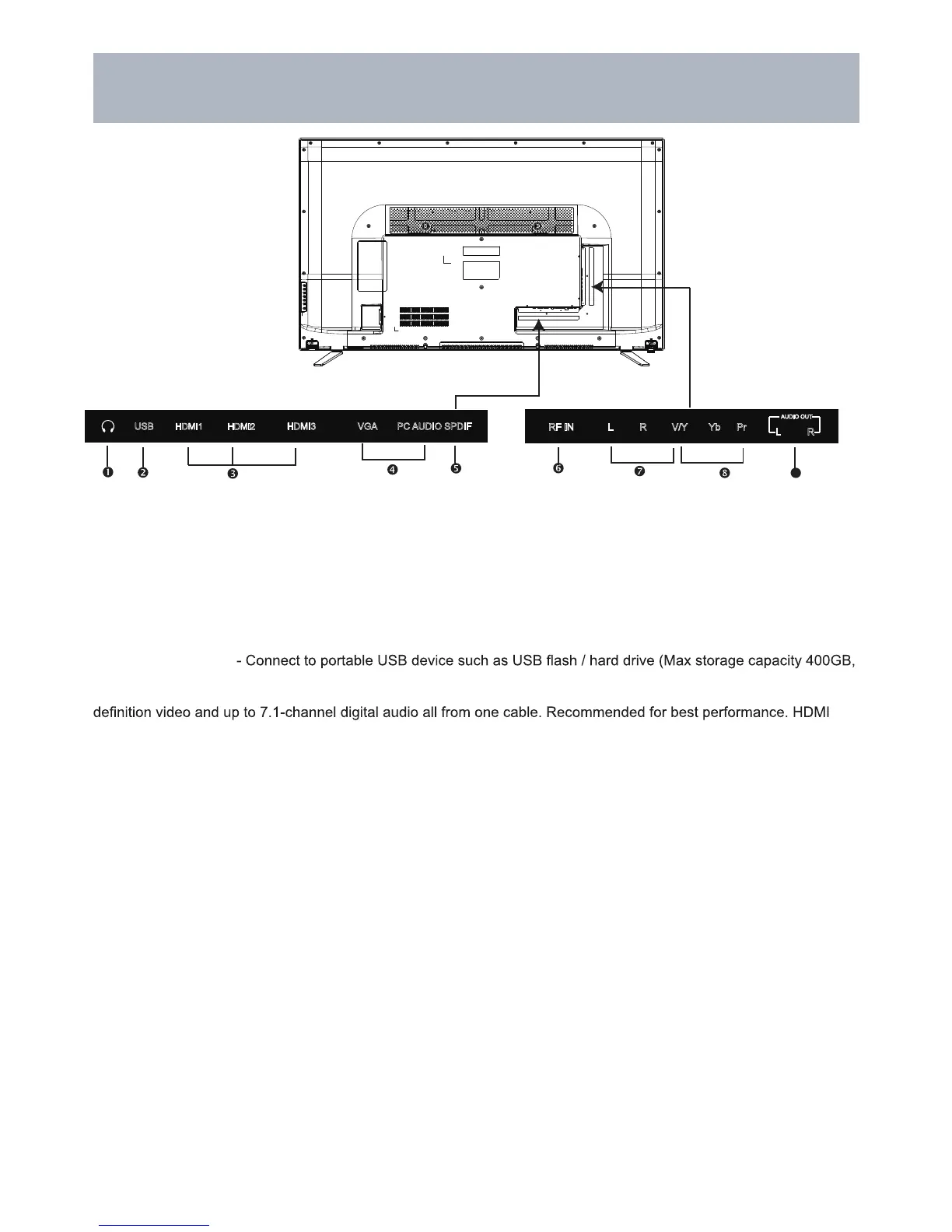
2. USB Input Port
supports MP3 and JPEG.
3. HDMI Input - Connects to digital AV equipment that feature HDMI connectivity. HDMI supports enhanced high
cable not included.
4. PC IN - VGA Input - Connect an optional VGA cable (not included) from your personal computer.
PC Audio Input (3.5mm) - 3.5mm audio cable (not included) for sound.
8. Component Y Pb Pr Input - Connect to an AV device that features component (Y Pb Pr) video and audio output
jacks.
6. RF Input - Connect an antenna or cable connection for television reception.
Note: Use an outdoor antenna, cable or satellite for best reception.
1. Headphone Jack - Connect a stereo headphone (3.5mm – not included) for private listening.
5. SPDIF - Connect an optional coaxial digital cable (not included) through a compatible amp / receiver to enjoy
superior audio sound.
7. AV Input - Connect an external device to the composite VIDEO(Y) and AUDIO (L / R) out jacks found on most
video equipment.
9. Audio Out - Connect to audio receiver.
NOTE: You must remove the
pedestal before wall mounting.
Rear Panel & Pedestal Removal
Wall Mounting
It is recommended that you consult a professional before mounting this TV a wall.
Use VESA 400 x 400 wall mount hardware.
9
SPDIFPC AUDIOVGAHDMI3USB
RF IN L R V/Y Yb Pr
L R
AUDIO OUT
HDMI2
(MHL)
HDMI1
(ARC)



 To Next Page