13
HDMI
Installation
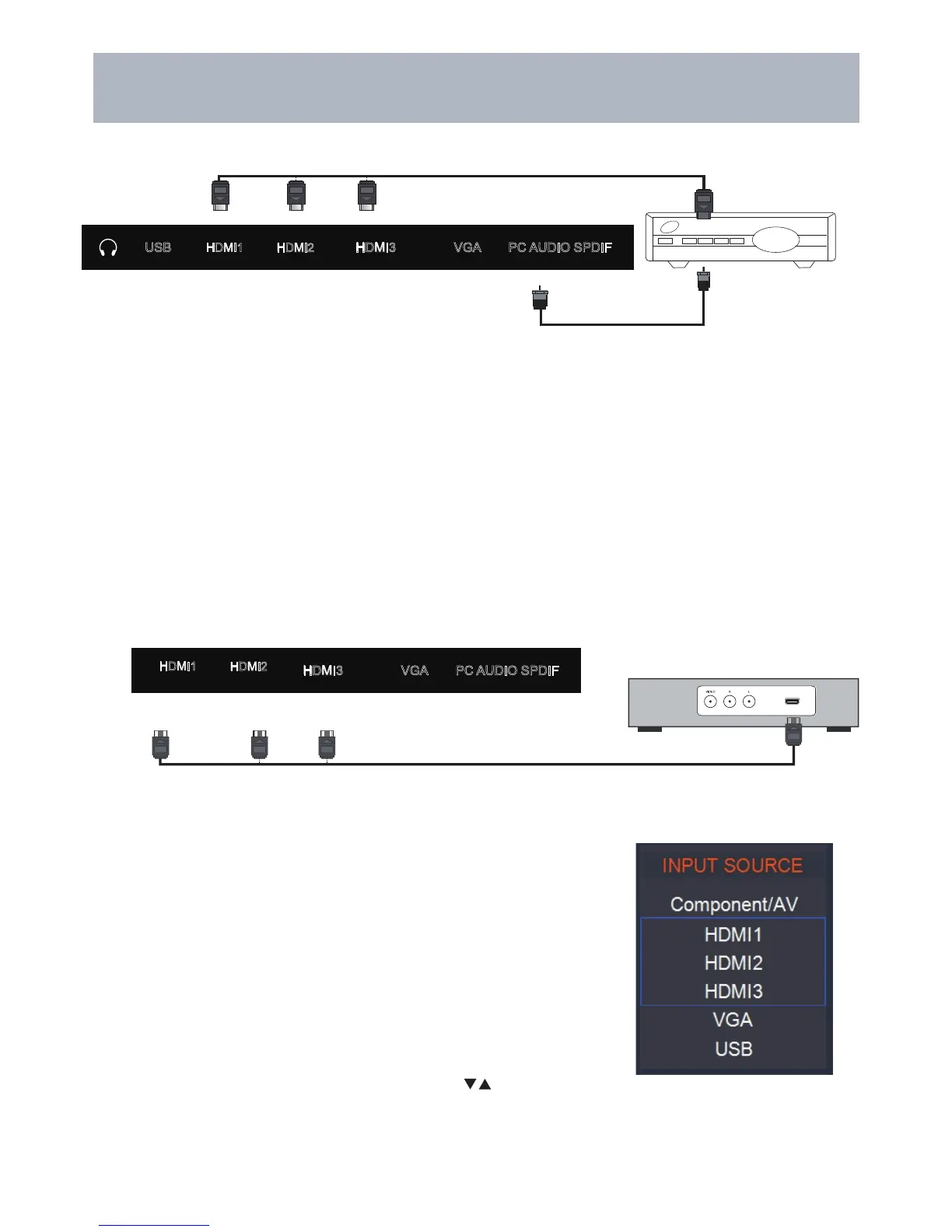
Connection to HDMI Input
Connecting to an HD Set-Top Box or High Definition DVD Player
Using HDMI
For BEST video performance
Connect to external equipment that offers HDMI, an uncompressed, all
digital video / audio interface found on today’s HD digital set top boxes
and Blu-ray players. Use of this pure digital technology offers enhanced
high definition video and digital audio all via a single cable.
There are three (3) HDMI inputs available for use with HD set top boxes,
gaming consoles and HD DVD / Blu-ray players.
How to Connect HDMI
•
From your external digital equipment, connect an HDMI cable from
the HDMI output to the HDMI input on the TV’s panel.
How To Use
• Press the INPUT button on the remote control. Use arrow
buttons to highlight the input to view (HDMI1,2,3 ) then press ENTER .
Coaxial / RF Cable
(not included)
Optional HDMI cable ( not included )
Cable / Satellite
set top box
Optional HDMI cable ( not included )
Digital set top box, gaming console,or
Blu-ray w / HDMI interface
Digital Cable / Satellite Set Top Box
How to connect with Digital Cable / Satellite Set Top Box
• Connect the RF coaxial (75 ohm) cable from the video outlet of your cable / Satellite box to the RF input on the TV’s
panel. Select Ch. 3 or 4 on the TV and select a channel.
• For greater performance, if possible, use component or an HDMI installation(shown). Refer to your set top box user
manual.
SPDIFPC AUDIOVGAHDMI3USB
SPDIFPC AUDIOVGAHDMI3
TV
HDMI2
(MHL)
HDMI1
(ARC)
HDMI2
(MHL)
HDMI1
(ARC)



 To Next Page