MHL Setting
Connecting an MHL-enabled device
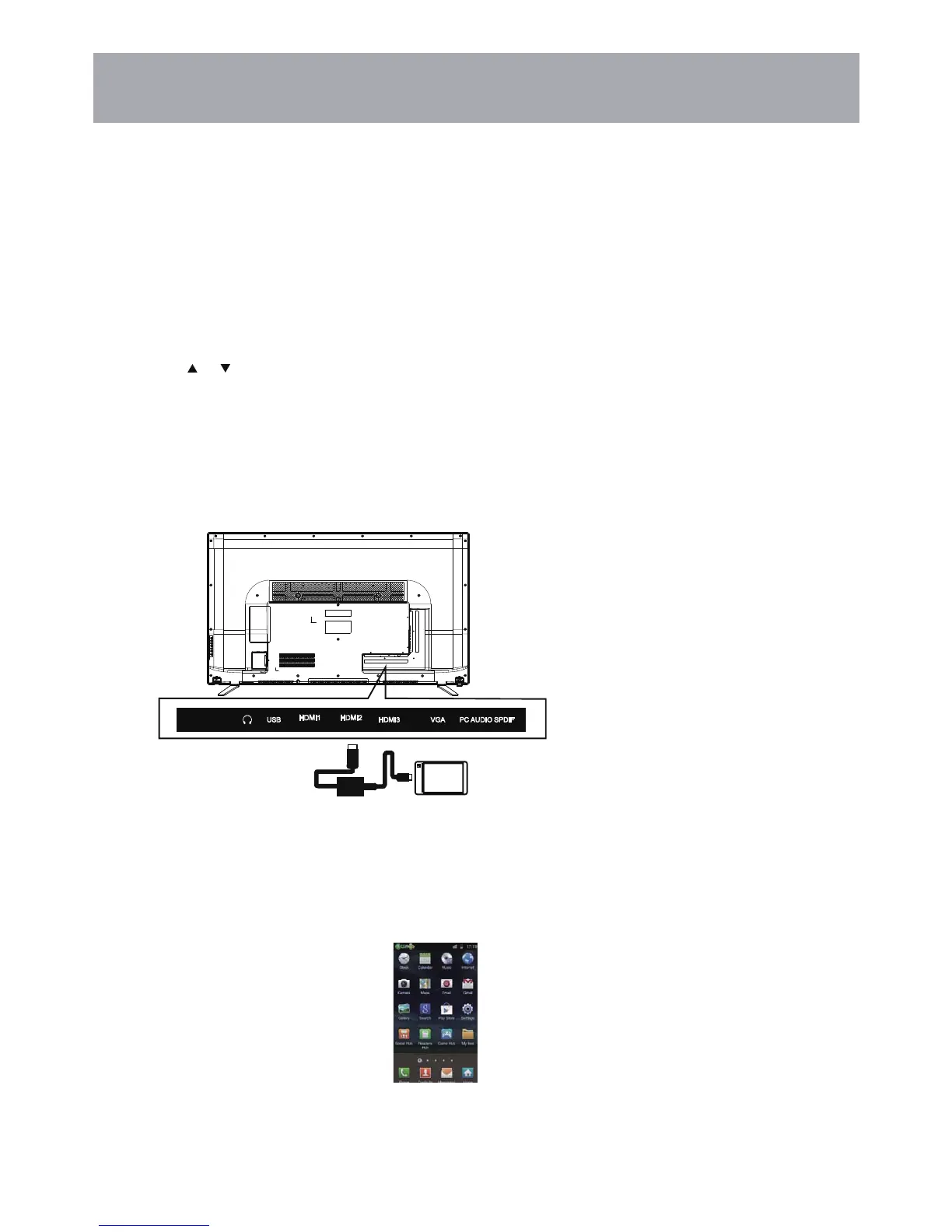
You can connect an MHL-enabled device, such as a cell phone, and view your device’s screen on your TV.
To connect an MHL-enabled device:
3
4
Connect an MHL cable (not provided) to the micro USB port on the device, then connect the other end
of the cable to the HDMI /MHL jack on the side of your TV.
1 Press INPUT to open the Input Source list.
2 Press or to select HDMI2,then press ENTER.
Your device’s menu will vary depending on the device and the apps you have loaded on the device.
HDMI cab le with
HDMI-to- MHL
adapter
MHL-enab led device
SPDIFPC AUDIOVGAHDMI3USB
30
HDMI2
(MHL)
HDMI1
(ARC)



 To Next Page