24
Menu Adjustments
The Setup menu includes adjustments for activating the Closed Caption text feature for display on-screen and customiz-
ing CC display types and font styles.
Note: When adjustments are completed, you may select another menu by pressing the Menu button.
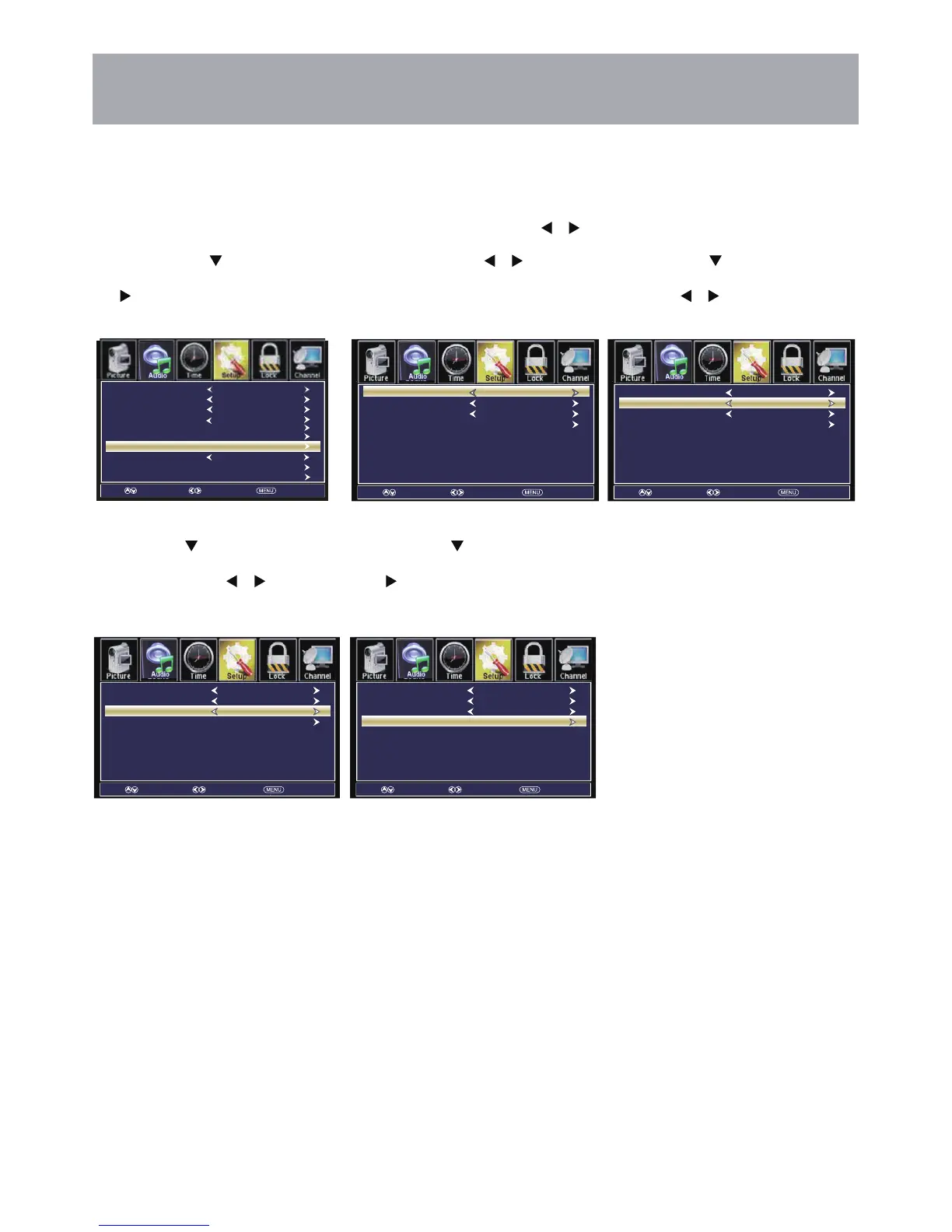
Closed Captions
How to Navigate:
Press the MENU button on the remote control. Navigate using arrow buttons to select Setup.
• Press the down
arrow button to
highlight Closed Caption then press
the arrow button to highlight CC
Mode.
• Navigate using the arrow
buttons to select CC Off > CC On >
CC on Mute.
• Press down arrow button to
highlight Basic Sdection. Navigate
using the arrow buttons to select
CC1-4, TEXT1-4.
• Press down
arrow button to
highlight Advanced Selection.
Navigate using the arrow
buttons to select Off,Service 1-6.
• Press down arrow
button to highlight Option. Press
the arrow button to enter a menu
with options to customize text fonts,
colors and opacities.
Move Select Return
CC Mode
Basic Sdection
Option
Advanced Selection
Off
CC1
Service1
Move Select Return
CC Mode
Basic Sdection
Option
Advanced Selection
Off
CC1
Service1
Move Select Return
CC Mode
Basic Sdection
Option
Advanced Selection
CC Off
CC1
Service1
Move Select Return
CC Mode
Basic Sdection
Option
Advanced Selection
Off
CC1
Service1
Move Select Return
Menu Language
Transparent
Closed Caption
Noise Reduction
Zoom Mode
Advanced
DLC
Restore Default
English
ON
Wide
Middle
ON
Basic Sdection



 To Next Page