19
TV Settings
TV Provider Setup
& Channel Auto Scan
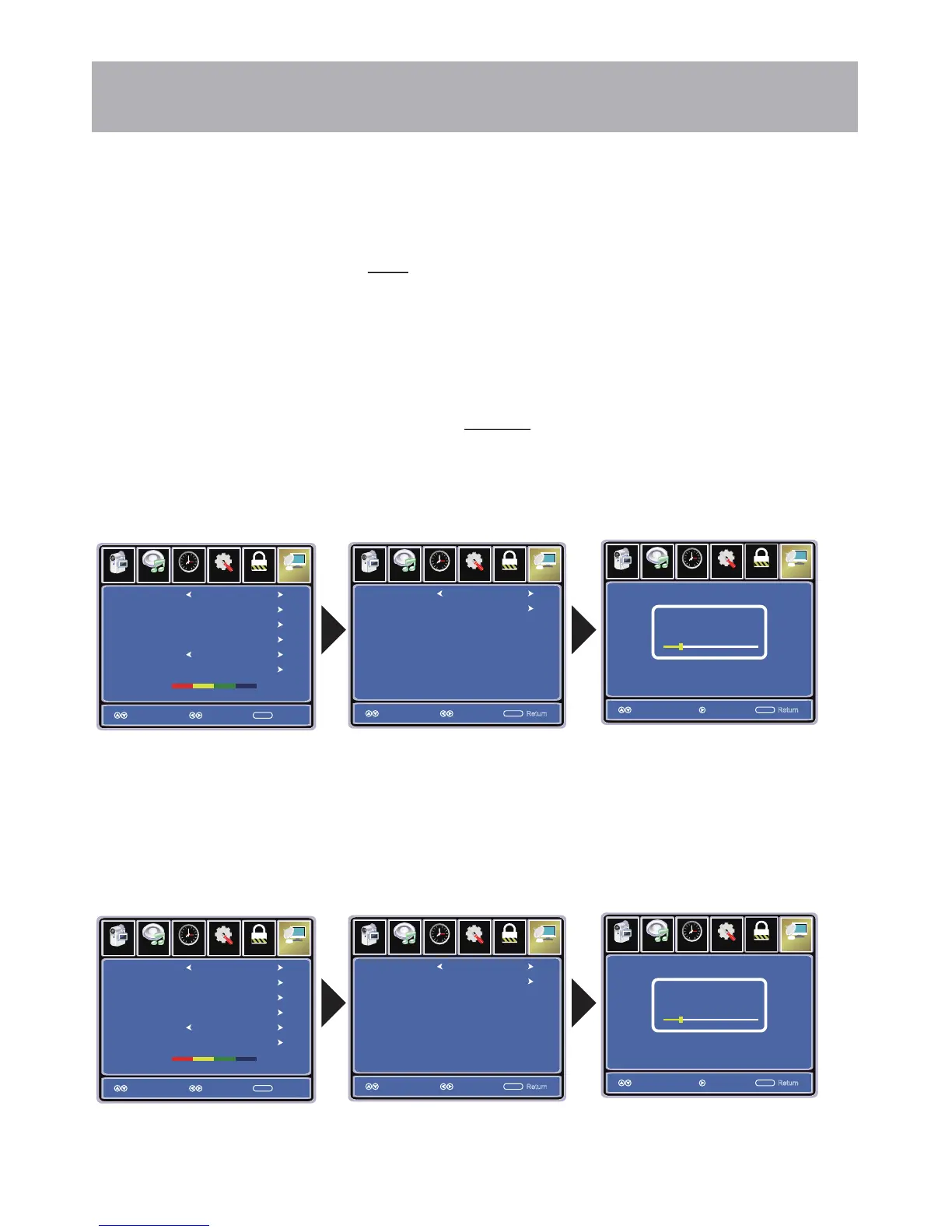
To enter the Channel Menu:
• Press the MENU button
• Using the arrow buttons; scroll to highlight Channel
• Press the down arrow buttons to highlight Air / Cable
Select Cable if you subscribe to a pay television service WITHOUT a set top box.
• Press the arrow buttons to highlight Cable.
•
NOTE: Channel Auto Scan may take several minutes to complete.
Cable Mode
Air Mode
Select Air when TV is connected to an indoor / outdoor antenna.
• Press the arrow button to highlight Air.
•
NOTE: Channel Auto Scan may take several minutes to complete.
NOTE: For Cable or Satellite users WITH a set-top box, there is no need to run Channel Auto
Scan. Connect your cable or
satellite set top box to one of the available inputs on the TV for
viewing.
Press the arrow button to highlight Auto Scan and press ENTER. Press ENTER to begin Auto Scan.
Press the arrow button to highlight Auto Scan and press ENTER.
Setup
Lo ck
12
6
Time
Pi cture
Channel
Auto Scan
Favorite
Show Hide
Channel No
Channel Label
DTV Signal
Cable
Select Move Exit
MENU
50 3
KOCE
LB
Good
Air/Cable
Audio
Setup
Lo ck
12
6
Time
Pi cture
Ch annel
Cable System
Start to Scan
Auto
SelectMove
MENU
Audio
Return
Move
Se tup
Channel
ME NU
Pi cture
12
6
Time Lock
RF CH
Found
7
4
NEXT
Move
Audio
Return
Setup
Lo ck
12
6
Time
Pi cture
Channel
Auto Scan
Favorite
Show Hide
Channel No
Channel Label
DTV Signal
Air
Select Move Exit
MENU
50 3
KOCE
LB
Good
Air/Cable
Audio
Setup
Lo ck
12
6
Time
Pi cture
Ch annel
Cable System
Start to Scan
Auto
SelectMove
MENU
Audio
Return
Move
Se tup
Channel
ME NU
Pi cture
12
6
Time Lock
RF CH
Found
7
4
NEXT
Move
Audio
Return
Press ENTER to begin Auto Scan.
After the Setup Wizard has been completed, please skip this page as your Cable/Antenna
is already set up. The following instructions on this page are provided if you need to make
changes at a later time.



 To Next Page