Chapter 3 Power and Fan Module FRUs 3-5
3.2 Replacing Power Supply/Fan Modules
for 1U Arrays
3.2.1 Replacing an AC Power Supply/Fan Module
Caution – To avoid damage to equipment, do not remove a power supply/fan
module without a working replacement.
3.2.1.1 Removing an AC Power Supply/Fan Module
1. Be sure to follow “Static Electricity Precautions” on page 1-5.
2. Turn off the power, and then remove the AC cord locks (if applicable) and the
power cable.
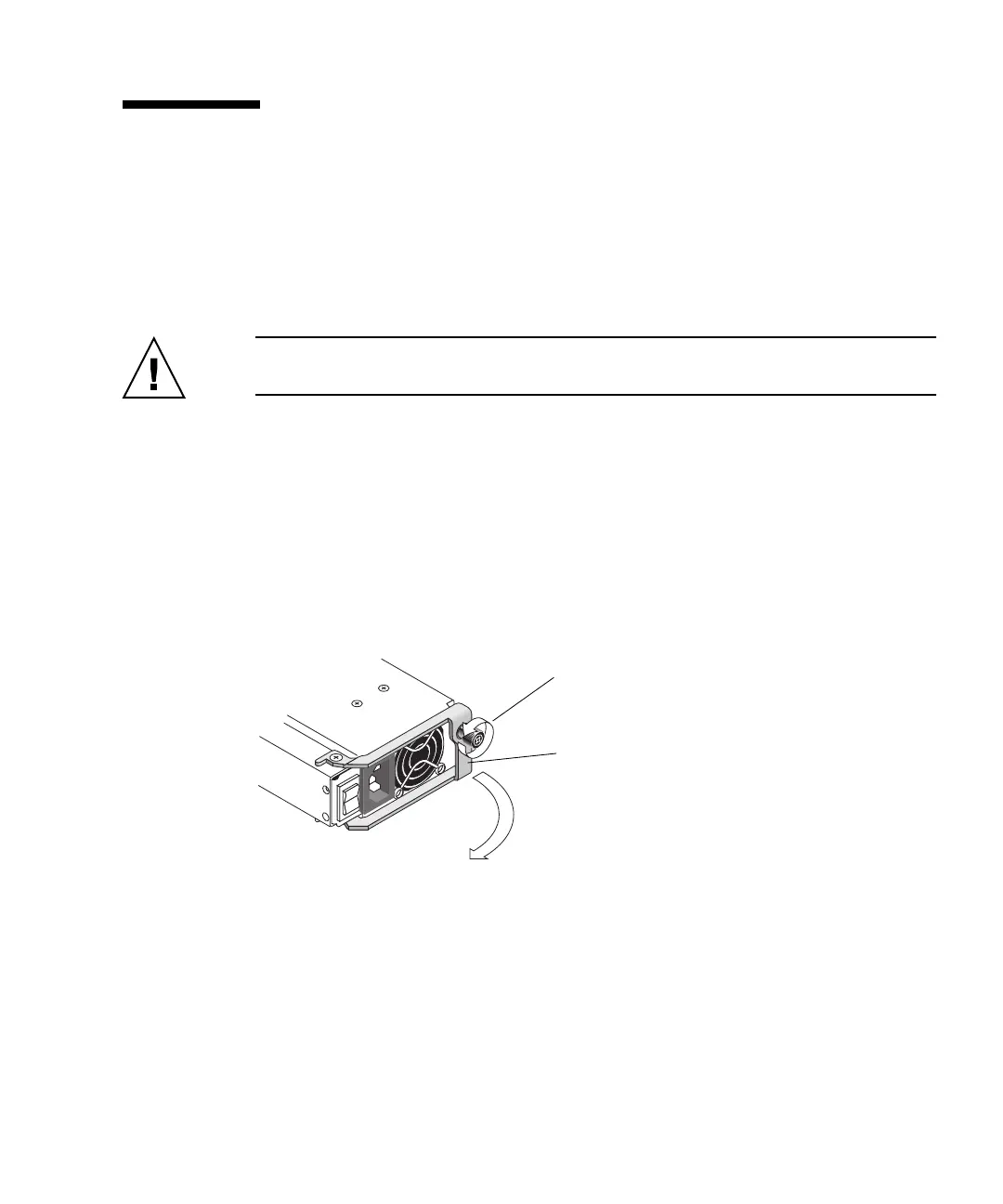
3. Turn the thumbscrew at the top of the power supply latch counterclockwise until
the thumbscrew is disengaged from the power supply.
FIGURE 3-2 The Power Supply Partially Pulled out of the Chassis
4. Pull the latch forward about 90 degrees to disconnect the power supply/fan
module from the midplane.
5. Pull the power supply/fan module out of the chassis.
Turn the thumbscrew counterclockwise.
Pull the latch forward.



 To Next Page
 Loading...



