4-8 Sun StorEdge 3000 Family FRU Installation Guide • May 2004
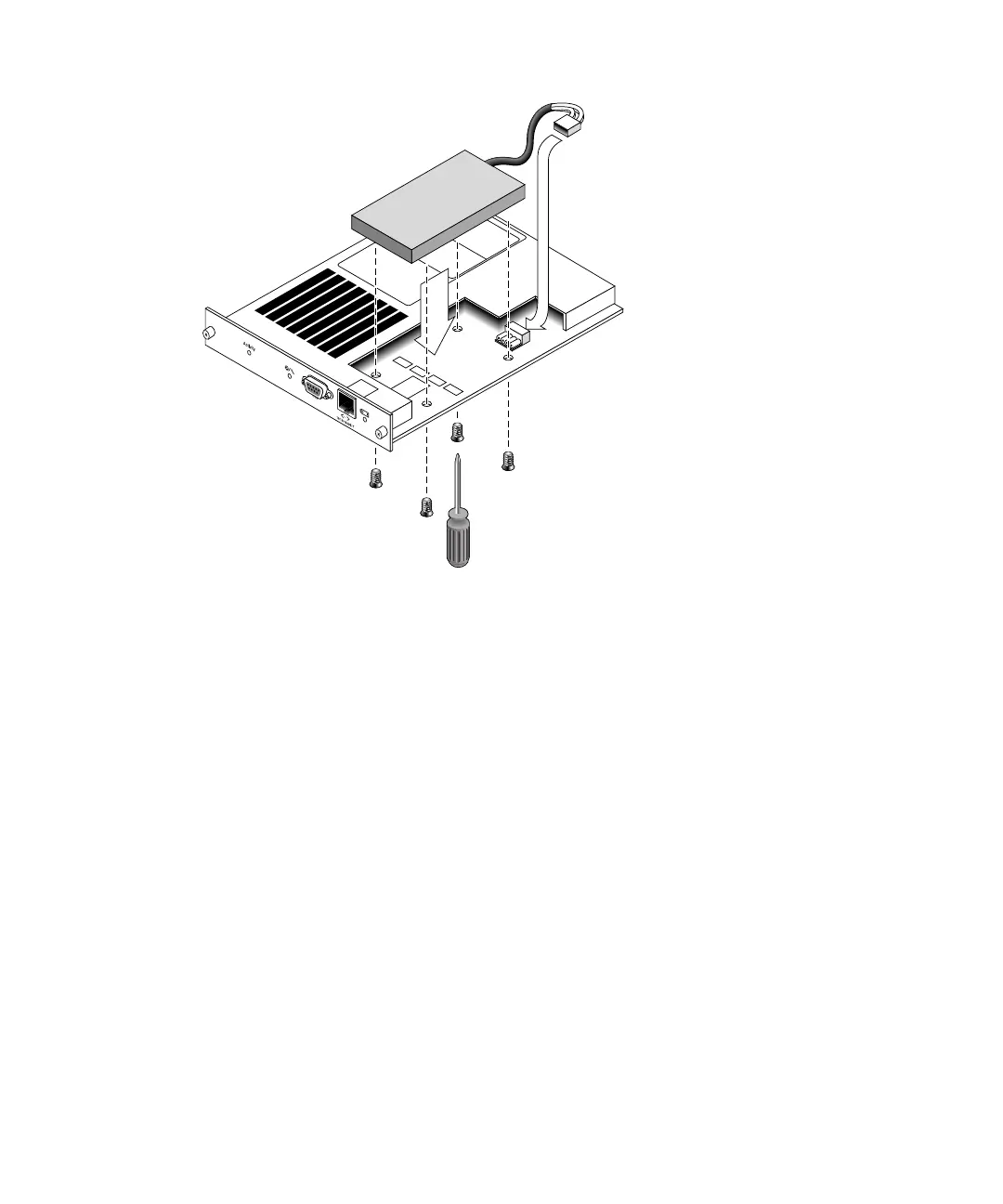
FIGURE 4-7 The Top and Side View of the Controller Module With the Battery Being
Inserted
4.4.2 Replacing an FC Battery
To replace a FC array battery, perform the following steps.
1. Turn the thumbscrews on the left and right sides of a battery module for the FC
array counterclockwise until the thumbscrews are disengaged from the chassis.
2. Hold the thumbscrews and pull out the battery module to check the battery date.
3. To replace the battery, pull out the battery module completely and disconnect the
battery connector from the battery module.



 To Next Page
 Loading...



