- 12 -
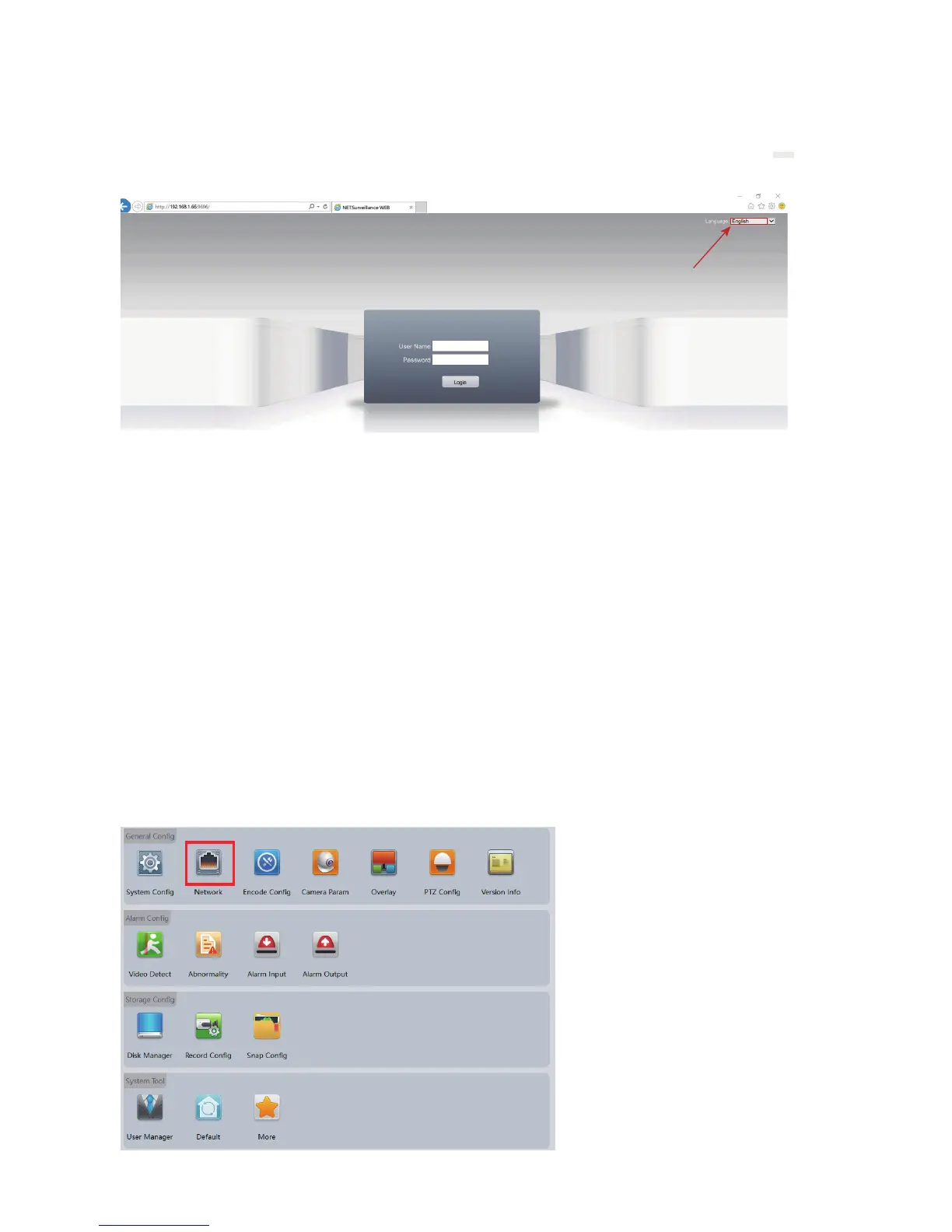
Enter username and password. The username is admin with no password
by default. Please change the admin password after log in to protect your
privacy by referring to Chapter 14.
Select the language
before login.
Step 4: Select Language
You can change the language from the upper right corner. Changes only
take effect after you successfully install the plugin, otherwise the text will
show “??????” or disappear.
Step 5. Enter Username and Password
Step 6. Select Stream
Go to <stream menu> and connect with either main stream (clear, better
quality, higher network requirements) or extra stream (fluent, lower network
requirements).
6. Assign a static IP
Step 1: Enter Device Config Page of Internet Explorer or VMS, and select
the Network tab.



 To Next Page