You can upload motion detection snapshots and videos to your FTP.
Step 1: Please remember to check the “Detect” option in the Snapshot
Config or Record Config under Device Config.
Step 2: VMS: Device Config-> Network->FTP
CMS/Browsers: Device Config->NetService->FTP
- 25 -
Alert Format
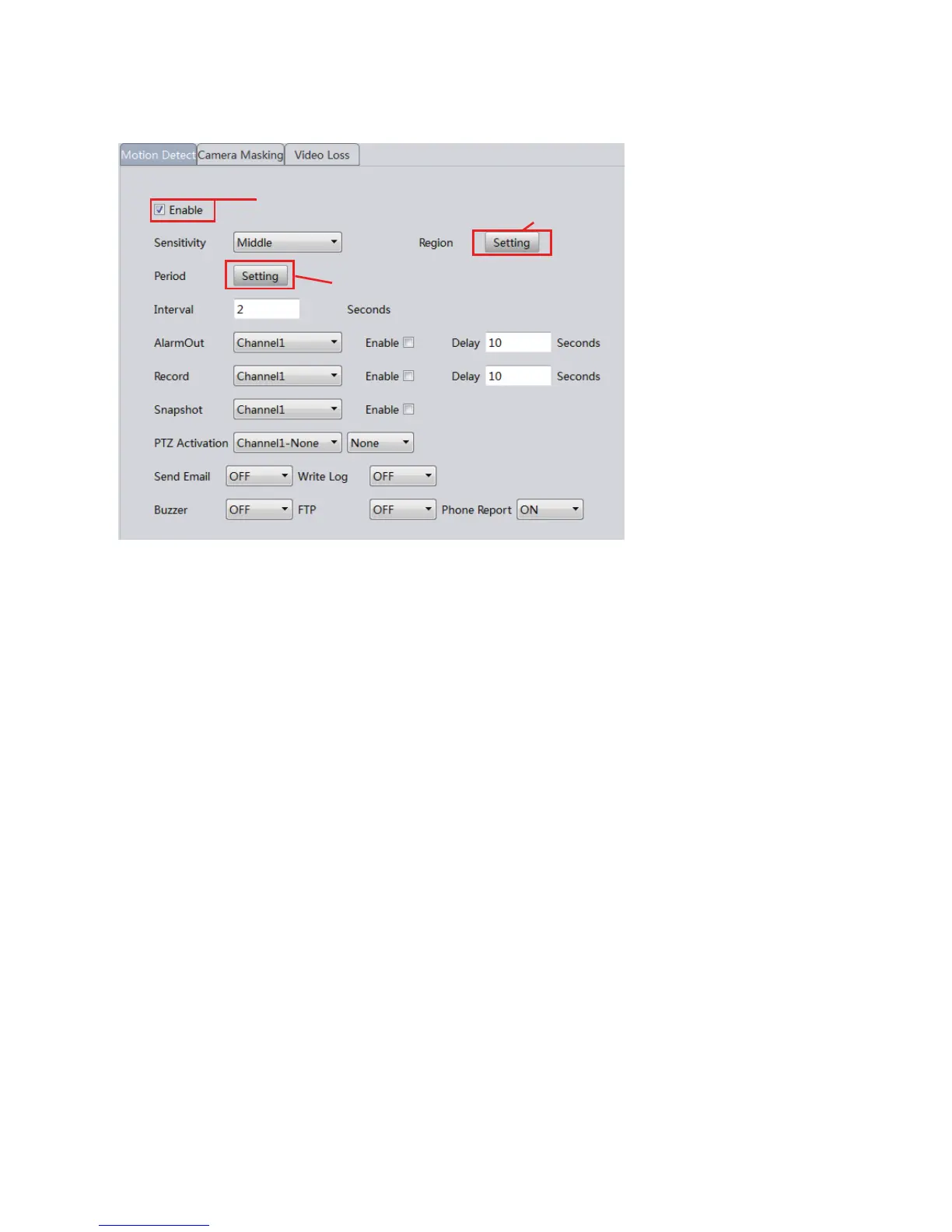
Buzzer: Must have a siren connected with the alarm interface of the NVR
to enable this option.
Send Email: Enable this and enter your email information via Device
Config->NetService (Network in VMS). You can also enable the snapshot
option to activate email alert with snapshots.
Write Log: A log will be popped on the screen every time an alert is
received.
FTP: See Chapter 15.
14. Motion Detection
15. FTP Communication
Enable motion detect
Modify the detection region
Edit the detection schedule
Phone Report: Enable this option, register an account in the iSunba app of
your smartphone (or via xmeye.net) and activate push notification to receive
text alerts.



 To Next Page