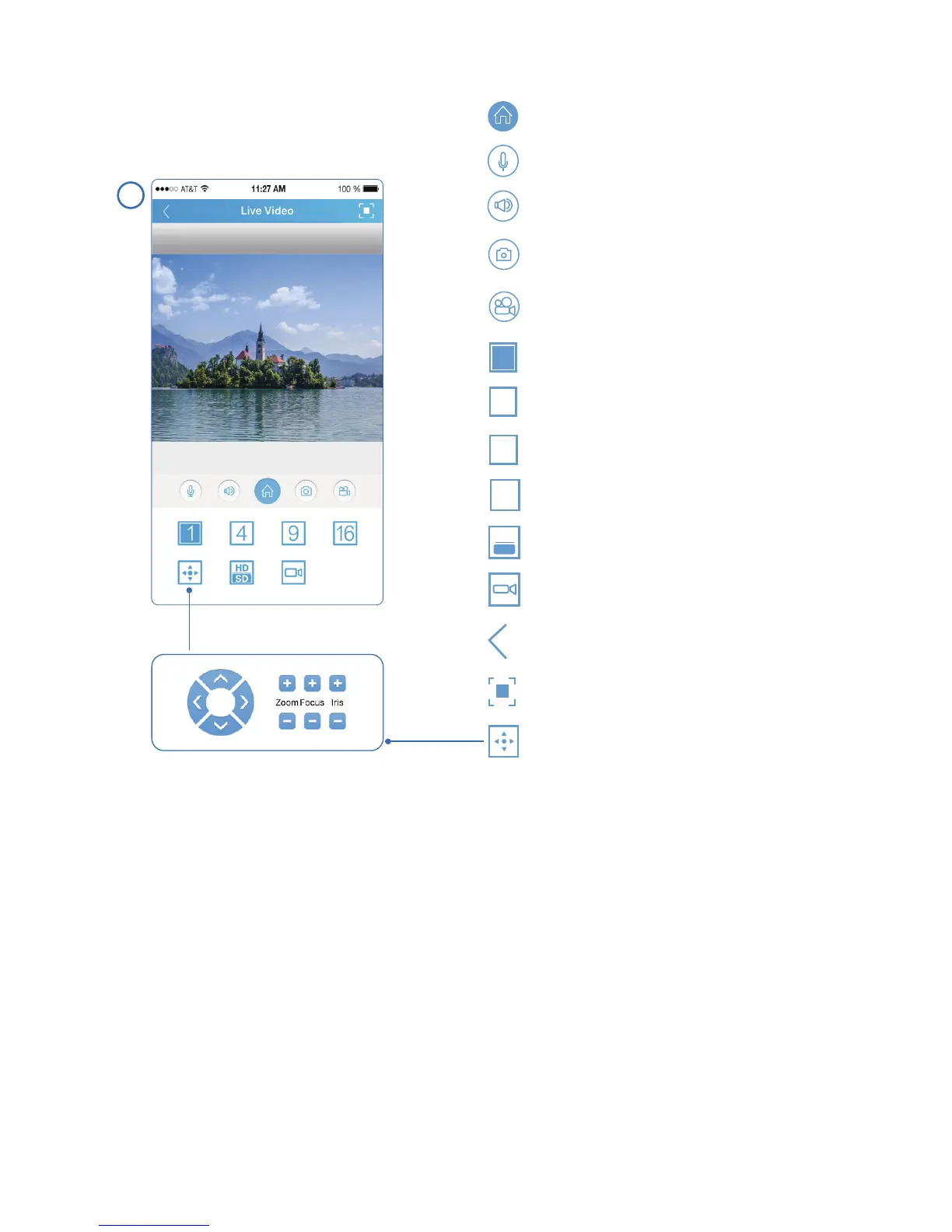
Enable pan/tilt/zoom control.
1
4
9
16
HD
SD
Turn on audio.
Access camera main menu.
Turn on speaker (if equipped).
Take a snapshot and save the
image to your phone.
Record a video and save the clip
to your phone.
Single camera view.
4-split view.
9-split view.
16-split view.
Switch video stream quality.
Check in-device playback (if TF
card option is available).
Return to previous menu.
Switch to full screen view.
6
Step 1: Install VMS from the CD-ROM.
3. Camera Setup by VMS Client
Input the default software account below. The account is to ensure
no one can have unauthorized access to your surveillance software.
This is not the credential for individual IP camera.
VMS for PC: admin/admin
VMS for Mac: admin/(blank)
- 06 -
This section will provide the user with information on how to setup the PTZ
camera using their computer.



 To Next Page