-18-
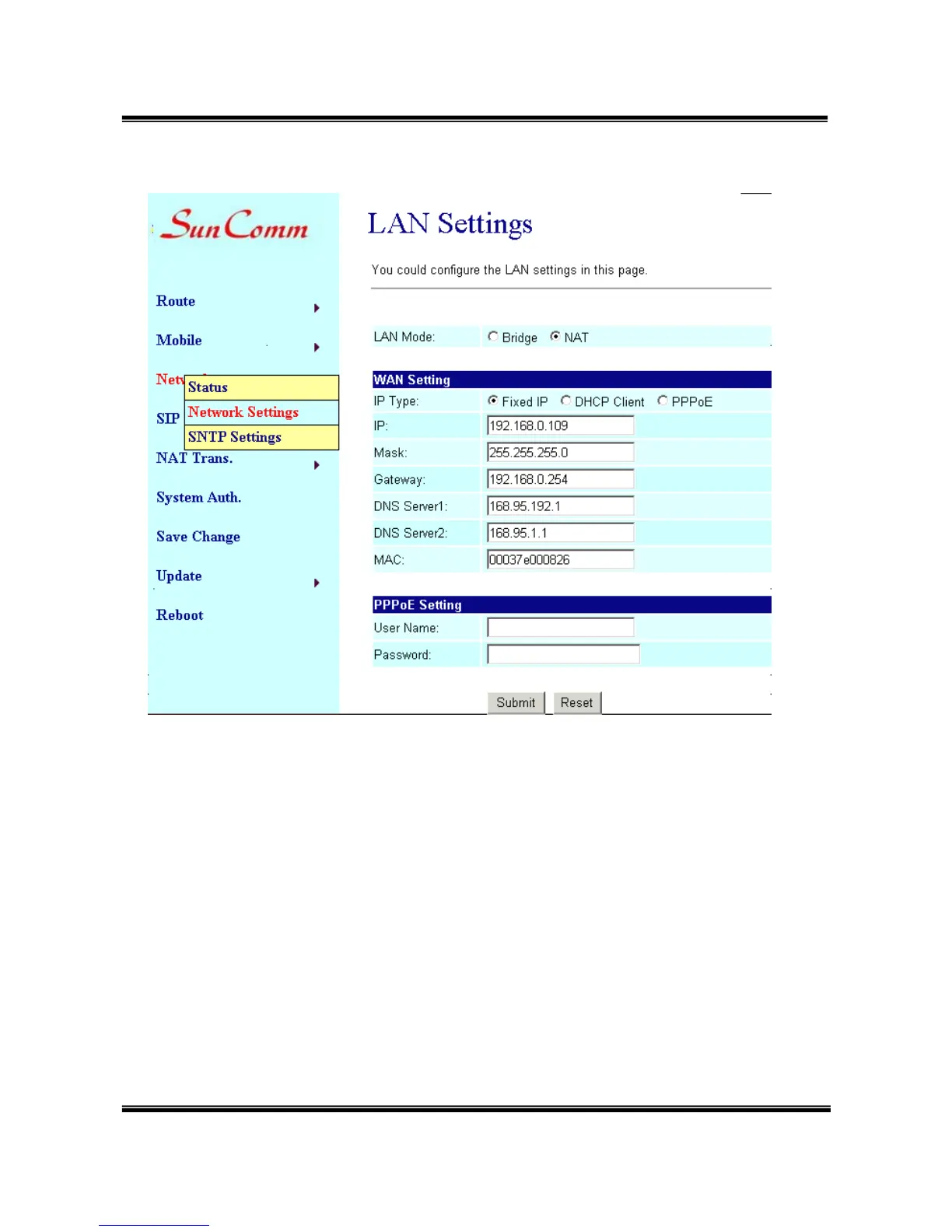
(1) LAN Mode: select NAT
(2) Fixed IP: the TCP/IP Configuration item is to setup the WAN port’s
network environment. You may refer to your current network
environment to configure the system properly.
(3) DHCP client: you could refer to your current network environment to
configure the system properly
(4) PPPoE: If you have the PPPoE account from your Service Provider,
please input the Username and the Password correctly.
(5) After you input or modify the value, click the Submit button.
10.3 Network/ SNTP Settings:
You could select “On” to give SNTP function to this device.
Input the primary and secondary IP Address of SNTP Server to get the


 To Next Page