-40-
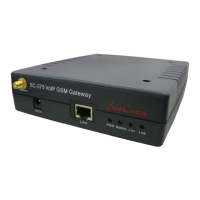
20. Simple Steps
Step 1. Change the Network setting if you need (Network/network setting)
Step 2. Register SIP proxy Server or Asterisk or VoipBuster if you need
(SIP setting/service domain)
Step 3. Set Route ( request )
Mobile to Lan:
(1) *,* --->it is two stage dialing.
when mobile call in, SC-375 will provide dial tone and you can enter ip or
asterisk extension or phone number.
●
If you want to enter phone number, please note your asterisk need to have
route of destination number.
(2) *, specific extension or IP or phone number
when mobile call in, SC-375 will connect with this specific extension or IP or
phone number auto
●
If you want to set specific phone number, please note your Asterisk need to
have route of destination number.
Lan to Mobile:
(1) *,* --->it is two stage dialing.
when lan phone call in, SC-375 will provide dial tone and you can enter mobile
number.
(2) *, specific mobile number
when lan phone call in, SC-375 will connect with the specific mobile number
auto.
(3) *,#--->It is 1 stage dialing
When lan phone and SC-375 both register Asterisk,
you can dial any destination number from lan phone directly.
●
Please note: Asterisk need to set route of destination number that dial out
from SC-375
● All changes both need to click "save and change"


 To Next Page