-33-
15.Update
Here you could update the latest firmware and restore the default
settings.
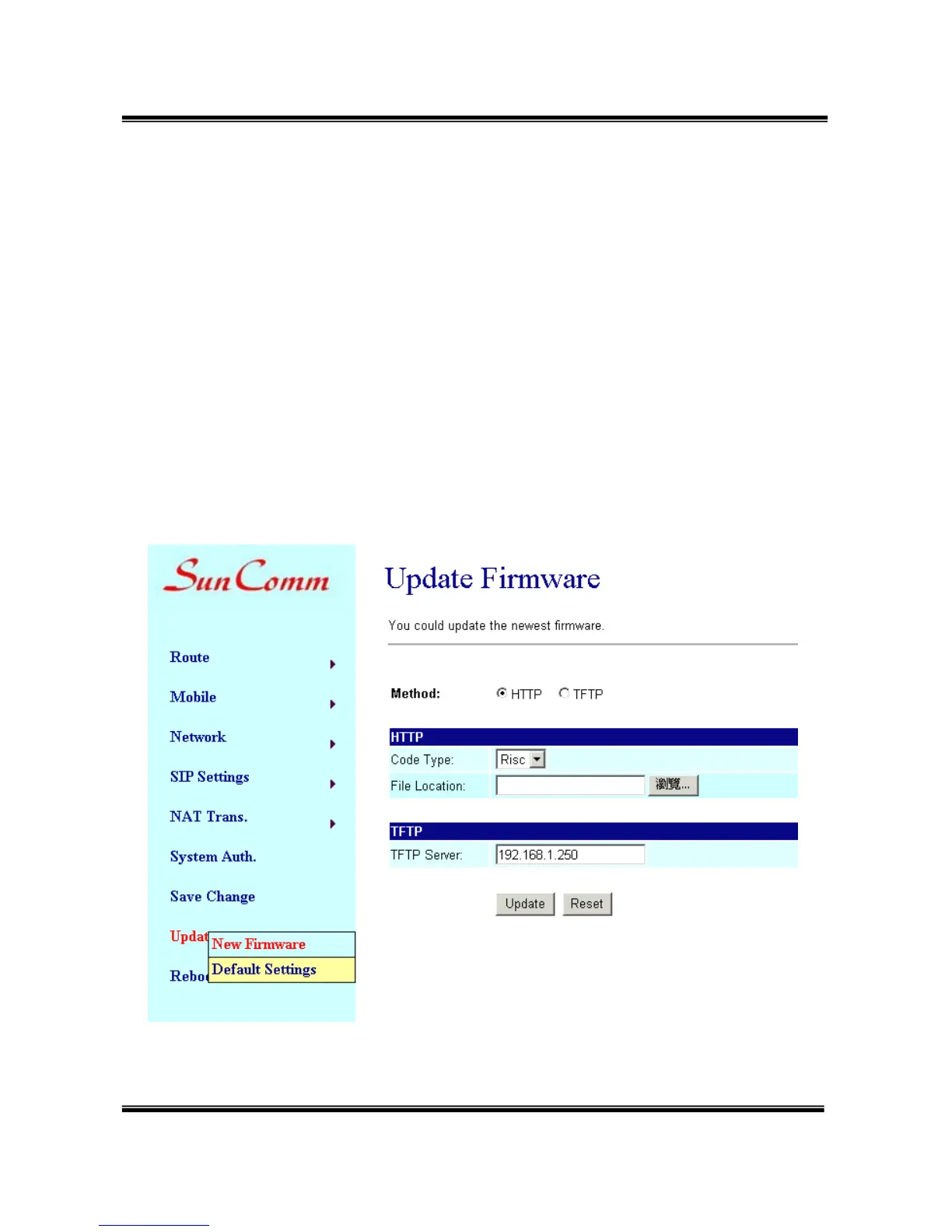
15.1 Update/ New Firmware/ Update Firmware
Download the latest firmware, then
(1) Method: select “HTTP”
(2) Code Type: select “Risc”.
(3) File Location: Click the “Browse” button in the right side of the File
Location for the file.
Please note: no need to unzip the firmware file.
(4) Click “Update”, it takes few minutes to generate new firmware.


 To Next Page