SunFounder pisloth
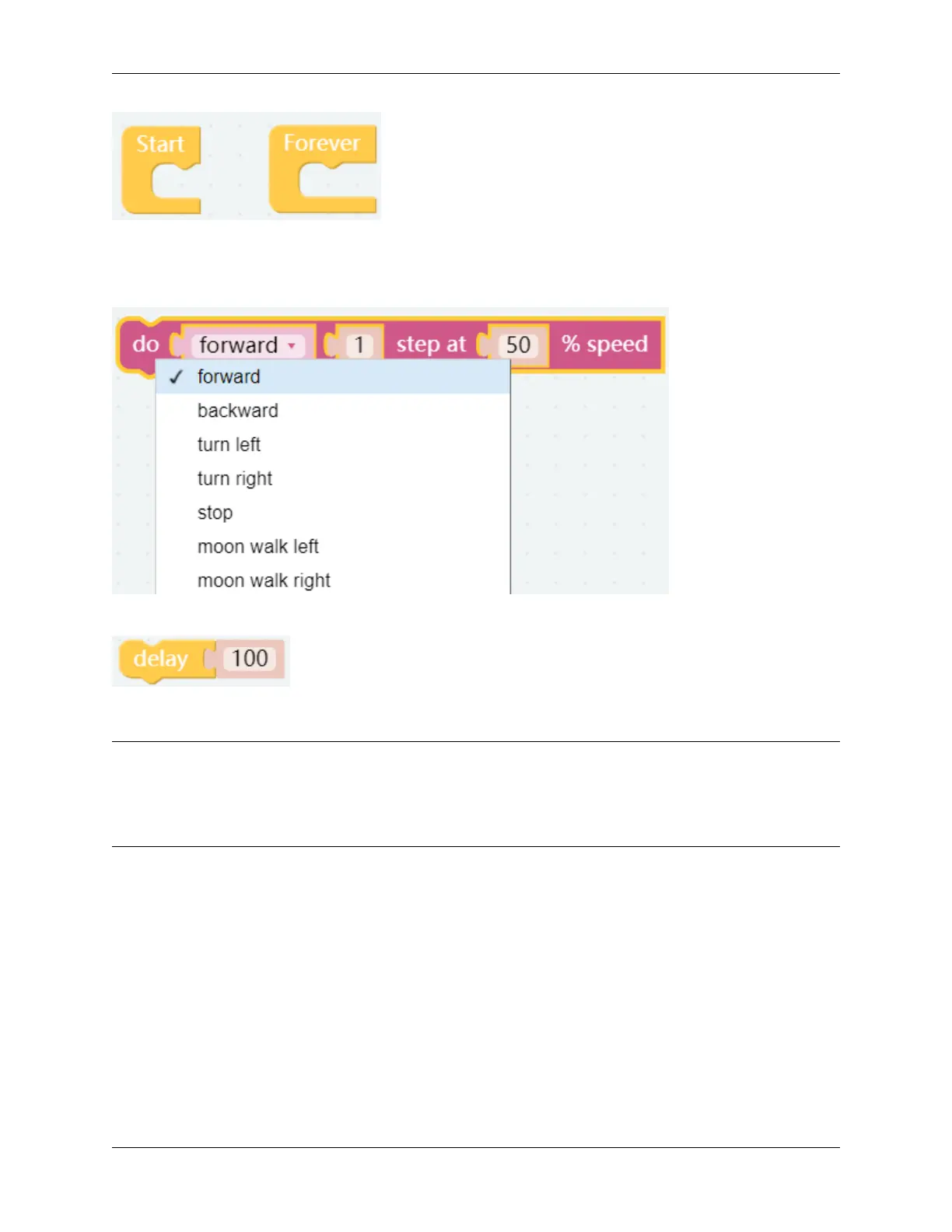
This block is used to make PiSloth do a specific action several steps at a speed (%), for example, let PiSloth go forward
1 step at 50% speed.
Different actions can be selected from the drop down options, there are 22 in total.
This is a block that sets the duration of the previous block, unit: ms.
EXAMPLE
Note:
• You can write the program according to the following picture, please refer to the tutorial: How to Create a New
Project?
• Or find the code with the same name on the Examples page of the EzBlock Studio and click Run or Edit directly.
After writing the code according to the following figure, click the download icon in the bottom right corner, you will
see PiSloth move forward 3 steps, backward 4 steps, left 3 steps, right 5 steps, and finally stop. Since the whole code
is placed inside the Forever block, PiSloth will repeat the above actions after stopping for a while.
You can try putting the code from the Forever block into the Start block and see what happens.
3.2. Move 11



 To Next Page