SunFounder pisloth
5.3 PuTTY
If you are a Windows user, you can use some applications of SSH. Here, we recommend PuTTY.
Step 1
Download PuTTY.
Step 2
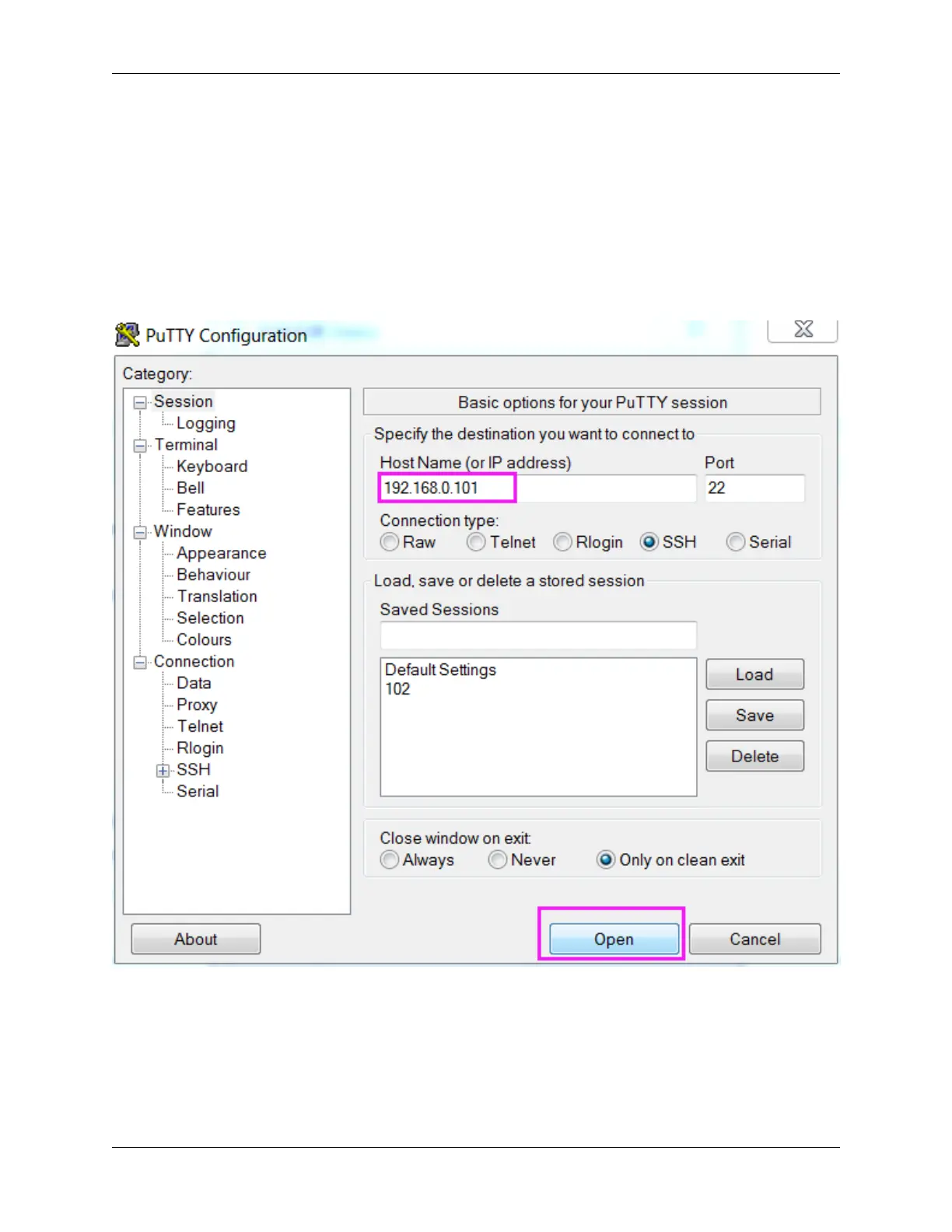
Open PuTTY and click Session on the left tree-alike structure. Enter the IP address of the RPi in the text box under
Host Name (or IP address) and 22 under Port (by default it is 22).
Step 3
Click Open. Note that when you first log in to the Raspberry Pi with the IP address, there prompts a security reminder.
Just click Yes.
Step 4
When the PuTTY window prompts “login as:”, type in “pi” (the user name of the RPi), and password: “raspberry”
(the default one, if you haven’t changed it).
104 Chapter 5. Appendix



 To Next Page