SunFounder pisloth
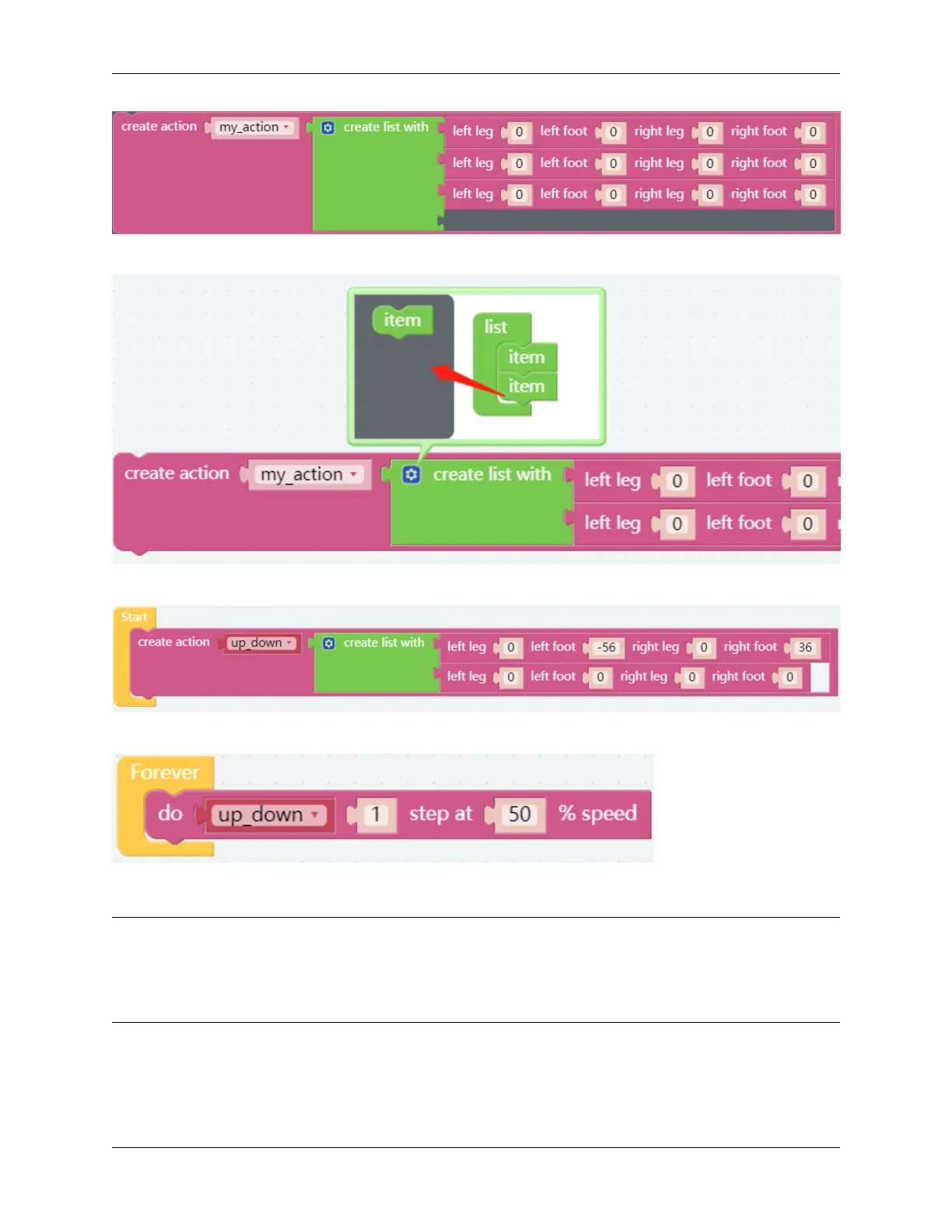
Here you can increase or decrease the number of items by dragging it.
Fill in the angle obtained in the previous project and name this action up_down (drag it from Variables category).
Use the do block to make PiSloth do this action once at 50% speed.
EXAMPLE
Note:
• You can write the program according to the following picture, please refer to the tutorial: How to Create a New
Project?
• Or find the code with the same name on the Examples page of the EzBlock Studio and click Run or Edit directly.
42 Chapter 3. Play with Ezblock



 To Next Page