User Manual 6 Electrical Connection
19
6.4 Grounding
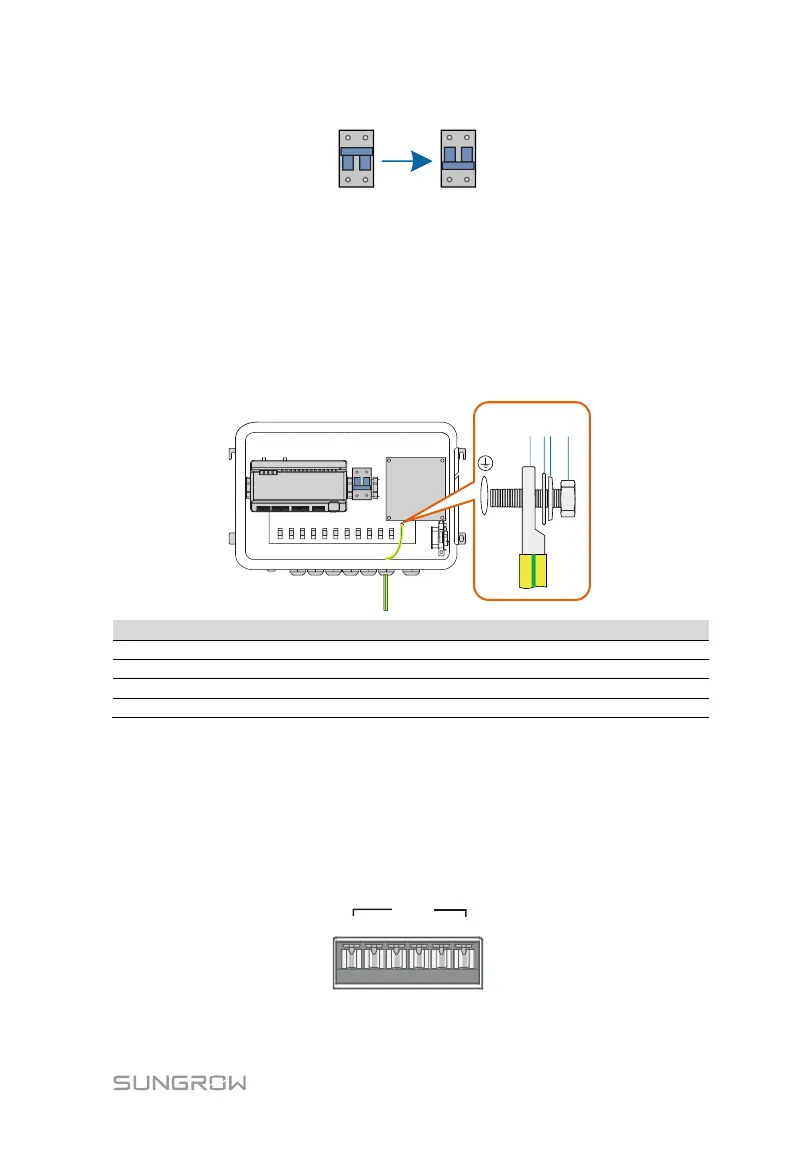
Step 1 Strip the insulation cover of the grounding cable and crimp the stripped
cable to the OT terminal.
Step 2 Fasten the grounding cable in the sequence of cross recessed fastener
assembly, OT terminal, and grounding hole.
M5x10 cross recessed fastener assembly
6.5 RS485 Port
6.5.1 Connect to the Device with RS485 Port
RS485 communication terminals inside the COM100 are located at the bottom
of the Logger, including A1B1, A2B2, and A3B3.
Communication cable specification:


 To Next Page