User Manual 5 Mechanical Installation
17
5.4.1 Wall-Mounting
Mount the Logger1000 onto the concrete wall or metal surface
according to onsite conditions.
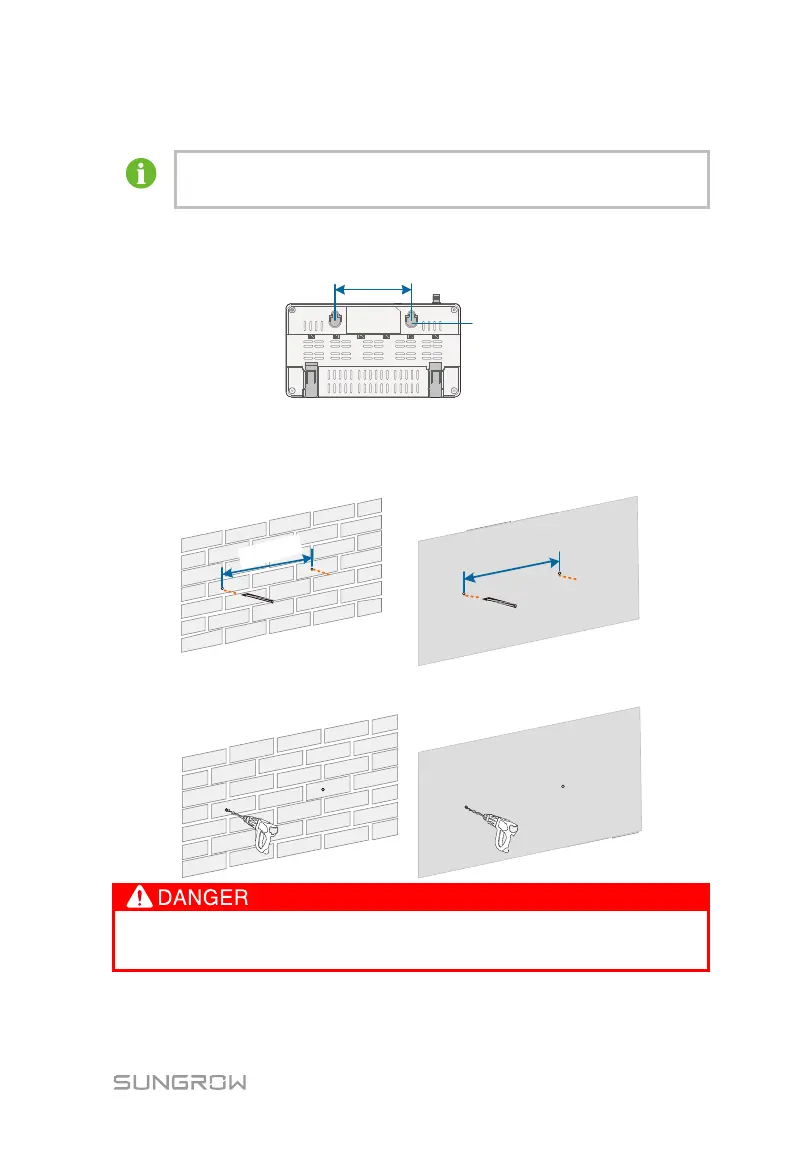
Mount the Logger1000 onto the wall via the wall-mounting holes (as shown in the
figure below) on the back of it.
Fig. 5-2 Wall-mounting hole dimension
Step 1
Select an appropriate installation surface.
Step 2 Mark positions for drilling holes with a marker.
Step 3 Drill the holes with a drill according to the marked positions.
Avoid drilling holes in the utility pipes and/or cables attached to back of the
wall!



 To Next Page