5 Mechanical Installation User Manual
18
Operation personnel should wear goggles and dust mask throughout the
drilling process to avoid dust inhalation or contact with eyes.
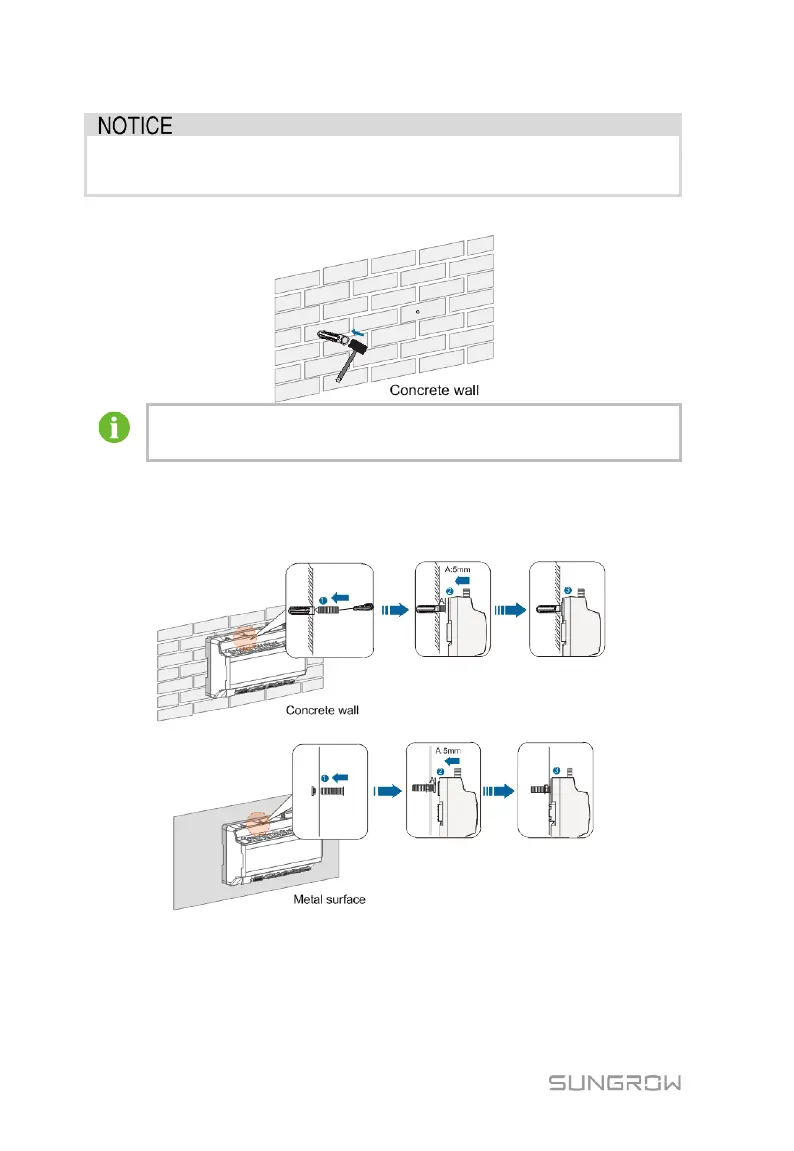
Step 4 Secure the expansion bolts into the holes with a rubber mallet.
If the Logger1000 is installed onto the metal surface, skip performing
this step.
Step 5 Fix the screw or bolt on the installation surface , where the screw protrudes
from the wall surface by about 5mm.Hang the Logger1000 onto the screws
on the concrete wall or metal surface via the wall-mounting holes on the
back of Logger1000.
Check and ensure that the Logger1000 is firmly installed.
5.4.2 Guide Rail-Mounting
Secure the Logger1000 via the rail buckles (as shown in the figure below) on the
back of it.



 To Next Page