EasyManua.ls Logo

Sunnect AP501 - Unlocking From Inside with OPEN;CLOSE Button; Unlocking From Inside with Manual Thumbturn

Sunnect AP501
27 pages
Print Icon
To Next Page IconTo Next Page
To Previous Page IconTo Previous Page
Loading...
I
Using
Extraneous
Digits
To
Enhance
Security
You
may
encounter
a
situation
where
you
have
to
enter
your
passcode
while
someone
may
be
close
enough
to
see
your
passcode
entry.
In
this
case,
you
can
enter
extraneous
digits
before
your
actual
passcode,
and
the
AP501
digital
door
lock
will
correctly
recognize
the
passcode
as
long
as
the
correct
passcode
is
entered
in
the
end.
For
example,
assuming
your
passcode
is
"12345"
you
can
enter
"57347983121512345
"
and
the
lock
will
recognize
the
passcode
of
"
12345
"
appended
to
the
extraneous
digits
"
573479831215
"
and
retract
the
deadbolt
latch
.
An
unauthorized
observer
would
not
know
how
many
digits
are
in
your
actual
passcode,
which
can
be
up
to
20
digits
long
,
and
would
have
to
try
to
memorize
all
the
digits
you
entered
,
17
in
the
example
above.
@
If
you
suspect
that
an
unauthorized
observer
has
learned
your
passcode,
Note
immediately
change
your
passcode
to
prevent
unauthorized
entry.
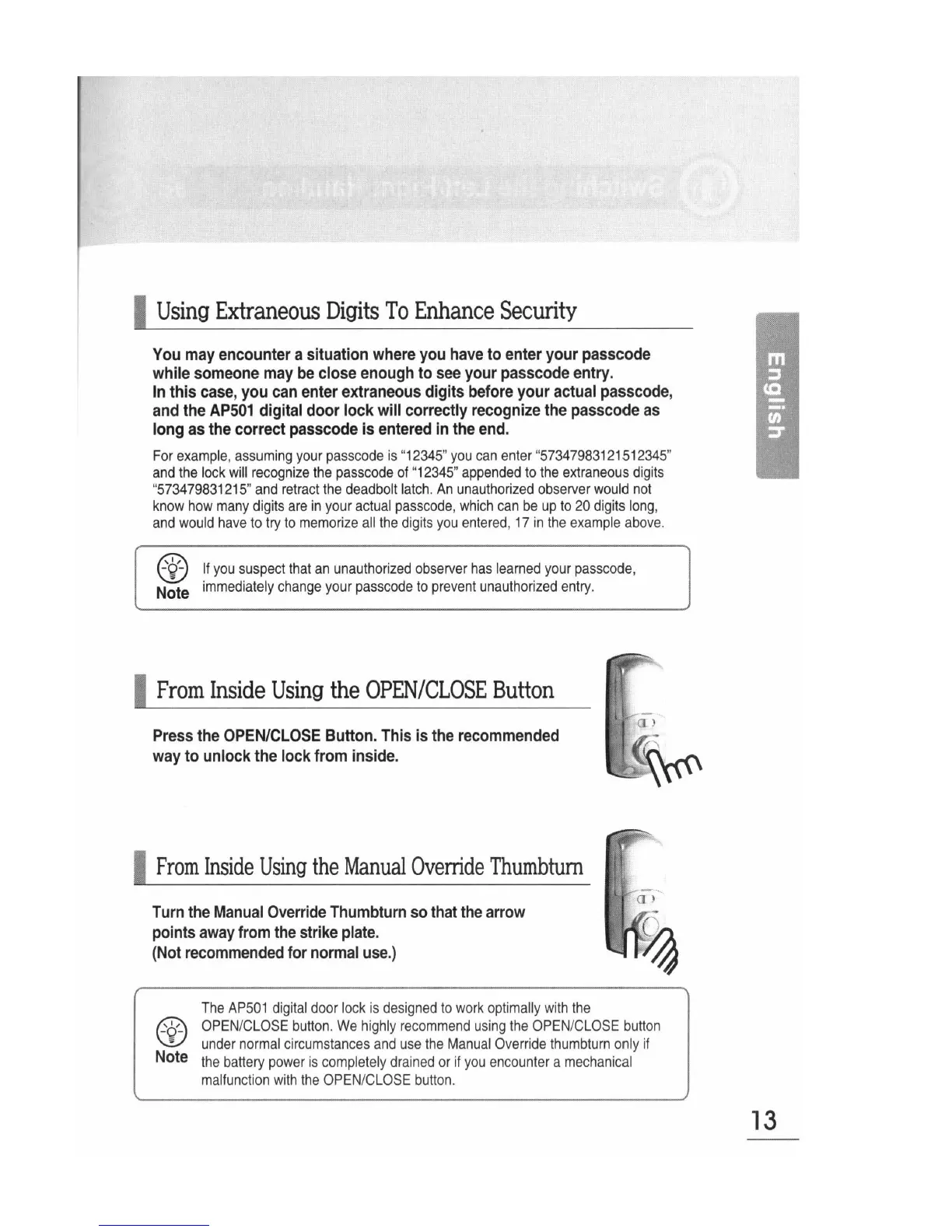
I
From
Inside
Using
the
OPEN/CLOSE
Button
Press
the
OPEN/CLOSE
Button.
This
is
the
recommended
way
to
unlock
the
lock
from
inside.
I
From
Inside
Using
the
Manual
Override
Thumbtum
Turn
the
Manual
Override
Thumbturn
so
that
the
arrow
points
away
from
the
strike
plate.
(Not
recommended
for
normal
use.)
@
-
-
Note
The
AP501
digital
door
lock
is
designed
to
work
optimally
with
the
OPEN
/
CLOSE
button
.
We
highly
recommend
using
the
OPEN
/
CLOSE
button
under
normal
circumstances
and
use
the
Manual
Override
thumbturn
only
if
the
battery
power
is
completely
drained
or
if
you
encounter
a
mechanical
malfunction
with
the
OPEN
/
CLOSE
button
.
13