10
BATTERY INSTALLATION & REPLACEMENT
BATTERY INSTALLATION
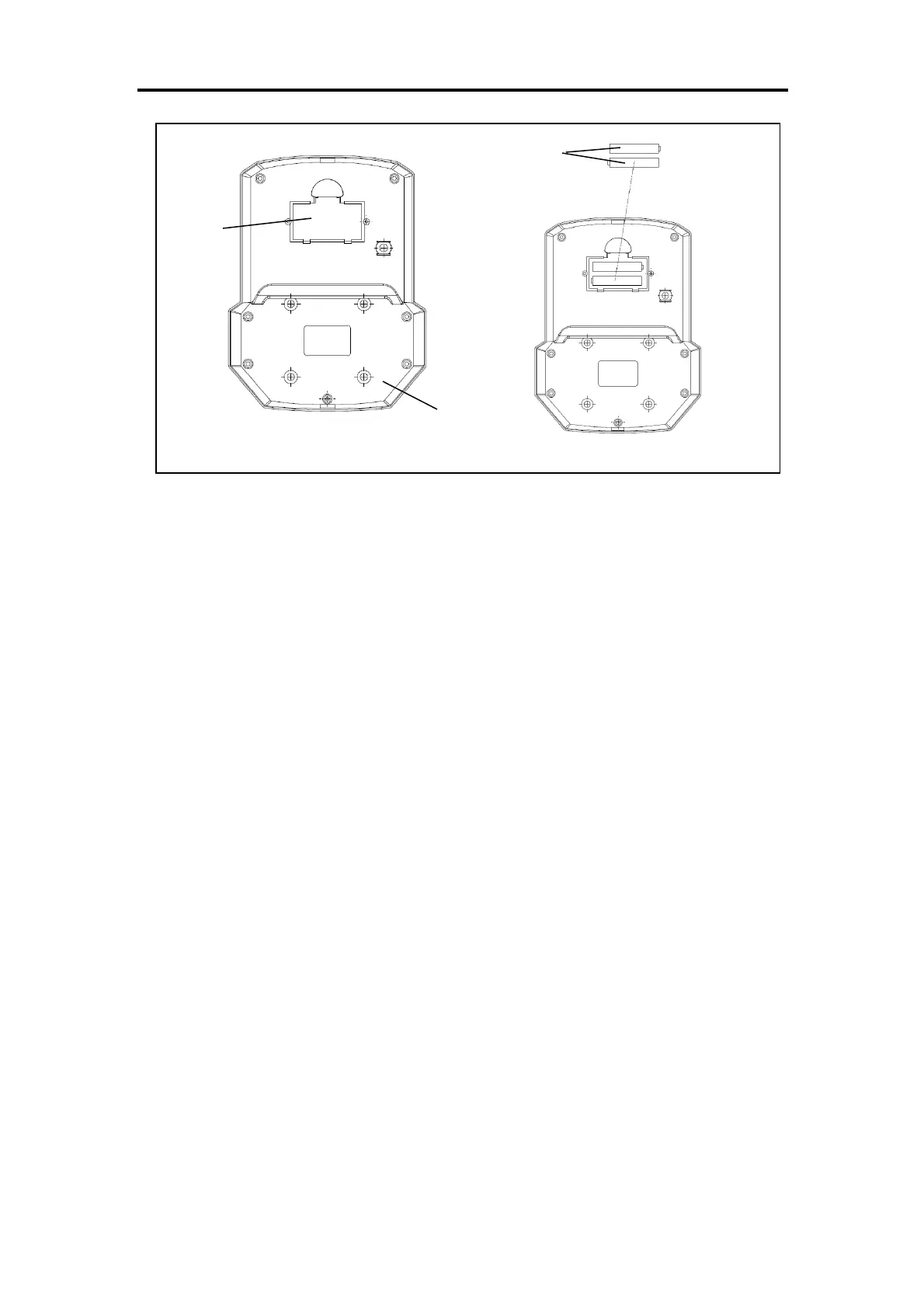
1. Take out 2 AAA batteries from computer box.
2. Press the buckle of battery cover on the Meter (No. 34), then remove battery cover.
3. Install 2 AAA batteries into the battery case on the back of the Meter (No. 34). Pay attention to
the battery + and – poles before installing.
4. Press the buckle of battery cover, then put the battery cover back to the back of the Meter (No.
34).
The installation is complete!
BATTERY REPLACEMENT
1. Press the buckle of battery cover on the back of the Meter (No. 34), then remove battery cover.
2. Remove the 2 old AAA batteries in the battery case and install 2 new AAA batteries into the
battery case on the back of the Meter (No. 34). Pay attention to the battery + and – poles before
installing.
3. Press the buckle of battery cover, then put the battery cover back to the back of the Meter (No.
34).
The replacement is complete!
BATTERY DISPOSAL
Dispose the batteries according to the laws and regulations of your local region. Some batteries
may be recycled. When disposing or recycling, do not mix battery types.







 To Next Page