11
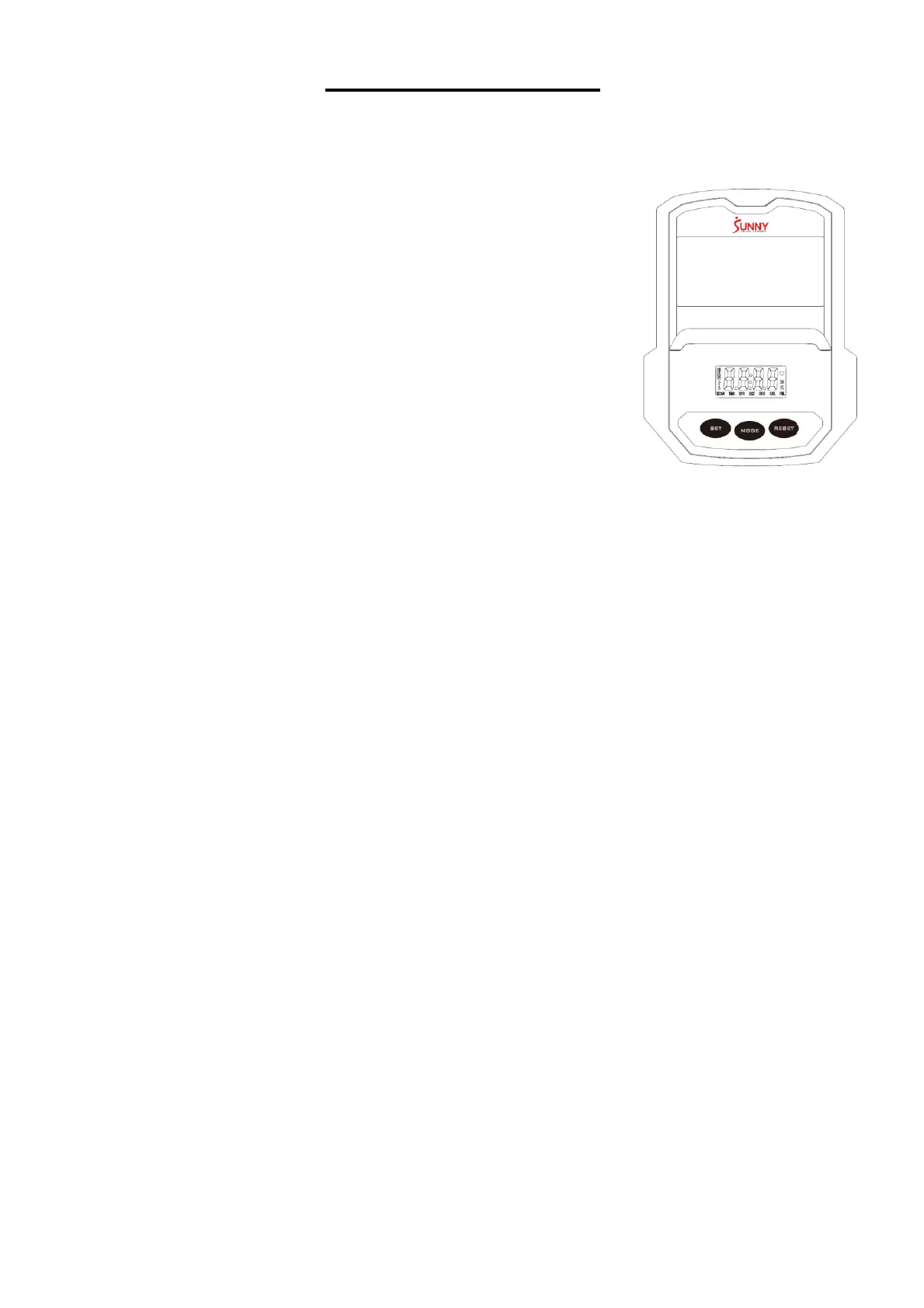
EXERCISE METER
FUNCTION BUTTONS:
MODE: Press the button to select TIME, DISTANCE, and
CALORIES to preset.
Press the button for selection function display value on
LCD or enter after setting.
Press the button and hold for 3 seconds to reset all values
except odometer to zero.
(When user replaces the batteries, all the values will reset
to ZERO automatically).
SET: To set up the target value of TIME, DISTANCE, and
CALORIES.
Press the button and hold for 2 seconds to speed up the
increment.
RESET: Press the button to reset function value when setting.
Press the button and hold for 3 seconds to reset all values
except odometer to zero (When the user replaces batteries,
all the values will reset to ZERO automatically).
FUNCTIONS & OPERATIONS:
1. BATTERY INSTALLATION:
Please install 2 AAA 1.5V batteries in the battery case on the back of meter. (Whenever batteries
are removed, all the function values will be reset to zero.)
2. AUTO ON/OFF:
Once the user begins to exercise, the meter will show the workout value automatically. After
about 4 minutes of inactivity, the meter will turn off. Odometer value does not reset to 0 when the
meter turns off. When the user starts to exercise again, the workout value of odometer will
accumulate continuously.
3. AUTO SCAN:
After the meter is powered on, press MODE button and the LCD will display all function values
from TIME-SPEED-DISTANCE-CALORIES-ODOMETER-PULSE. Each value will be held for 6
seconds.
4. SPEED:
Displays the current training speed from 0.0 to 99.9 MPH (Miles per hour).
5. DISTANCE:
Accumulates total distance from 0.00 up to 9999 M (Miles).
The user may preset target distance by pressing the SET & MODE buttons. Each increment is
0.1 M (Miles) and will automatically count down from target value during exercise.
6. TIME:
Accumulates total time from 00:00 up to 99:59.
The user may preset target time by pressing SET & MODE buttons. Each increment is 1 minute
and will automatically counts down from target value during exercise.


 To Next Page