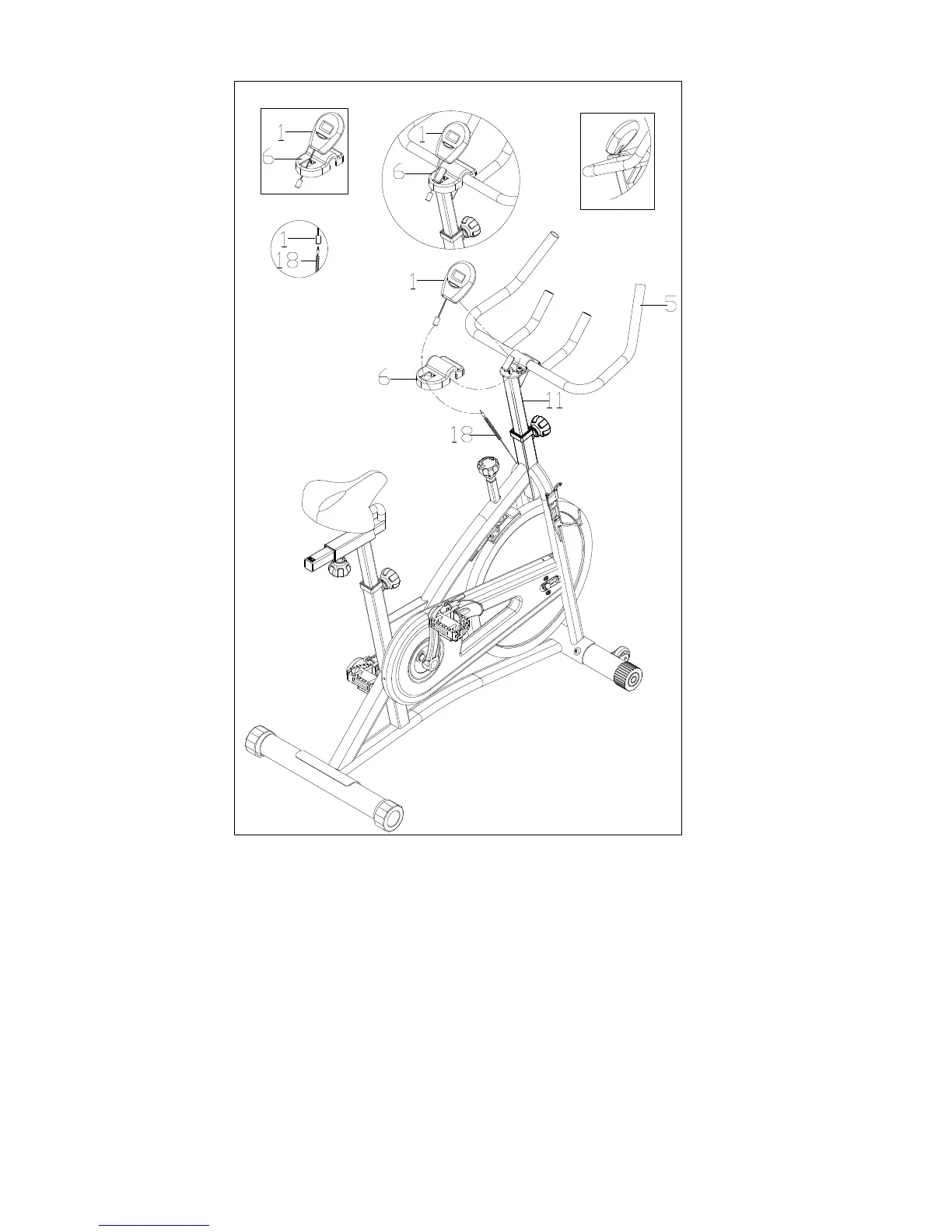
STEP 4:
Insert the link wire of the Computer (No. 1) into the middle hole of the Handlebar
Cover (No. 6) as shown above in Figure I.
Attach the Handlebar Cover (No. 6) to the Handlebar (No. 5) as shown above in
Figure II.
Attach the Computer (No. 1) to the bracket located on the Handlebar Post (No. 11) as
shown above in Figure III.
Connect the link wire of the Computer (No. 1) to the Inductor (No. 18).
The assembly is now complete!


 To Next Page