EasyManua.ls Logo

SunSynk ECCO SUN-5K-SG05LP1-EU - User Manual

SunSynk ECCO SUN-5K-SG05LP1-EU
80 pages
Print Icon
To Next Page IconTo Next Page
Loading...
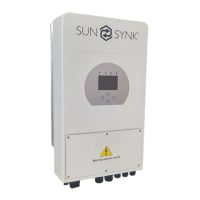
ECCO
HYBRID INVERTER
Global Tech China Ltd, 3 Floor, Wai Yip Industrial Building.
171 Wai Yip Street, Kwun Tong, Kowloon, Hong Kong.
Tel: +852 2884 4318 Fax: +8522884 4816
www.sunsynk.com / sales@sunsynk.com
USER MANUAL
v.9 (04/28/23)
SUN-3.6/5/6/7.6/8K-SG05LP1-EU
PLEASE RETAIN FOR
FUTURE REFERENCE

Table of Contents

Question and Answer IconNeed help?

Do you have a question about the SunSynk ECCO SUN-5K-SG05LP1-EU and is the answer not in the manual?

Summary

Safety Guidelines

General Safety Precautions

Safety guidelines for device usage and ensuring manual is included and understood.

Understanding Safety Symbols

Explanation of warning and caution symbols indicating potential hazards.

Critical Safety Instructions

Essential instructions for installation, operation, and maintenance to prevent hazards.

Product Disposal

Guidelines for proper disposal of electrical devices according to regulations.

Product Overview

Inverter Introduction

Overview of the Sunsynk Ecco Hybrid Inverter's multifunctional capabilities.

Inverter Dimensions

Specifications detailing the physical size of the inverter and its mounting bracket.

Key Product Features

Detailed list of interactive, compatible, configurable, and secure features.

System Architecture Diagram

Illustration showing the basic application of the inverter in a complete system.

Technical Specifications

Installation Guide

Included Parts List

List and images of all components included in the inverter package.

Selecting Installation Area

Guidelines for choosing a suitable and safe mounting location for the inverter.

Mounting the Inverter

Step-by-step instructions for securely mounting the inverter on a wall.

Battery Connection

Requirements for DC over-current protection and cable specifications.

Detailed Battery Wiring

Steps and cautions for connecting the battery to the inverter, including polarity.

Inverter Port Definitions

Explanation of various ports (BMS, CAN, RS485, DRM) and DIP switch functions.

DC Battery Protection Setup

Recommended components and diagrams for DC battery protection.

Lithium Battery Connection

Procedure for connecting a lithium battery, including communication cables.

Lithium Battery Notes

Important notes on master/slave configurations and BMS communication.

Temperature Sensor Connection

Instructions for connecting the battery temperature sensor.

AC Connection Procedure

Steps for connecting the inverter to AC power, including breaker recommendations.

AC Surge Protector Installation

Diagram and components for installing an AC surge protector.

PV Connection Requirements

Safety and cable size requirements for connecting PV modules.

PV Module Selection Criteria

Parameters to consider when selecting PV modules for the inverter.

PV Module Wiring

Steps for wiring PV modules and essential safety warnings.

PV Protection Setup

Diagram illustrating solar surge protection and fuse installation.

CT Coil Installation

Procedure for installing the CT coil for zero export functionality.

CT Coil Connection Diagram

Diagram showing CT coil connection and correct polarity for function.

CHNT Meter Connection

System connection diagram for the CHNT meter.

Mandatory Earth Connection

Importance and procedure for establishing the earth connection.

Earth Connection Details

Information on neutral bonding and hybrid system earth requirements.

Inverter Wiring Systems

Diagrams illustrating different inverter wiring configurations.

Single-Phase Parallel Wiring

Diagram for connecting multiple inverters in single-phase parallel.

Three-Phase Parallel Wiring

Diagram for connecting multiple inverters in three-phase parallel.

Diesel Generator Integration

Diagram showing typical application with a diesel generator.

Operating the Inverter

System Power Control

Procedure for turning the inverter system on and off.

Inverter Display Overview

Explanation of the inverter's LCD screen and status indicators.

LED Status Indicators

Meaning of the different LED lights indicating system status.

Interface Function Buttons

Description of the functions assigned to each button on the interface.

LCD Menu Navigation

Flowchart illustrating how to navigate through the inverter's LCD menus.

Home Screen Information

Accessing the home page to view system status and basic information.

System Status Page

How to access and interpret detailed system status information.

System Flow Visualization

Diagram explaining the flow of power within the solar system.

Accessing Setup Menu

Guide to accessing the main setup menu via the gear icon.

Basic Setup Configuration

Setting system time, date, company name, beeper, and auto-dim.

Factory Reset and Lock Code

Procedures for factory reset, system diagnostics, and lock code management.

Battery Configuration

Setting battery parameters like type, capacity, charge, and discharge rates.

Generator and Battery Settings

Configuring generator input for charging the battery bank.

Battery Discharge Control

Configuring inverter shutdown, low battery warnings, and restart thresholds.

Lithium Battery Setup

Specific steps and considerations for setting up lithium-ion batteries.

Scheduled Charge;Discharge

Programming specific times for battery charging and discharging.

Power Management Modes

Explanation of modes like Zero Export and Solar Export for power management.

Grid Connection Setup

Configuring grid mode, frequency, and voltage parameters.

Grid Protection Settings

Setting up protection parameters for grid voltage and frequency.

Reactive Power Control

Adjusting inverter active and reactive power based on grid voltage.

Power Factor Adjustment

Settings for adjusting reactive power and power factor.

Parallel Inverter Configuration

Setting up inverters for parallel operation as master or slave.

Parallel System Notes

Important considerations for parallel inverter setup, firmware, and breakers.

Parallel Operation Q&A

Common questions and consequences related to parallel inverter operation.

DRM System Connection

Configuration options for Demand Response Management Systems.

Advanced Function Settings

Configuration for system self-check, island mode, and BMS error handling.

Solar Power Monitoring

Viewing daily, monthly, and yearly solar energy production data.

Grid Power Monitoring

Viewing daily, monthly, and yearly grid power import/export data.

Wind Turbine Configuration

Settings for integrating wind turbines as an input source.

Auxiliary Load Settings

Configuring auxiliary loads and generator peak shaving.

Auxiliary Load Modes

Details on Gen Input and Aux Load Output modes for smart loads.

Micro Inverter Input Setup

Configuration for 'On Grid always on' and Micro Inverter Input.

Operating Modes

Mode I: Basic Operation

Diagram illustrating the basic operating mode of the inverter.

Mode II: With Generator

Diagram showing the operating mode when connected to a generator.

Mode III: With Smart Load

Diagram illustrating the operating mode with a smart load connected.

Mode IV: AC Couple

Diagram showing the operating mode for AC coupling.

Troubleshooting Fault Codes

General Fault Code Information

Overview of fault codes and required information for support.

Specific Fault Code Solutions

Detailed list of fault codes and their corresponding troubleshooting solutions.

Fault Code Reference List

Comprehensive list of fault codes and their associated instructions.

Commissioning Procedures

Startup and Shutdown Sequence

Step-by-step guide for powering the inverter on and off.

Commissioning Checks

Essential checks for solar, grid, and battery during inverter commissioning.

GDFI Fault Explanation

Explanation of GDFI fault and related impedance checks.

Routine Inverter Maintenance

Recommended maintenance tasks for ensuring inverter longevity.

Appendices

Connection Pinouts

Pinout details for CAN, RS485, and RS232 communication interfaces.

Residual Current Device (RCD) Use

Recommendations and specifications for Residual Current Devices (RCDs).

Data Logger Connectivity

Information on connecting data loggers for internet and monitoring.

Summary

Safety Guidelines

General Safety Precautions

Safety guidelines for device usage and ensuring manual is included and understood.

Understanding Safety Symbols

Explanation of warning and caution symbols indicating potential hazards.

Critical Safety Instructions

Essential instructions for installation, operation, and maintenance to prevent hazards.

Product Disposal

Guidelines for proper disposal of electrical devices according to regulations.

Product Overview

Inverter Introduction

Overview of the Sunsynk Ecco Hybrid Inverter's multifunctional capabilities.

Inverter Dimensions

Specifications detailing the physical size of the inverter and its mounting bracket.

Key Product Features

Detailed list of interactive, compatible, configurable, and secure features.

System Architecture Diagram

Illustration showing the basic application of the inverter in a complete system.

Technical Specifications

Installation Guide

Included Parts List

List and images of all components included in the inverter package.

Selecting Installation Area

Guidelines for choosing a suitable and safe mounting location for the inverter.

Mounting the Inverter

Step-by-step instructions for securely mounting the inverter on a wall.

Battery Connection

Requirements for DC over-current protection and cable specifications.

Detailed Battery Wiring

Steps and cautions for connecting the battery to the inverter, including polarity.

Inverter Port Definitions

Explanation of various ports (BMS, CAN, RS485, DRM) and DIP switch functions.

DC Battery Protection Setup

Recommended components and diagrams for DC battery protection.

Lithium Battery Connection

Procedure for connecting a lithium battery, including communication cables.

Lithium Battery Notes

Important notes on master/slave configurations and BMS communication.

Temperature Sensor Connection

Instructions for connecting the battery temperature sensor.

AC Connection Procedure

Steps for connecting the inverter to AC power, including breaker recommendations.

AC Surge Protector Installation

Diagram and components for installing an AC surge protector.

PV Connection Requirements

Safety and cable size requirements for connecting PV modules.

PV Module Selection Criteria

Parameters to consider when selecting PV modules for the inverter.

PV Module Wiring

Steps for wiring PV modules and essential safety warnings.

PV Protection Setup

Diagram illustrating solar surge protection and fuse installation.

CT Coil Installation

Procedure for installing the CT coil for zero export functionality.

CT Coil Connection Diagram

Diagram showing CT coil connection and correct polarity for function.

CHNT Meter Connection

System connection diagram for the CHNT meter.

Mandatory Earth Connection

Importance and procedure for establishing the earth connection.

Earth Connection Details

Information on neutral bonding and hybrid system earth requirements.

Inverter Wiring Systems

Diagrams illustrating different inverter wiring configurations.

Single-Phase Parallel Wiring

Diagram for connecting multiple inverters in single-phase parallel.

Three-Phase Parallel Wiring

Diagram for connecting multiple inverters in three-phase parallel.

Diesel Generator Integration

Diagram showing typical application with a diesel generator.

Operating the Inverter

System Power Control

Procedure for turning the inverter system on and off.

Inverter Display Overview

Explanation of the inverter's LCD screen and status indicators.

LED Status Indicators

Meaning of the different LED lights indicating system status.

Interface Function Buttons

Description of the functions assigned to each button on the interface.

LCD Menu Navigation

Flowchart illustrating how to navigate through the inverter's LCD menus.

Home Screen Information

Accessing the home page to view system status and basic information.

System Status Page

How to access and interpret detailed system status information.

System Flow Visualization

Diagram explaining the flow of power within the solar system.

Accessing Setup Menu

Guide to accessing the main setup menu via the gear icon.

Basic Setup Configuration

Setting system time, date, company name, beeper, and auto-dim.

Factory Reset and Lock Code

Procedures for factory reset, system diagnostics, and lock code management.

Battery Configuration

Setting battery parameters like type, capacity, charge, and discharge rates.

Generator and Battery Settings

Configuring generator input for charging the battery bank.

Battery Discharge Control

Configuring inverter shutdown, low battery warnings, and restart thresholds.

Lithium Battery Setup

Specific steps and considerations for setting up lithium-ion batteries.

Scheduled Charge;Discharge

Programming specific times for battery charging and discharging.

Power Management Modes

Explanation of modes like Zero Export and Solar Export for power management.

Grid Connection Setup

Configuring grid mode, frequency, and voltage parameters.

Grid Protection Settings

Setting up protection parameters for grid voltage and frequency.

Reactive Power Control

Adjusting inverter active and reactive power based on grid voltage.

Power Factor Adjustment

Settings for adjusting reactive power and power factor.

Parallel Inverter Configuration

Setting up inverters for parallel operation as master or slave.

Parallel System Notes

Important considerations for parallel inverter setup, firmware, and breakers.

Parallel Operation Q&A

Common questions and consequences related to parallel inverter operation.

DRM System Connection

Configuration options for Demand Response Management Systems.

Advanced Function Settings

Configuration for system self-check, island mode, and BMS error handling.

Solar Power Monitoring

Viewing daily, monthly, and yearly solar energy production data.

Grid Power Monitoring

Viewing daily, monthly, and yearly grid power import/export data.

Wind Turbine Configuration

Settings for integrating wind turbines as an input source.

Auxiliary Load Settings

Configuring auxiliary loads and generator peak shaving.

Auxiliary Load Modes

Details on Gen Input and Aux Load Output modes for smart loads.

Micro Inverter Input Setup

Configuration for 'On Grid always on' and Micro Inverter Input.

Operating Modes

Mode I: Basic Operation

Diagram illustrating the basic operating mode of the inverter.

Mode II: With Generator

Diagram showing the operating mode when connected to a generator.

Mode III: With Smart Load

Diagram illustrating the operating mode with a smart load connected.

Mode IV: AC Couple

Diagram showing the operating mode for AC coupling.

Troubleshooting Fault Codes

General Fault Code Information

Overview of fault codes and required information for support.

Specific Fault Code Solutions

Detailed list of fault codes and their corresponding troubleshooting solutions.

Fault Code Reference List

Comprehensive list of fault codes and their associated instructions.

Commissioning Procedures

Startup and Shutdown Sequence

Step-by-step guide for powering the inverter on and off.

Commissioning Checks

Essential checks for solar, grid, and battery during inverter commissioning.

GDFI Fault Explanation

Explanation of GDFI fault and related impedance checks.

Routine Inverter Maintenance

Recommended maintenance tasks for ensuring inverter longevity.

Appendices

Connection Pinouts

Pinout details for CAN, RS485, and RS232 communication interfaces.

Residual Current Device (RCD) Use

Recommendations and specifications for Residual Current Devices (RCDs).

Data Logger Connectivity

Information on connecting data loggers for internet and monitoring.

SunSynk ECCO SUN-5K-SG05LP1-EU Specifications

General IconGeneral
ModelSUN-5K-SG05LP1-EU
CategoryInverter
Rated Output Power5kW
Max. PV Input Power6.5kW
Max. PV Input Voltage500V
Number of MPPTs2
Max. Input Current per MPPT13A
AC Output Voltage230 V
AC Output Frequency50/60Hz
Grid Connection TypeSingle Phase
Battery Voltage48V
Max. Charging Current (PV)100A
Max. Charging/Discharging Current100A
Max. Output Power5kW
Nominal AC Voltage230 V
Max. DC Input Power6500 W
Efficiency (Max)97.6 %
Max Efficiency97.6 %
Protection RatingIP65
Weight18 kg
Input Voltage Range120-450V
Operating Temperature Range-25°C to +60°C
CommunicationRS485, Wi-Fi

Related product manuals