
 Need help?
Do you have a question about the SunSynk SUNSYNK-10K-SG02LP1 and is the answer not in the manual?
Device usage, installation, operation, and warning symbols for potential hazards.
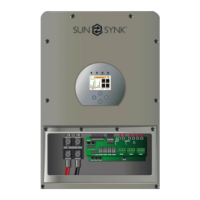
Describes the inverter's capabilities, physical dimensions, and key features.
Details battery, PV, AC specs, and efficiency percentages.
Outlines integrated protection features and compliance with standards.
Lists package contents and guides selection of the mounting area.
Details areas to avoid and points for optimal inverter placement.
Specifies required air clearance and the steps for physically mounting the inverter.
Requirement for a DC over-current protector or disconnect device for safe operation.
Explains the purpose and connections for various ports on the inverter.
Specifies AC breaker requirements and details terminal block usage.
Criteria for selecting PV modules and steps for wiring them to the inverter.
Explains the CT coil's role in reducing grid export and how to install it.
Illustrates meter connection and mandatory earth connection for safety.
Diagrams for grid systems and neutral-to-PE connections.
Illustrates how to connect a diesel generator for system operation.
Shows the wiring for connecting multiple inverters in a single-phase parallel setup.
Illustrates the wiring for connecting inverters in a three-phase parallel setup.
Explains power controls, LCD display, LEDs, and function buttons.
Visual representation of navigating through the inverter's menu options.
Explains the home screen information and how to access the status page.
Access to basic settings like time, company name, and remote control.
Configuration for battery type, capacity, and factory reset options.
Adjusting charge rates, generator charging, and signals.
Configuring shutdown, low battery, and restart thresholds for the battery.
Steps for configuring lithium battery parameters and communication protocols.
Configuring charge/discharge times, zero export, and solar export modes.
Selecting grid mode, frequency, and type for grid connection.
Configuring connection parameters and over/under voltage/frequency protection.
Adjusting inverter output based on grid frequency using Droop settings.
Adjusting active/reactive power based on grid voltage changes.
Adjusting reactive power and power factor based on active power.
Setting inverters as master/slave, configuring Modbus SN, and meter selection.
Enabling DRM functionality and setting solar power limits and CT ratio.
Limiting grid output and viewing solar power generation data.
Displays grid power export or consumption data over time.
Selecting MPPT for wind turbine input and setting voltage/current parameters.
Setting up Gen input/output, peak shaving, and load control parameters.
Explains different operational modes including basic, generator, aux-load, and AC couple.
Lists common alarm codes and provides details/solutions for error codes.
Procedures for powering up, shutting down, and commissioning system components.
Recommendations for regular maintenance and explanation of GDFI faults.
Pinout and protocol details for battery and inverter side connections.
Notes on inverters sold in Australia being set to default Australian standards.
Information on inverter compatibility with the SolarMan app via data loggers.
Guidelines for selecting and using RCDs with the inverter system.
Instructions for connecting the inverter to the internet using data loggers.





 To Next Page
 General