EasyManua.ls Logo

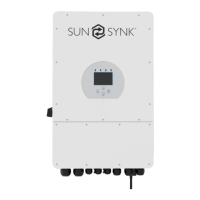
SunSynk SUNSYNK-3.6K-SG01LP1 - User Manual

SunSynk SUNSYNK-3.6K-SG01LP1
80 pages
Print Icon
To Next Page IconTo Next Page
Loading...
v.26 (04/27/23
USER MANUAL
SUNSYNK-3.6K-SG01LP1 / SUNSYNK-3.6K-SG03LP1 /
SUNSYNK-5K-SG01LP1 / SUNSYNK-5K-SG03LP1
Global Tech China Ltd, 3 Floor, Wai Yip Industrial Building.
171 Wai Yip Street, Kwun Tong, Kowloon, Hong Kong.
Tel: +852 2884 4318 Fax: +8522884 4816
www.sunsynk.com / sales@sunsynk.com
SINGLE-PHASE
HYBRID INVERTER
PLEASE RETAIN FOR
FUTURE REFERENCE

Table of Contents

Other manuals for SunSynk SUNSYNK-3.6K-SG01LP1

Question and Answer IconNeed help?

Do you have a question about the SunSynk SUNSYNK-3.6K-SG01LP1 and is the answer not in the manual?

Summary

Single-Phase Hybrid Inverter User Manual

Product Overview and Identification

Identifies the Sunsynk inverter models and provides a general overview.

1. SAFETY

1.1. General Safety

General safety guidelines and precautions for using the inverter.

1.2. Symbols

Explains warning and caution symbols used in the manual.

1.3. Safety Instructions

Detailed safety instructions, including warnings about fire and electrocution risks.

1.4. Disposal

Guidelines on how to properly dispose of the product.

2. PRODUCT INTRODUCTION

2.1. Product Overview

Provides a general description and highlights key features of the inverter.

2.2. Product Size

Displays the physical dimensions of the inverter and mounting bracket.

2.3. Product Features

Lists interactive, compatible, configurable, and secure features of the inverter.

2.4. Basic System Architecture

Illustrates the typical application and components of the inverter system.

3. TECHNICAL SPECIFICATIONS

4. INSTALLATION

4.1. Parts List

Lists all components included in the package for installation.

4.2. Selecting the Mounting Area

Provides guidelines and restrictions for choosing a suitable installation location.

4.3. Mounting the Inverter

Describes the procedure for physically mounting the inverter onto a wall.

4.4. Battery Connection

Details requirements and specifications for connecting the battery to the inverter.

4.4.1. Function port definition

Explains the purpose and connections of various ports on the inverter.

4.4.2. Recommended DC Battery Protection

Shows the recommended setup for DC over-current protection for the battery.

4.5. Connecting a Lithium Battery

Outlines the steps for connecting a lithium battery to the inverter.

4.6. Temperature Sensor Connection for Lead-Acid Battery

Details how to connect the temperature sensor for lead-acid batteries.

4.7. Connecting the AC

Guides on how to connect the inverter to the AC grid and load.

4.7.1. Recommended AC Surge Protector

Recommends specific AC surge protectors for system safety.

4.8. PV Connection

Provides instructions for connecting the photovoltaic (PV) modules to the inverter.

4.8.1. PV module selection

Criteria and parameters for selecting appropriate PV modules.

4.8.2. PV module wiring

Step-by-step guide for wiring the PV modules to the inverter.

4.8.3. PV Protection

Explains the necessary protection measures for PV connections.

4.9. Installing the CT Coil

Details the procedure for installing the Current Transformer (CT) coil for zero export functionality.

4.10. Meter Connection

Instructions for connecting the energy meter.

4.10.1. System Connection for the CHNT Meter

Specific connection diagram for the CHNT meter.

4.11. Earth Connection (MANDATORY)

Emphasizes the mandatory earth connection for safety.

4.12. Wiring System for Inverter

Illustrates different wiring configurations for grid systems and specific applications.

4.13. Typical Application Diagram of Diesel Generator

Shows a typical system diagram for connecting a diesel generator.

4.14. Single-Phase Parallel Connection Diagram

Illustrates how to connect multiple inverters in parallel for single-phase systems.

4.15. Three-Phase Parallel Inverter

Shows the wiring diagram for paralleling three single-phase inverters for a three-phase system.

5. OPERATION

5.1. Switching ON;OFF

Instructions on how to power the inverter on and off.

5.2. Display, LED Indicators, and Function Buttons

Explains the inverter's display, LED indicators, and control buttons.

5.3. LCD Operation Flow Chart

Visualizes the navigation flow on the inverter's LCD screen.

5.4. Home Page

Details the information displayed on the inverter's home screen.

5.5. Status Page

Explains how to access and interpret the status page.

5.6. System Flow Page

Illustrates the overall system operation and power flow.

5.7. Setup Page

Provides access to various configuration settings for the inverter.

5.8. Basic Setup

Core settings for the inverter.

5.8.1. Set Time (Clock)

Instructions for setting the system's date and time.

5.8.2. Set Company Name; Beeper; Auto dim

How to configure company name, beeper, and display auto dim settings.

5.8.3. Factory Reset and Lock Code

Procedures for factory reset, system diagnostics, and lock code management.

5.9. Battery Setup Page

Configuration options for different battery types and their charging parameters.

5.10. Generator & Battery Page

Settings related to generator charging and battery management.

5.11. Battery Discharge Page

Settings for inverter shutdown based on battery SOC and voltage.

5.12. Setting Up a Lithium Battery

Specific steps for configuring lithium-ion batteries, including protocol selection.

5.13. Program Charge & Discharge Times

How to schedule battery charging and discharging periods.

5.14. Grid Supply Page

Configuration settings for grid connection, including mode, frequency, and type.

Grid Setup: Connect and Reconnect Parameters

Settings for grid connection parameters like ramp rate and reconnection.

Grid Setup: Frequency Protection

Configuration of over and under frequency protection settings for grid connection.

Grid Setup: Frequency and Voltage Dependent Power Control

Adjusting output power based on grid frequency and voltage.

Grid Setup: Reactive Power and Power Factor Control

Settings for controlling reactive power and power factor based on active power.

5.15. Advanced Settings for Paralleling Inverters

Configuration options for connecting multiple inverters in a parallel system.

5.16. Connecting the DRMs

Instructions for connecting Demand Response Management (DRM) devices.

5.17. Advanced Function Setup

Configuration for advanced features like system self-check and signal island mode.

5.18. Solar Power Generated

Displays daily, monthly, and yearly solar power production data.

5.19. Grid Power

Shows daily, monthly, and yearly grid power import/export data.

5.20. Advanced Settings for Wind Turbines

Configuration options for connecting and operating wind turbines.

5.21. Advanced Settings for Auxiliary Load

Settings for configuring auxiliary (smart) loads and generator inputs.

6. Operation Modes

6.1. Mode I: Basic

Describes the basic operating mode of the inverter.

6.2. Mode II: Generator

Explains the operating mode when a generator is connected.

6.3. Mode III: With Aux-Load

Details the operation mode with an auxiliary load connected.

6.4. Mode IV: AC Couple

Describes the AC coupled operating mode.

7. Fault Codes

8. COMMISSIONING

8.1. Start-Up; Shutdown Procedure

Step-by-step guide for powering the inverter on and off.

8.2. Information for Commissioning the Inverter

Key checks and parameters to verify during inverter commissioning.

8.3. GDFI Fault

Specific fault related to Ground Fault Detection Impedance.
9. MAINTENANCE

APPENDIX A

APPENDIX B

APPENDIX C

APPENDIX D

APPENDIX E

Summary

Single-Phase Hybrid Inverter User Manual

Product Overview and Identification

Identifies the Sunsynk inverter models and provides a general overview.

1. SAFETY

1.1. General Safety

General safety guidelines and precautions for using the inverter.

1.2. Symbols

Explains warning and caution symbols used in the manual.

1.3. Safety Instructions

Detailed safety instructions, including warnings about fire and electrocution risks.

1.4. Disposal

Guidelines on how to properly dispose of the product.

2. PRODUCT INTRODUCTION

2.1. Product Overview

Provides a general description and highlights key features of the inverter.

2.2. Product Size

Displays the physical dimensions of the inverter and mounting bracket.

2.3. Product Features

Lists interactive, compatible, configurable, and secure features of the inverter.

2.4. Basic System Architecture

Illustrates the typical application and components of the inverter system.

3. TECHNICAL SPECIFICATIONS

4. INSTALLATION

4.1. Parts List

Lists all components included in the package for installation.

4.2. Selecting the Mounting Area

Provides guidelines and restrictions for choosing a suitable installation location.

4.3. Mounting the Inverter

Describes the procedure for physically mounting the inverter onto a wall.

4.4. Battery Connection

Details requirements and specifications for connecting the battery to the inverter.

4.4.1. Function port definition

Explains the purpose and connections of various ports on the inverter.

4.4.2. Recommended DC Battery Protection

Shows the recommended setup for DC over-current protection for the battery.

4.5. Connecting a Lithium Battery

Outlines the steps for connecting a lithium battery to the inverter.

4.6. Temperature Sensor Connection for Lead-Acid Battery

Details how to connect the temperature sensor for lead-acid batteries.

4.7. Connecting the AC

Guides on how to connect the inverter to the AC grid and load.

4.7.1. Recommended AC Surge Protector

Recommends specific AC surge protectors for system safety.

4.8. PV Connection

Provides instructions for connecting the photovoltaic (PV) modules to the inverter.

4.8.1. PV module selection

Criteria and parameters for selecting appropriate PV modules.

4.8.2. PV module wiring

Step-by-step guide for wiring the PV modules to the inverter.

4.8.3. PV Protection

Explains the necessary protection measures for PV connections.

4.9. Installing the CT Coil

Details the procedure for installing the Current Transformer (CT) coil for zero export functionality.

4.10. Meter Connection

Instructions for connecting the energy meter.

4.10.1. System Connection for the CHNT Meter

Specific connection diagram for the CHNT meter.

4.11. Earth Connection (MANDATORY)

Emphasizes the mandatory earth connection for safety.

4.12. Wiring System for Inverter

Illustrates different wiring configurations for grid systems and specific applications.

4.13. Typical Application Diagram of Diesel Generator

Shows a typical system diagram for connecting a diesel generator.

4.14. Single-Phase Parallel Connection Diagram

Illustrates how to connect multiple inverters in parallel for single-phase systems.

4.15. Three-Phase Parallel Inverter

Shows the wiring diagram for paralleling three single-phase inverters for a three-phase system.

5. OPERATION

5.1. Switching ON;OFF

Instructions on how to power the inverter on and off.

5.2. Display, LED Indicators, and Function Buttons

Explains the inverter's display, LED indicators, and control buttons.

5.3. LCD Operation Flow Chart

Visualizes the navigation flow on the inverter's LCD screen.

5.4. Home Page

Details the information displayed on the inverter's home screen.

5.5. Status Page

Explains how to access and interpret the status page.

5.6. System Flow Page

Illustrates the overall system operation and power flow.

5.7. Setup Page

Provides access to various configuration settings for the inverter.

5.8. Basic Setup

Core settings for the inverter.

5.8.1. Set Time (Clock)

Instructions for setting the system's date and time.

5.8.2. Set Company Name; Beeper; Auto dim

How to configure company name, beeper, and display auto dim settings.

5.8.3. Factory Reset and Lock Code

Procedures for factory reset, system diagnostics, and lock code management.

5.9. Battery Setup Page

Configuration options for different battery types and their charging parameters.

5.10. Generator & Battery Page

Settings related to generator charging and battery management.

5.11. Battery Discharge Page

Settings for inverter shutdown based on battery SOC and voltage.

5.12. Setting Up a Lithium Battery

Specific steps for configuring lithium-ion batteries, including protocol selection.

5.13. Program Charge & Discharge Times

How to schedule battery charging and discharging periods.

5.14. Grid Supply Page

Configuration settings for grid connection, including mode, frequency, and type.

Grid Setup: Connect and Reconnect Parameters

Settings for grid connection parameters like ramp rate and reconnection.

Grid Setup: Frequency Protection

Configuration of over and under frequency protection settings for grid connection.

Grid Setup: Frequency and Voltage Dependent Power Control

Adjusting output power based on grid frequency and voltage.

Grid Setup: Reactive Power and Power Factor Control

Settings for controlling reactive power and power factor based on active power.

5.15. Advanced Settings for Paralleling Inverters

Configuration options for connecting multiple inverters in a parallel system.

5.16. Connecting the DRMs

Instructions for connecting Demand Response Management (DRM) devices.

5.17. Advanced Function Setup

Configuration for advanced features like system self-check and signal island mode.

5.18. Solar Power Generated

Displays daily, monthly, and yearly solar power production data.

5.19. Grid Power

Shows daily, monthly, and yearly grid power import/export data.

5.20. Advanced Settings for Wind Turbines

Configuration options for connecting and operating wind turbines.

5.21. Advanced Settings for Auxiliary Load

Settings for configuring auxiliary (smart) loads and generator inputs.

6. Operation Modes

6.1. Mode I: Basic

Describes the basic operating mode of the inverter.

6.2. Mode II: Generator

Explains the operating mode when a generator is connected.

6.3. Mode III: With Aux-Load

Details the operation mode with an auxiliary load connected.

6.4. Mode IV: AC Couple

Describes the AC coupled operating mode.

7. Fault Codes

8. COMMISSIONING

8.1. Start-Up; Shutdown Procedure

Step-by-step guide for powering the inverter on and off.

8.2. Information for Commissioning the Inverter

Key checks and parameters to verify during inverter commissioning.

8.3. GDFI Fault

Specific fault related to Ground Fault Detection Impedance.

9. MAINTENANCE

APPENDIX A

APPENDIX B

APPENDIX C

APPENDIX D

APPENDIX E

SunSynk SUNSYNK-3.6K-SG01LP1 Specifications

General IconGeneral
BrandSunSynk
ModelSUNSYNK-3.6K-SG01LP1
CategoryInverter
LanguageEnglish

Related product manuals