
 Need help?
Do you have a question about the SunSynk SYNK-8K-SG04LP3 and is the answer not in the manual?
General safety guidelines and precautions for using the inverter.
Explanation of warning symbols and their meanings for safe operation.
Detailed safety instructions and critical warnings for installation and operation.
Guidelines for the proper disposal of the product and its components.
Introduction to the Sunsynk Three-Phase Hybrid Inverter's functionalities.
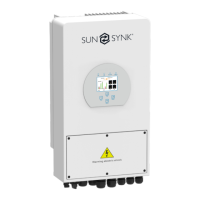
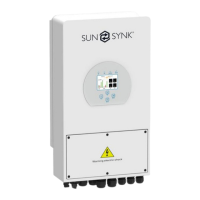
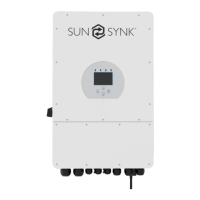
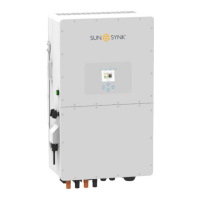
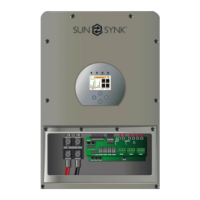
Dimensions and physical specifications of the hybrid inverter unit.
Key features and capabilities of the Sunsynk Three-Phase Hybrid Inverter.
Diagram and explanation of the inverter's system integration and components.
Overview of the inverter's compliance with industry certifications and standards.
Key general data including operating temperature, noise, and warranty.
List of all components included in the inverter package.
Guidelines for choosing an appropriate and safe location for inverter installation.
Step-by-step instructions for physically mounting the inverter on a wall.
Procedure for safely connecting the battery to the inverter.
Explanation of the purpose and connection for each function port.
Details on connecting the temperature sensor for lead-acid batteries.
Instructions for connecting AC input/output and backup/load terminals.
Procedure for connecting the solar PV modules to the inverter.
Parameters to consider when selecting PV modules for the system.
Detailed steps for wiring the PV modules using MC4 connectors.
Instructions for installing and connecting the Current Transformer (CT) coil.
Guide for connecting the CHINT energy meter to the inverter.
Essential steps for grounding the inverter for safety.
Diagram illustrating the overall wiring system for the inverter.
Schematic diagram showing the inverter's electrical connections.
Example of integrating a diesel generator with the inverter system.
Instructions for connecting multiple inverters in a parallel configuration.
Overview of the inverter's LCD display, LED indicators, and function buttons.
Visual guide to navigating the inverter's LCD menu and operations.
Monitoring system status via home and status pages, displaying key operational data.
Visual representation of the system's energy flow and component interactions.
Accessing system settings, including basic configurations like time and company name.
Procedures for resetting the inverter and setting security lock codes.
Enabling and configuring remote control for the inverter.
Configuring battery types, charge/discharge, BMS, and shutdown parameters.
Setting custom schedules for battery charging and discharging operations.
Configuring grid connection parameters, standards, and voltage/frequency settings.
Advanced configuration for connecting multiple inverters in parallel for increased power.
Instructions for connecting and configuring Data Recording Modules (DRMs).
Monitoring solar power generation and grid power import/export status.
Configuring the inverter to accept input from wind turbines.
Configuring smart load or auxiliary output functions for power management.
Description of the basic operational mode without external sources.
Operational mode integrating a generator for power supply.
Operational mode utilizing an auxiliary load output.
Operational mode for AC coupled solar systems.
Operational mode for connecting directly to the grid.
Step-by-step guide for safely starting up and shutting down the inverter.
Key checks and information required before and after inverter setup.
Explanation of the Ground Fault Detection Impedance (GDFI) fault.




 To Next Page
 General