THREE PHASE HI 8~12kW | Installer Manual68
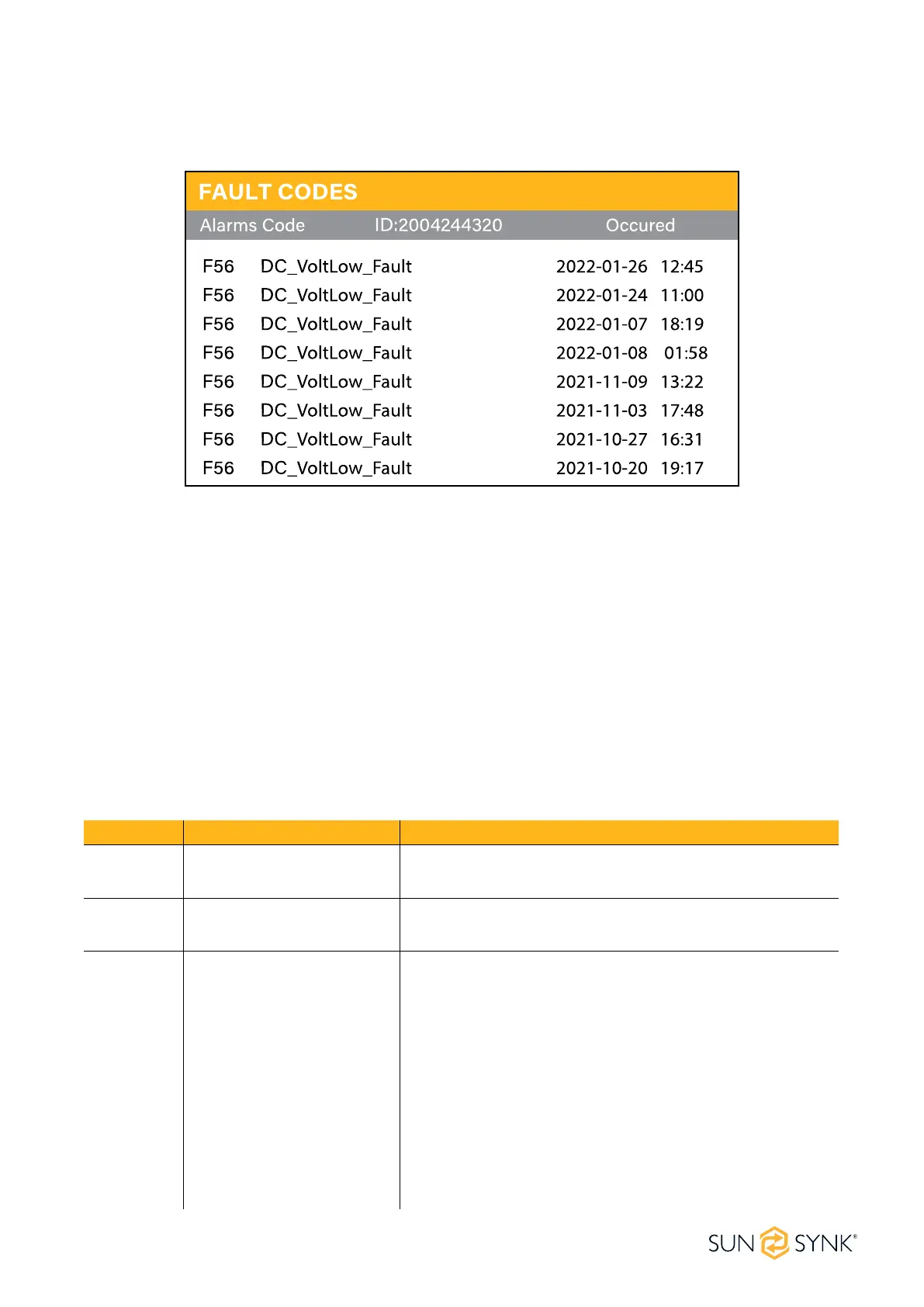
To check the fault codes click on the FAULT CODES icon on the settings menu.
If any of the fault messages listed in the following table appear on your inverter and the fault has not been
removed after re-starting, please contact your local vendor or service centre. The following information is
required:
1. Inverter serial number.
2. Distributor or service centre of the inverter.
3. On-grid Power Generation Date.
4. The problem description (including the fault code and indicator status displayed on the LCD) with as much
detail as possible.
5. Owner’s contact information.
In order to give you a clearer understanding of the inverter's fault information, we will list all possible fault
codes and their descriptions when the inverter is not working properly.
FAULT CODES
Error Code Description Solutions
F01 DC_Inversed_Failure
1. Check the PV input polarity.
2. Seek help from us, if can not go back to normal state.
F07 DC_START_Failure
1. The BUS voltage can't be built from PV or battery.
2. Restart the inverter, if the fault existis, please contact us.
F13 Working_Mode_Change
1. When the grid type and frequency changed it will report
F13;
2. When the battery mode was changed to "No Battery"
mode, it will report F13;
3. For some old FW version, it will report F13 when the sys-
tem work mode changed;
4. Generally, it will desappear automatically when shows F13;
5. If it remains same, turn on DC and AC switches for one
minute, then turn on the DC and AC switches;
6. Seek help from Sunsynk.





 To Next Page