EasyManua.ls Logo

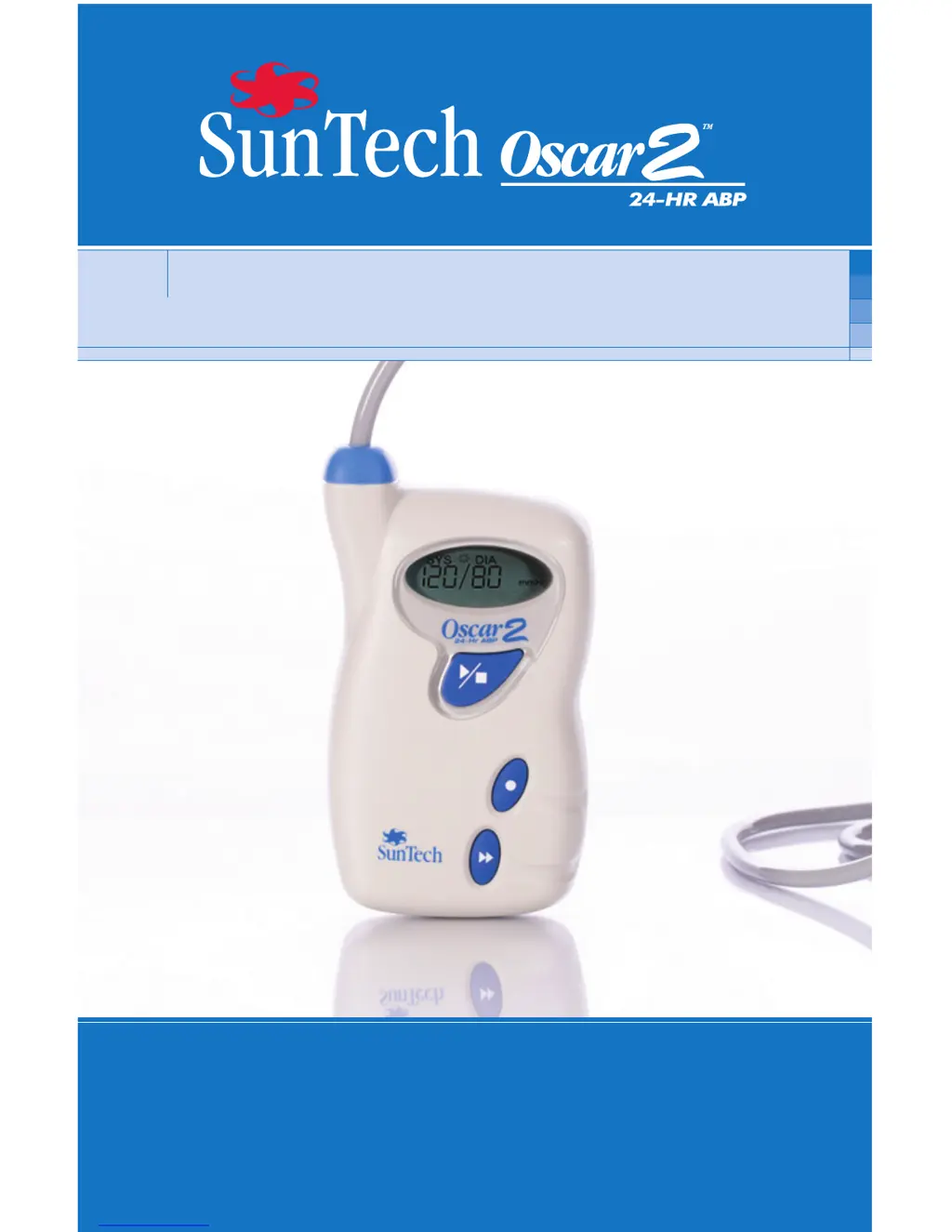
SunTech Oscar2 - User Manual

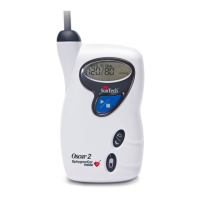
SunTech Oscar2
24 pages
Print Icon
To Next Page IconTo Next Page
Loading...
®
User Guide

Questions and Answers

  • K
    Karen SalasAug 15, 2025
    What to do if SunTech Oscar2 Blood Pressure Monitor shows 'Reading Aborted (user abort)'?
    • K
      Karen ScottAug 15, 2025
      If your SunTech Blood Pressure Monitor displays 'Reading Aborted (user abort)', simply push the START/STOP button to restart the reading.
  • J
    josephrobinsonAug 18, 2025
    What does 'Service Required' mean on my SunTech Oscar2 Blood Pressure Monitor?
    • E
      Erin MarshallAug 18, 2025
      If your SunTech Blood Pressure Monitor displays 'Service Required (power supply out-of-range or other hardware problem)', try replacing the batteries. If the problem persists after replacing the batteries, it is recommended to return the unit for servicing.
  • P
    Patrick PayneAug 21, 2025
    How to fix weak oscillometric signal on SunTech Blood Pressure Monitor?
    • D
      Donald BowmanAug 22, 2025
      To fix a weak or non-existent oscillometric signal on your SunTech Blood Pressure Monitor, check the cuff position and ensure it is tightened correctly.
  • J
    James TorresAug 25, 2025
    What to do if SunTech Oscar2 Blood Pressure Monitor shows 'Reading Aborted (inflate time-out or air leak)'?
    • R
      Rebecca WareAug 25, 2025
      If your SunTech Blood Pressure Monitor displays 'Reading Aborted (inflate time-out or air leak)', check the air hose and cuff for any issues.
  • J
    Jennifer CortezAug 27, 2025
    What to do if SunTech Blood Pressure Monitor exceeded measurement time?
    • S
      Steven WhiteAug 27, 2025
      If the SunTech Blood Pressure Monitor exceeds the measurement time, check the air hose connections and make sure the cuff is tight.
  • D
    datkinsonAug 30, 2025
    Why does my SunTech Oscar2 Blood Pressure Monitor give erratic readings?
    • L
      Lisa RochaAug 31, 2025
      An erratic oscillometric signal on your SunTech Blood Pressure Monitor may be due to movement during the reading. Remain still while the blood pressure is being measured.
  • J
    Joseph WilliamsSep 2, 2025
    What to do if SunTech Blood Pressure Monitor displays 'Reading Aborted (cuff over-pressure)'?
    • M
      Michael PotterSep 3, 2025
      If your SunTech Blood Pressure Monitor shows 'Reading Aborted (cuff over-pressure)', check the air hose for any blockages or kinks.
  • N
    Nancy CollinsSep 5, 2025
    What to do if SunTech Oscar2 exceeded retry count?
    • R
      Ralph CruzSep 5, 2025
      If the SunTech Blood Pressure Monitor has exceeded the retry count (4 inflate attempts), ensure you remain still during the BP reading.
  • M
    Matthew WalkerSep 8, 2025
    What causes 'Reading Aborted (blocked valves or pneumatics)' on SunTech Oscar2 Blood Pressure Monitor?
    • M
      Megan McneilSep 8, 2025
      If your SunTech Blood Pressure Monitor displays 'Reading Aborted (blocked valves or pneumatics)', check the air hose connections and make sure the air tubing is not crimped.
  • J
    Joseph SuttonSep 12, 2025
    What to do if SunTech Oscar2 shows 'Service Required (safety override fitted or autozero out-of-range)'?
    • J
      Jessica LindseySep 12, 2025
      If your SunTech Blood Pressure Monitor displays 'Service Required (safety override fitted or autozero out-of-range)', retry by pushing the START/STOP button. If the problem continues, return the unit for servicing.

Summary

Introduction to Ambulatory Blood Pressure Monitoring

Introduction to the Oscar 2 ABP System

Indications for Use

Details the intended uses for the Oscar 2 ABP monitor.

Operation

Explains how the Oscar 2 unit is worn and how blood pressure is measured.

Products and Accessories

Specifications

Safety and Effectiveness Considerations

Disposal

Information regarding the proper disposal of the monitor components.

Adverse Reactions

Describes potential adverse reactions like skin irritation or petechia.

Warnings and Contraindications

Precautions for Use

Key safety precautions and warnings for using the Oscar 2 monitor.

Oscar 2 at a Glance

Menu Layout

Overview of the Oscar 2 device display and its various icons.

Setting Up the System

Overview of the ABPM system

Lists the basic components included in the Oscar 2 ABPM system package.

Hardware Requirements

Specifies the PC hardware needed to operate the system.

Software Requirements

Details the operating system and browser versions required for the software.

Powering the Oscar 2 for use

Instructions for installing batteries and powering on the Oscar 2 monitor.

Installing the software

Step-by-step guide for installing the AccuWin Pro software.

Conducting an Ambulatory Blood Pressure Study

Communicating with the Oscar 2

How to connect and establish communication between the monitor and computer.

Configuring your computer for communication

Steps to configure the PC for successful data transfer with the monitor.

Programming the Oscar 2 for an ABP Study

Procedure for setting patient-specific parameters for the ABP study.

Fitting a patient with the Oscar 2 and Orbit cuff

Guidance on correctly applying the blood pressure cuff to the patient.

Preparing and educating the patient

Instructions for preparing and informing the patient about the study.

Starting the study

Steps to verify operation and begin the blood pressure study.

Finishing the study

Instructions on how to properly end an ongoing study.

To retrieve the data

Process for downloading collected blood pressure data from the monitor.

Troubleshooting

Maintaining and Cleaning the Oscar 2

Cleaning after use

Procedures for cleaning the Oscar 2 monitor and accessories.

Maintenance after use

Guidelines for inspecting cables and monitor case after use.

Maintenance

Recommendations for periodic accuracy checks and recalibration.

Checking calibration

Step-by-step guide to verify the calibration of the Oscar 2 unit.

Limited Warranty

SunTech Oscar2 Specifications

General IconGeneral
BrandSunTech
ModelOscar2
CategoryBlood Pressure Monitor
LanguageEnglish

Related product manuals