5 Electrical connection
25
WARNING
The NTX 3000/4000/5000 may not be connect to a
277 V grid.
If neutral(N) exists, NTX is designed to automati-
cally detect which utility type (except for utility) it is
feeding.
The NTX may also be configured manually according
to the local utility type.
AC wiring procedure
1. Turn off the main breaker/disconnect in the main
utility breaker/disconnect box.
2. Turn the integrated DC disconnect OFF.
3. Remove interior breaker/disconnect panel cover.
4. If you are replacing an existing inverter, discon-
nect the wires for the AC line you are working
within the breaker/disconnect box.
5. Install a 1 in. conduit fitting on the AC Grid
knockout (the knockout on bottom of NTX
inverter). Fasten the conduit fitting on the inside
of NTX inverter with the appropriate locknut.
6. Install a 1 in. conduit between the main breaker/
disconnect box and the NTX inverter AC Grid
knockout.
7. Pull the AC wires through the conduit from the
interior of the breaker/disconnect box to the
interior of the NTX inverter.
8. Connect the AC equipment-ground wire to the
PE terminal labeled in the wiring zone of NTX
inverter.
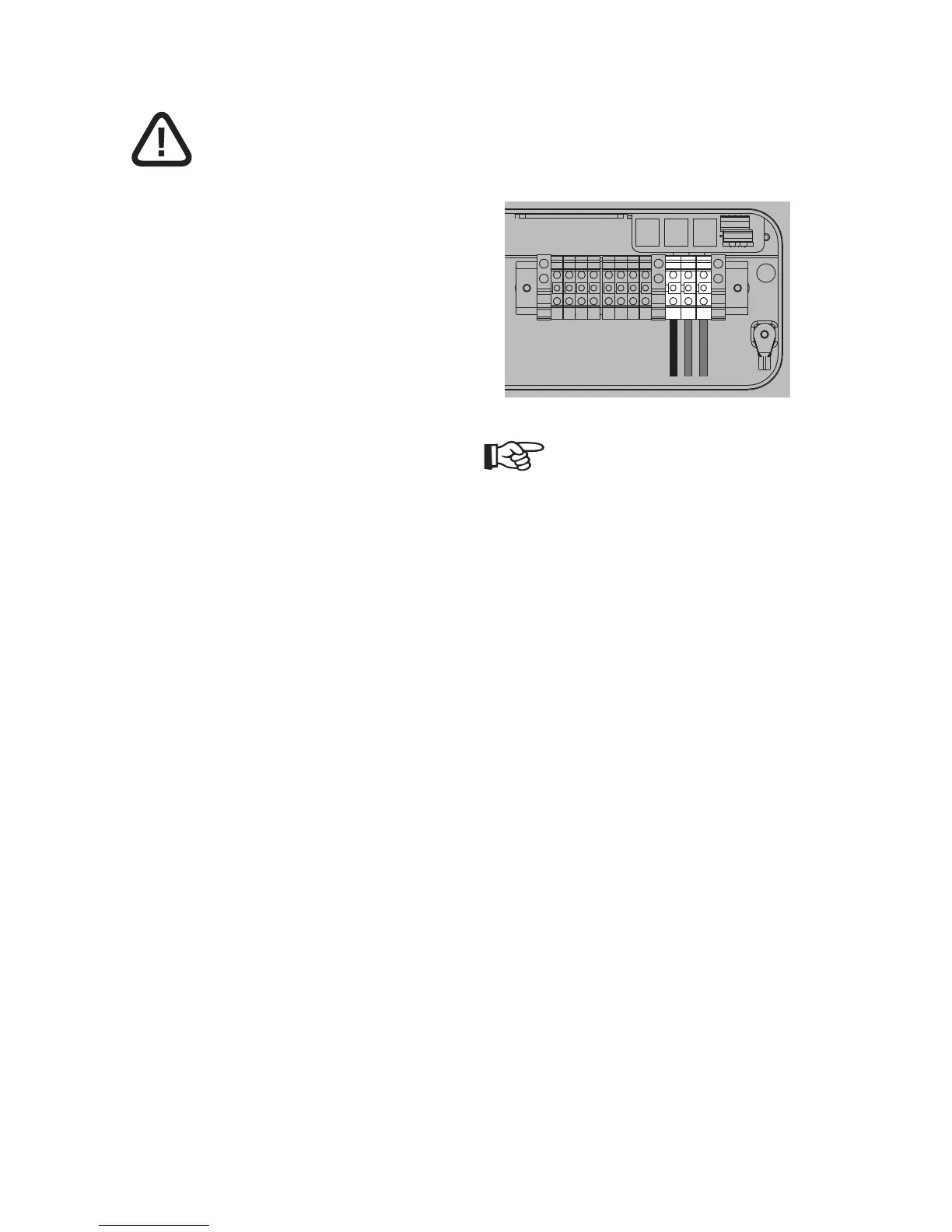
9. Connect the 3 AC wires to the relative terminal
block present inside the inverter and tighten
them. The AC wire connections should be done
based on the type of AC grid.
10. Verify that all connections are correctly wired
and properly torqued. Pull on the cable in order
to make sure that it is sufficiently fixed in the
terminal.
RS485Ethernet RS485 RS485
123
T+ T– R+ R–
NOTE
If several NTX inverters are installed in a three-
phase AC GRID, it is recommended to distribute the
inverters between the phases in order to reduce the
power unbalances between the phases. Always refer
to the local standards.



 To Next Page