PRESSURE SENSORS
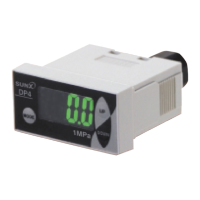
DP5/DPH
Head-separated
DP4DP2DP3DP-M
Digital Display
PE
LED Bar Display
DP4
787
PRECAUTIONS FOR PROPER USE
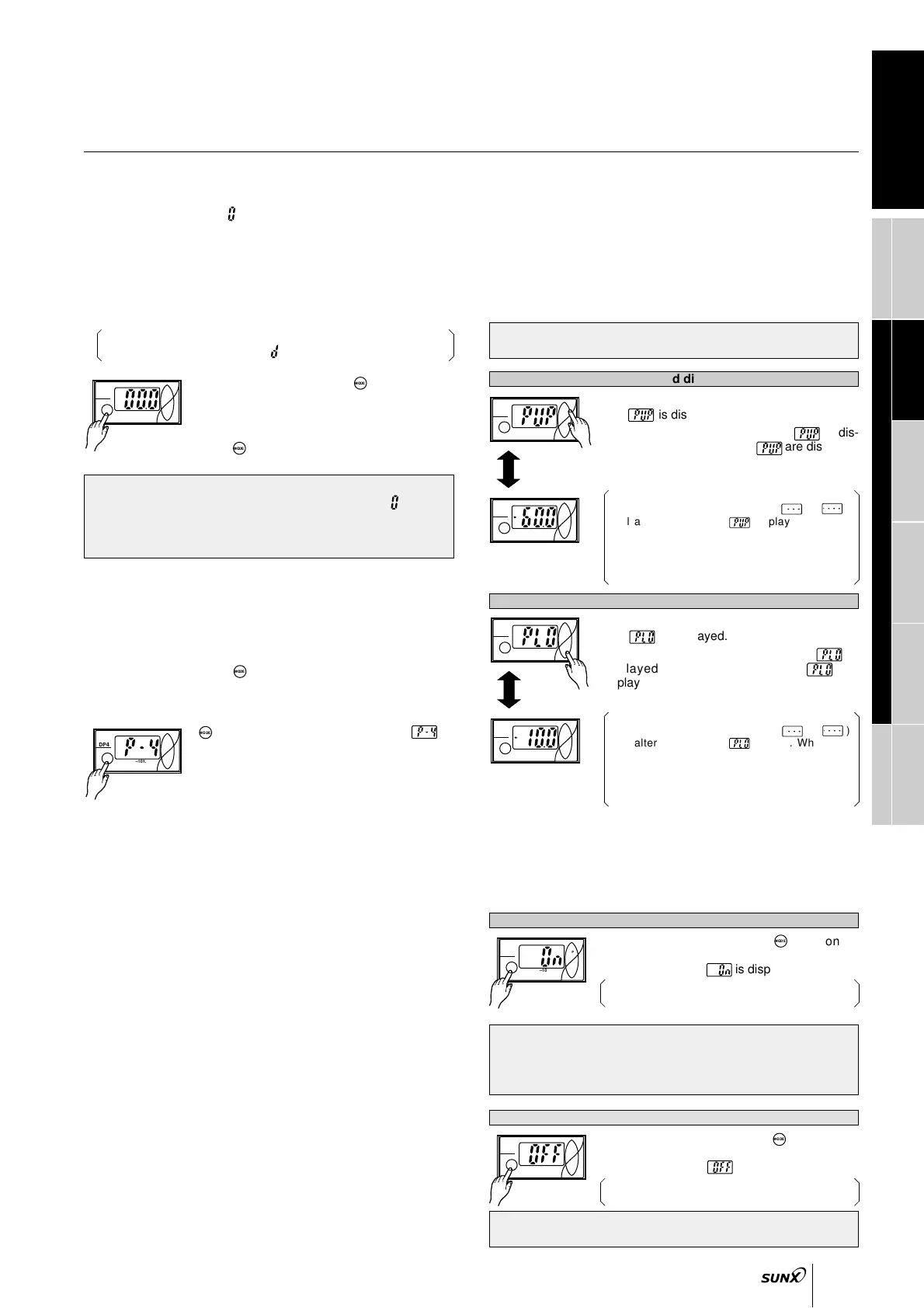
Peak hold & bottom hold functions
• Peak hold and bottom hold functions enable the display of
the peak value (maximum pressure value) and the bottom
value (minimum pressure value) of the varying measured
pressure.
These functions are convenient for finding the pressure
variation range or for determining the reference for
pressure settings.
• Please note that the peak value and the bottom value data is
erased when it is no longer displayed.
• Since the key-protect information is stored in an EEPROM, it
is not erased even if the power supply is switched off.
• Please take care to remember if the key-protect function has
been set.
• In the sensing mode, press key contin-
uously for 4 sec, or more, and release it
immediately when is displayed.
Key-protect is released and the sensor returns to
the sensing mode.
Release of key-protect
• When the keys are to be operated, make sure that key-protect
is released.
Forced output mode
• In the initial setting mode, if the output mode is set to the
forced output mode
( )
, the output is forcibly maintained
at OFF level in the sensing mode, irrespective of Set Value
1 to 3 (P-1 to P-3).
Further, if the keys are operated as per the procedure
given below, the output can be forcibly switched either ON
or OFF without applying pressure at the pressure port. This
is convenient for an operation check of the comparative
output or for an inspection before commencing work.
The diagram below appears when the DP4-50(P) has been used to
set the display to ‘Digital display’ ( ).
• In the sensing mode, press key to change
to the forced output mode.
• Whenever UP key is pressed, the output state
switches to either ON and OFF alternately.
• Press key to return to the sensing mode.
Memory bank function
• The memory bank function is a function which allows two
types of output to be stored: Set Values 1 to 3 (P-1 to P-3)
and Set Values 4 to 6 (P-4 to P-6).
This make it possible to change set values quickly.
• If the key is pressed in a sensing mode
other than forced output mode, the mode will
change to pressure value setting mode.
• After releasing the mode select key, press the
key again continuously until is
displayed (4 sec. or more).
• Make the setting for Set Values 4 to 6 (P-4 to
P-6). Set Values 4 to 6 (P-4 to P-6) correspond
to Set Values 1 to 3 (P-1 to P-3) respectively.
Refer to
4
Pressure value setting on p.786
for details on making each setting.
• Output is kept off at the point where the mode is changed from
another output mode to forced output control mode ( ).
• Even if output has been set to stay on during forced output
control mode, it will be forcibly changed to off at the point
where the mode changes back to sensing mode.
• In the sensing mode, keep UP key pressed
until is displayed. (4 sec. or more)
• When the finger is released after is dis-
played, the peak value and are displayed
alternately.
• Press UP key to return to the sensing mode.
If the applied pressure exceed the display
pressure range, an error display (
o
o
oooorooooo)
will alternate with the display. When this
occur, return the applied pressure to the rated
pressure range.
The illustration on the left shows the vacuum
pressure type.
Key-protect function
• Key-protect is a function which prevents any unintentional
change in the conditions which have been entered in each
setting mode by making the sensor not to respond to the
key operations.
• In the sensing mode, press key contin-
uously for 4 sec, or more, and release it
immediately when is displayed.
Key-protect is set and the sensor returns to the
sensing mode.
Setting of key-protect
Peak hold display
Bottom hold display
•
In the sensing mode, keep DOWN key pressed
until is displayed. (4 sec. or more)
• When the finger is released after is
displayed, the bottom value and are
displayed alternately.
•
Press DOWN key to return to the sensing mode.
If the applied pressure exceed the display
pressure range, an error display ( - - - or - - - )
will alternate with the display. When this
occur, return the applied pressure to the rated
pressure range.
The illustration on the left shows the vacuum
pressure type.
DP4
–101.3kPa
DOWN
MODE
UP
DP4
DOWN
MODE
UP
Displayed
alternately
–101.3kPa
DP4
–101.3kPa
DOWN
MODE
UP
DP4
DOWN
MODE
UP
Displayed
alternately
–101.3kPa



 To Next Page
 Loading...