45
Chapter 3: Maintenance and Component Installation
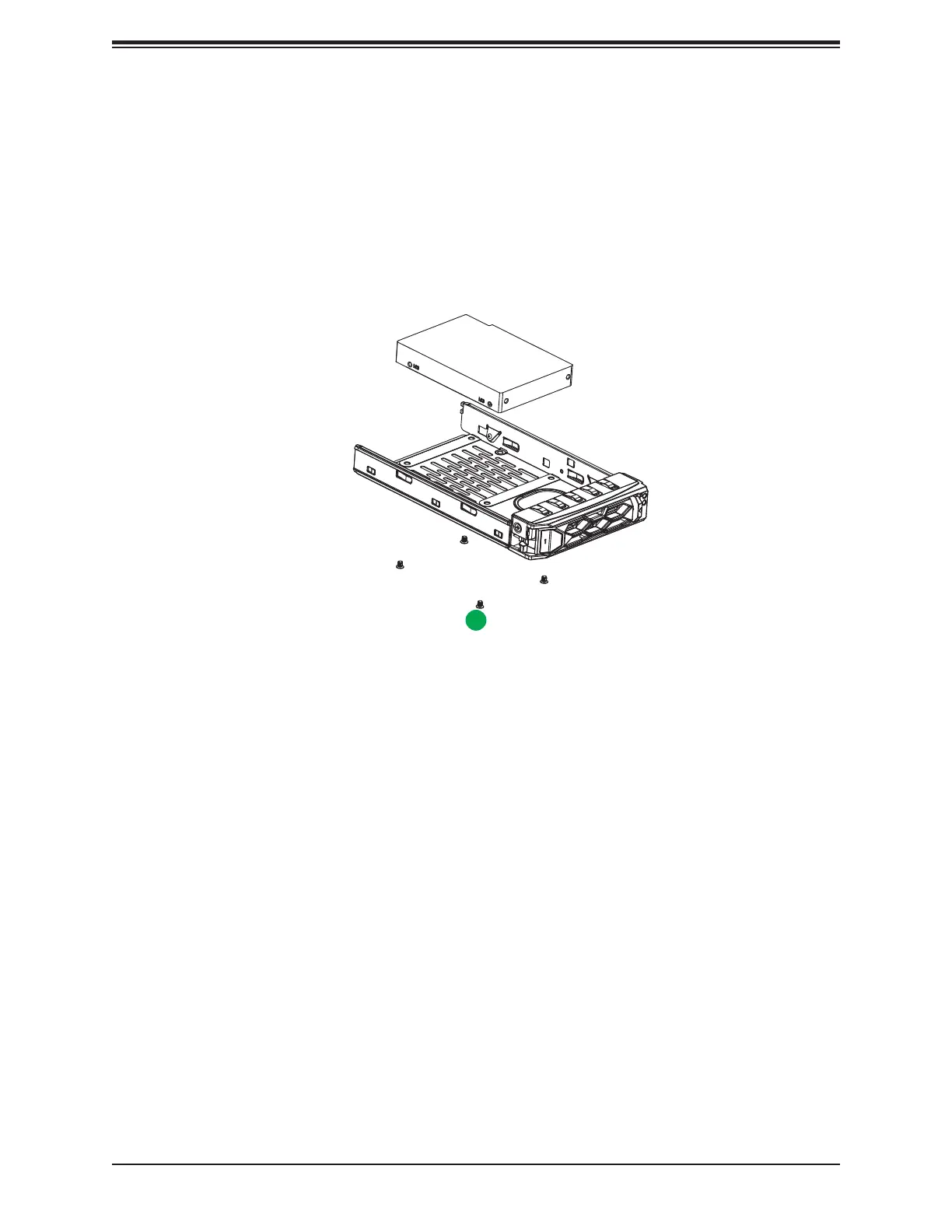
Installing a 2.5" Drive
1. Install the drive directly into the tray with four screws underneath.
2. Insert the drive carrier into its bay, keeping the release button on the right. When the
carrier reaches the rear of the bay, the release handle will retract.
3. Push the handle in until it clicks into its locked position.
Figure 3-8. Installing a 2.5" Drive into a Carrier
2.5" Drive
2






 To Next Page