EasyManua.ls Logo

Supermicro A+ Server AS-2015CS-TNR - Chapter 5 Software; Microsoft Windows os Installation

Supermicro A+ Server AS-2015CS-TNR
120 pages
Print Icon
To Next Page IconTo Next Page
To Previous Page IconTo Previous Page
Loading...
73
Chapter 5: Software
Chapter 5
Software

RAID settings and install the drivers.
5.1 Microsoft Windows OS Installation


at www.supermicro.com/support/manuals.
Installing the OS
1. 

console.
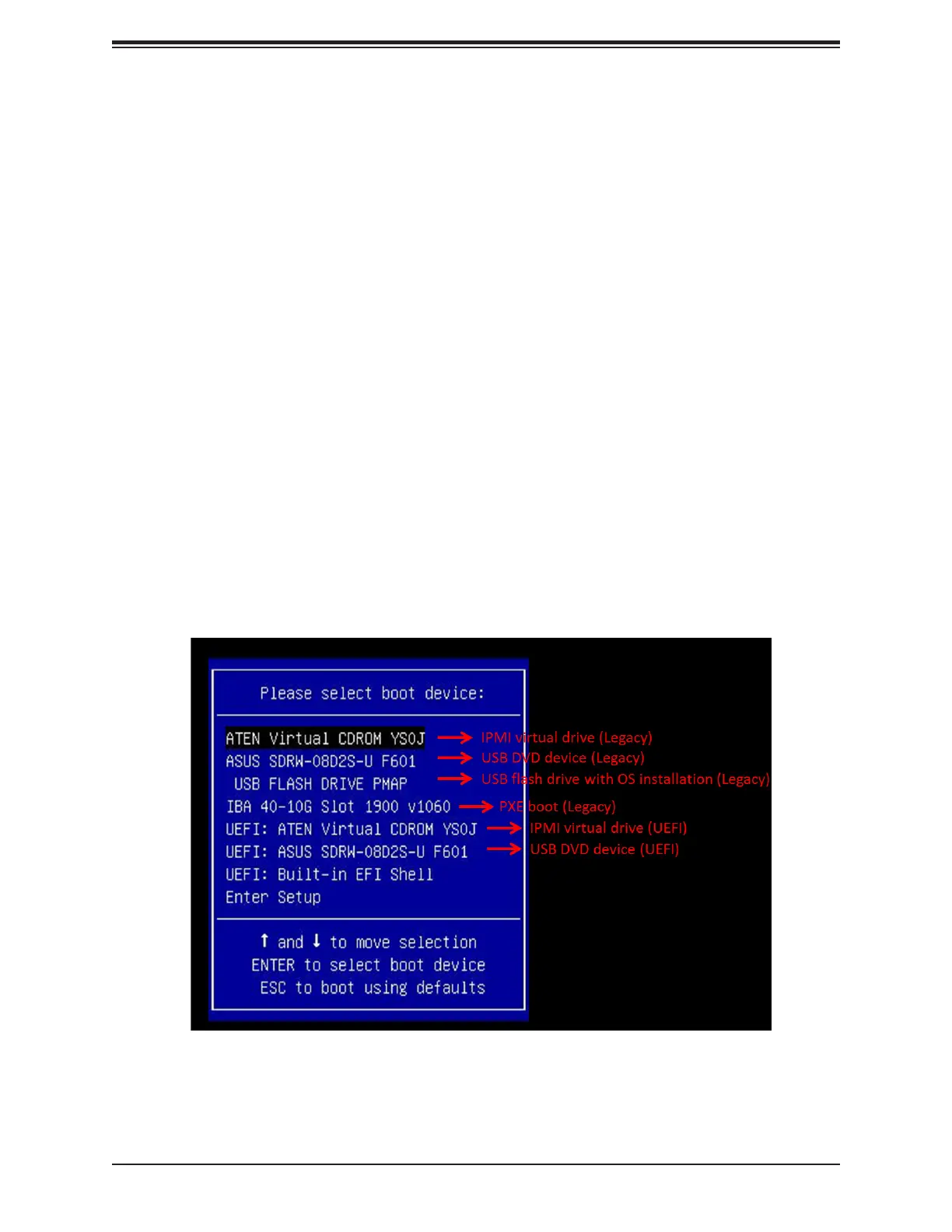
2. Boot from a bootable device with Windows OS installation. You can see a bootable
device list by pressing F11 during the system startup.
Figure 5-1. Select Boot Device

Table of Contents