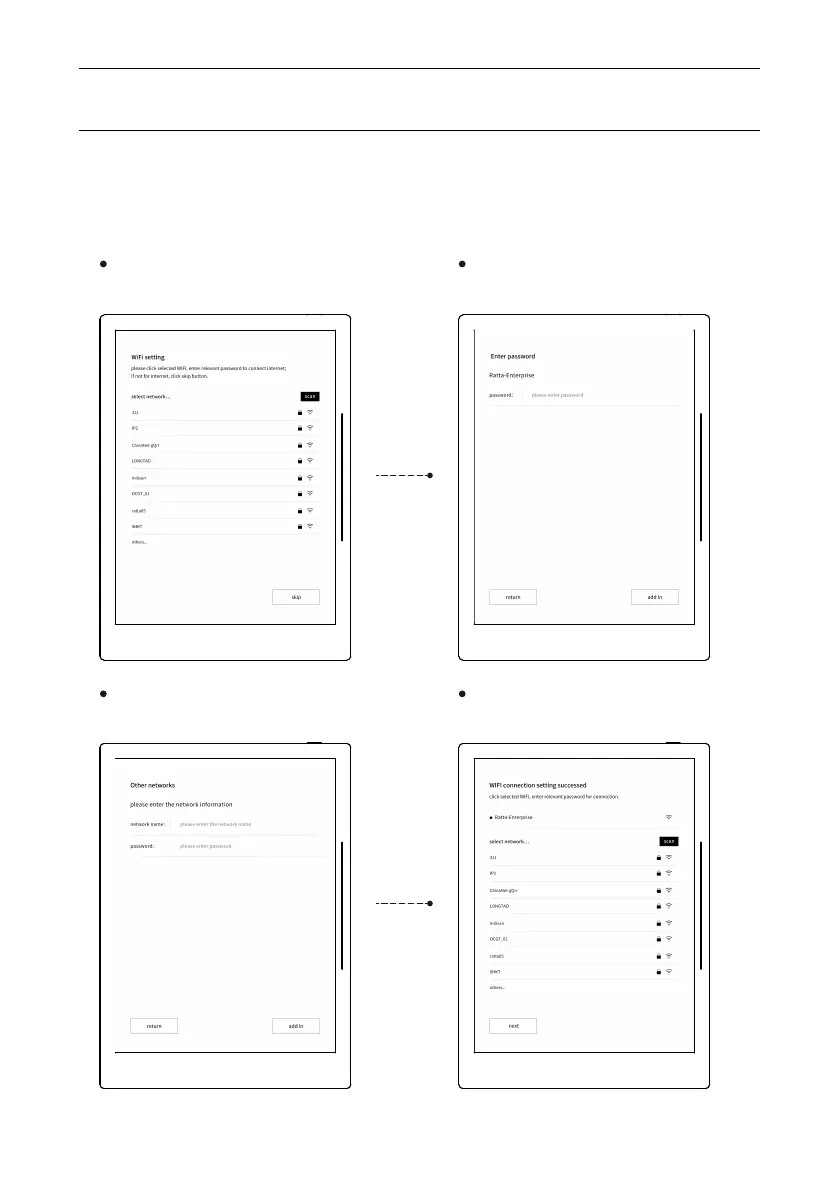
5. Connect with WIFI by steps below, or skip.
Operation Instruction
17
Click the selected wifi connection,
or skip
Click “others”, enter related internet
information, click to join in.
Enter password for selected WIFI,
click join in to connect.
Setting done.



 To Next Page