EasyManua.ls Logo

Supersonic SC-1311 - User Manual

Supersonic SC-1311
32 pages
Print Icon
To Next Page IconTo Next Page
Loading...
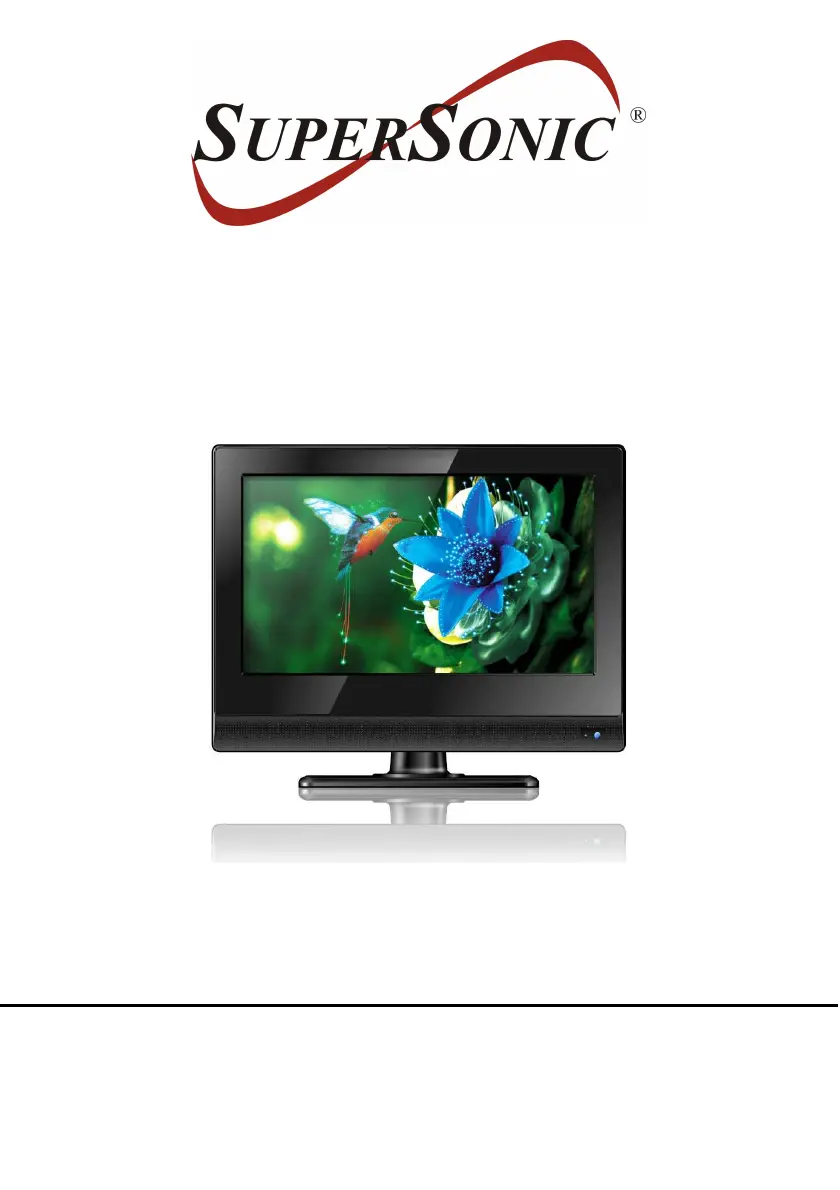
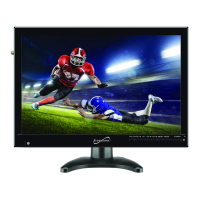
13.3” WIDESCREEN LED TV
MODEL NO.: SC-1311
USER MANUAL
Please read this manual carefully before using,
and keep it for future reference.

Questions and Answers

Summary

User Manual Overview

Important Instructions

Safety Instructions

Essential safety guidelines to reduce risk of fire, electric shock, or personal injury.

Product Safety Cautions

Cautions to prevent personal injury or product/property damage, including environmental considerations.

Battery Handling and Usage

Guidelines for safe handling, storage, and disposal of batteries.

Included Accessories

List of accessories provided with the TV, such as remote control, adaptors, and user manual.

Product Features

Key Features List

Highlights the main functionalities and capabilities of the 13.3" LED TV.

General Parts Identification

Main Unit - Front and Top Views

Identifies and describes the external buttons and indicators on the front and top of the TV.

Main Unit - Back Panel Connections

Details the various input and output ports located on the back of the TV.

Remote Control Guide

Remote Control Buttons and Functions

Explains the purpose and operation of each button on the remote control.

Remote Control Functions (Continued)

Details additional functions and button operations for the remote control.

Remote Control Preparation and Operation

Battery Installation and Service Life

Instructions for installing batteries and notes on battery service life for the remote.

Operating the Remote Control

Guidance on proper usage, including distance and angle for effective remote operation.

Basic Connection Guide

Connecting to AC Power Source

Steps for connecting the TV to the main power outlet using the AC adaptor.

Connecting an External Antenna

Instructions for connecting an external antenna for optimal TV reception.

Composite AV and Earphone Connections

How to connect audio/video devices via composite AV and headphones via earphone jack.

HDMI and PC;VGA Connections

Guide for connecting high-definition sources via HDMI and computers via VGA.

USB and Coaxial Connections

Instructions for connecting USB devices and outputting audio via coaxial cable.

Basic Operations Guide

Powering On;Off and Channel Selection

How to turn the TV on/off and select channels using the remote or unit buttons.

Volume, Mute, and Source Settings

Controls for adjusting volume, muting sound, and selecting input sources.

Picture Mode Adjustment

How to select and adjust different picture modes for optimal viewing.

Sound, Caption, and Timer Settings

Settings for sound modes, closed captions, and sleep timer.

Video Size and Audio Language

Adjusting video display size and selecting preferred audio language.

Information Display and Channel Lists

Accessing program information, EPG, favorite lists, and channel lists.

Special Functions and USB Operation

Freeze Function

How to freeze the current picture and resume normal playback.

USB Photo Playback

Steps for connecting a USB device and playing back photo files.

USB Music Playback

Instructions for playing music files from a USB device, including navigation and playback controls.

Main Menu Navigation

Initial Setup Wizard and TV Mode

Guide to the initial setup process, including language selection and TV mode configuration.

Signal and Cable System Settings

Configuring signal type (Air/Cable), cable system, and performing auto channel scan.

Picture Settings

Picture Mode and Basic Adjustments

Selecting picture modes and adjusting contrast, brightness, and color.

Tint, Sharpness, and Color Temperature

Fine-tuning tint, sharpness, and color temperature for optimal picture quality.

Audio Settings

Sound Mode and Audio Adjustments

Selecting sound modes and adjusting bass, treble, and balance.

Surround Sound and Audio Output

Configuring surround sound, AVC, SPDIF type, and audio language.

Time Settings

Sleep Timer, Time Zone, and Clock

Setting sleep timer, time zone, and notes on automatic clock synchronization.

Setup Options

Menu Language and Display Settings

Changing OSD menu language and controlling transparency.

Noise Reduction and Advanced Settings

Adjusting noise reduction and configuring advanced settings for PC/VGA input.

Closed Caption Options

Configuring closed caption modes, basic and advanced selections, and text options.

Font Customization and Luminance Control

Options for font style, size, edge, color, luminance control, and overscan.

Channel Settings

Signal Reception and Cable System

Selecting signal type (Air/Cable) and preferred cable system for reception.

Auto Scan and Channel Management

Performing auto channel scan and managing favorite channels.

Starting Auto Channel Scan

Initiating the automatic scanning process to find available channels.

Favorite, Show;Hide, and Labeling

Managing favorite channels, showing/hiding channels, and editing channel labels.

DTV Signal Information

Displaying information related to the Digital TV signal.

Modes and Adjustments

AV and Other Input Modes

Switching between different input sources like AV and other modes.

PC;VGA Mode Picture Adjustments

Fine-tuning horizontal/vertical position, clock, and phase for PC/VGA input.

Wall Mounting Instructions

Wall Mounting Warnings and Guidelines

Important warnings and instructions for safely mounting the TV on a wall.

Stand Installation Guide

Steps for Stand Assembly

Detailed steps for attaching the TV stand to the main unit securely.

Maintenance Procedures

Cleaning and Care Instructions

Guidelines for cleaning and maintaining the TV to ensure longevity.

Technical Specifications

Display and Performance Details

Key technical specifications including display type, resolution, power, and dimensions.

Troubleshooting Common Issues

Power, Picture, and Sound Problems

Solutions for common issues like no power, no picture, or distorted sound.

Remote Control and Interference Issues

Troubleshooting steps for remote control malfunctions and signal interference.

TV Specific Picture and Sound Issues

Addressing problems related to poor picture quality or sound issues.

Warranty Information

Basic Warranty Statement

Details the limited warranty period and conditions for the product.

Supersonic SC-1311 Specifications

General IconGeneral
BrandSupersonic
ModelSC-1311
CategoryLED TV
LanguageEnglish

Related product manuals