www.supmea.com
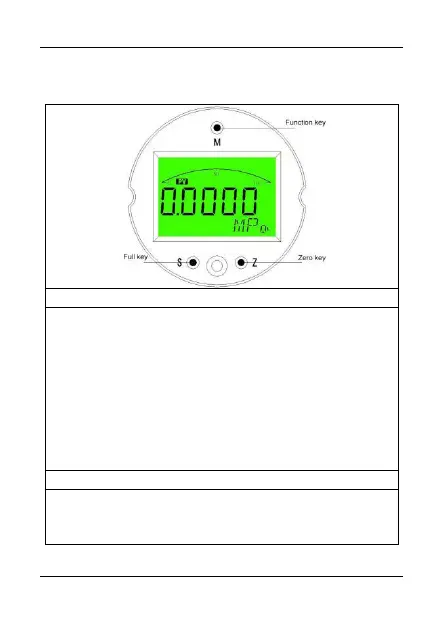
(1) Press "on" to enter the password setting in the
measurement mode.
(2) Press and hold for 5 seconds in the measurement
mode to enter the principal variable reset (i.e., PV reset).
(3) In the setting mode, press the keys for a second to
enable parameter modification, and the modified
parameter flashes. Press the keys again to confirm
parameter modification, and the modified parameter stops
flickering.
(1) Press shortly in the measurement mode to modify the
display mode.
(2) Press and hold in the measurement mode for 5



 To Next Page