31
7.2.1 Wheel loader’s Idle Speed Adjustment
Check if the bucket lifting process with unloading and idle speed is smooth.
Check if the bucket lifting process with full loading and idle speed is smooth.
If not smooth, it will affect seriously the calibrating and weighing accuracy of the weigher. If it’s
caused by power lackage, it’s need to adjust the lift-arm’s power at idle speed by professionals.
7.2.2 Position Sensor Adjustment
Press key【Pause】to enter Pause state with red sign ‘■’ displaying.
Make sure the bucket of wheel loader is empty.
BUCKET-UP: Flip the bucket upward to the limit position.
ARM-DOWN: Put the lift-arm down so that the bucket goes down to the lowest position.
Press key【Load】to display the blue sign ‘▲’.
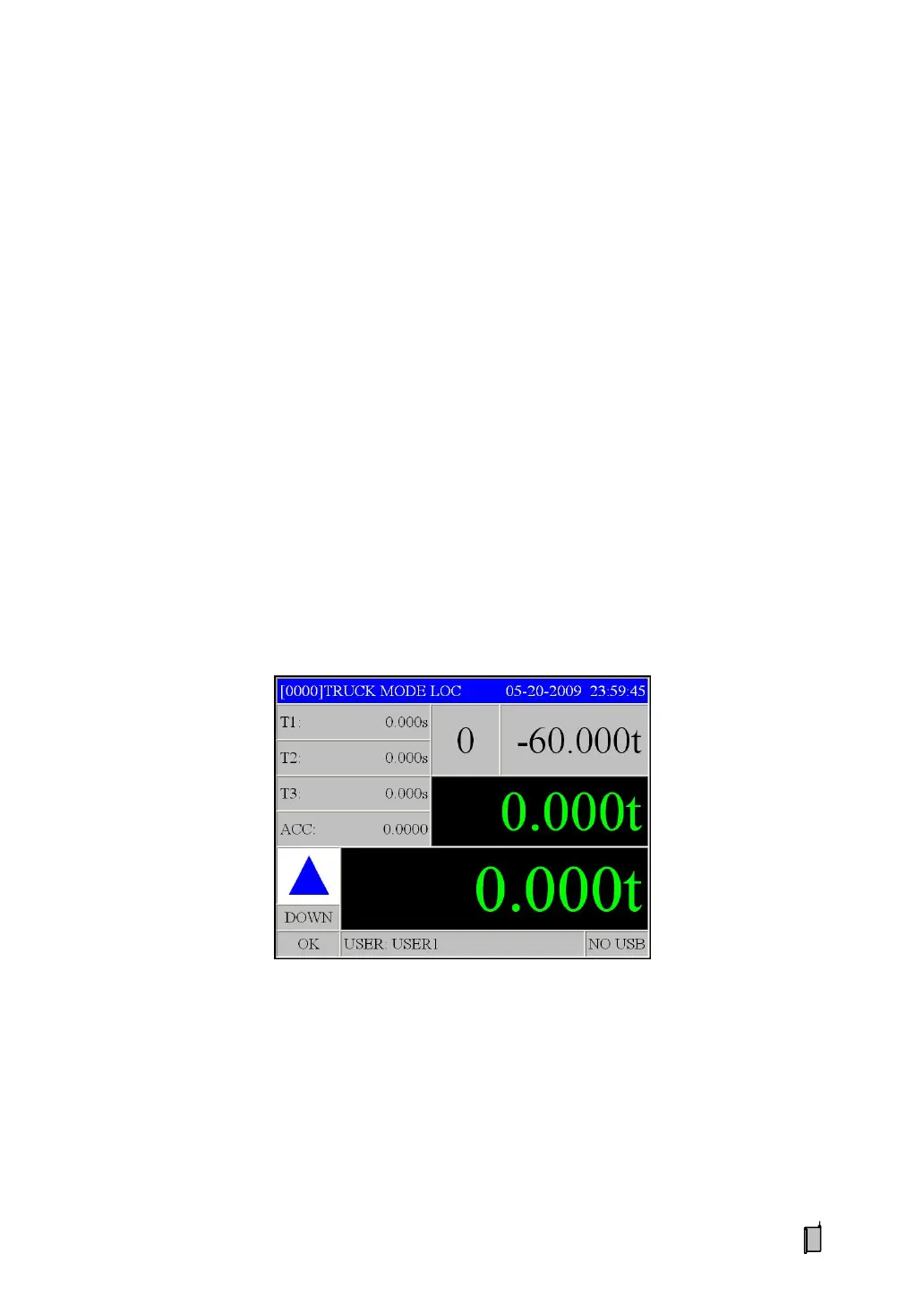
Press key【Disp】to display ‘Position Sensor Adjustment Interface A’:
T1: Time spent in Lower Weighing Segment [s].
T2: Time spent in Medium Weighing Segment [s].
T3: Time spent in Upper Weighing Segment [s].
ACC: Acceleration Value in Weighing Segments [dm/s
2
].
Note: Weighing Segment is the space between Lower Proximity Switch and Upper Proximity
Switch. It’s divided into Lower Weighing Segment, Medium Weighing Segment and Upper


 To Next Page