2017-08-30 12 1715054
GPS
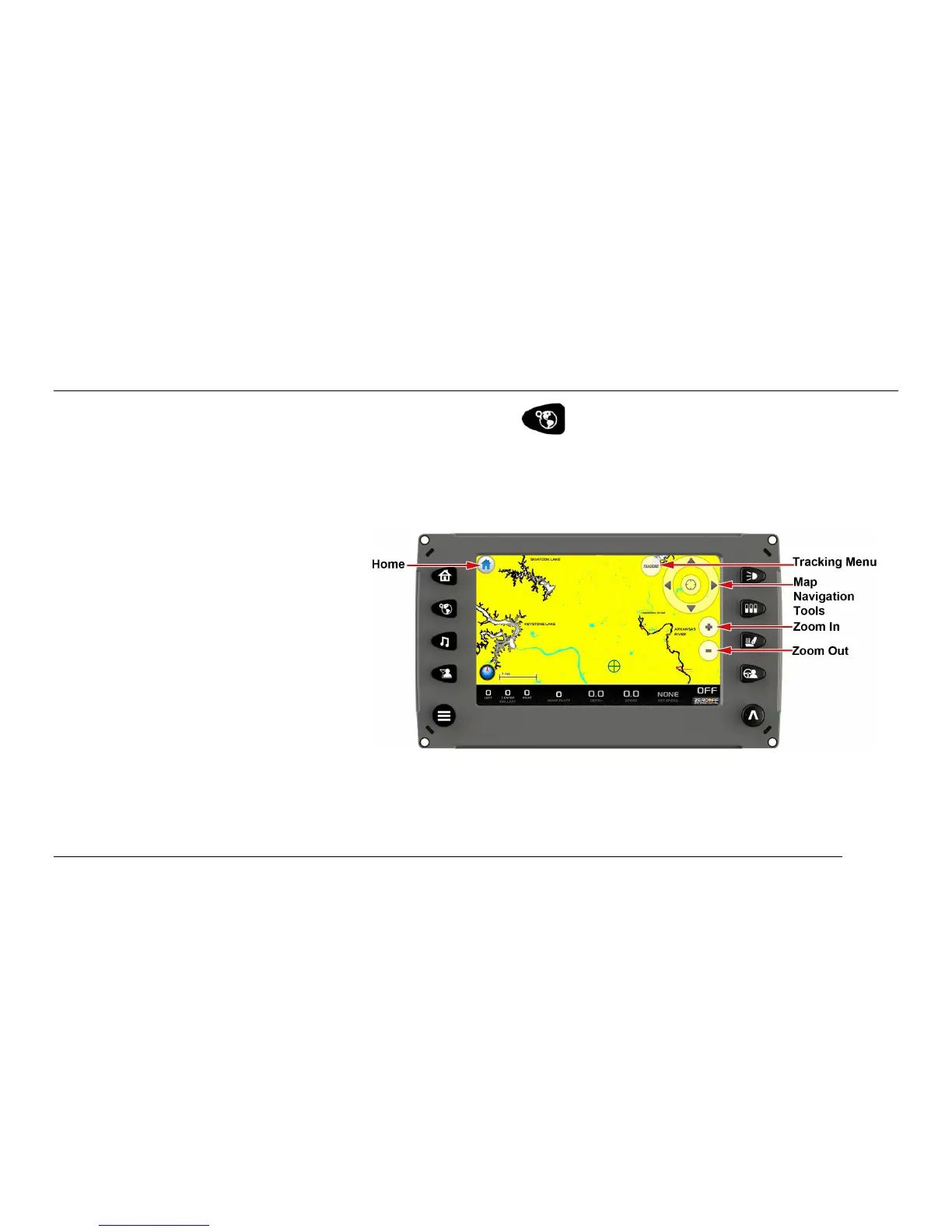
The GPS screen can be accessed by pressing the GPS Quick Access Key.
The functions on the GPS are handled through touch points on the screen. The touch points change
depending upon which view of the screen is showing.
To see more options, touch
[TRACKING]. The Tracking Menu
is displayed on the screen.
Touch [PAN/ZOOM] to return to the
previous view.



 To Next Page