2017-08-30 26 1715054
Ballast
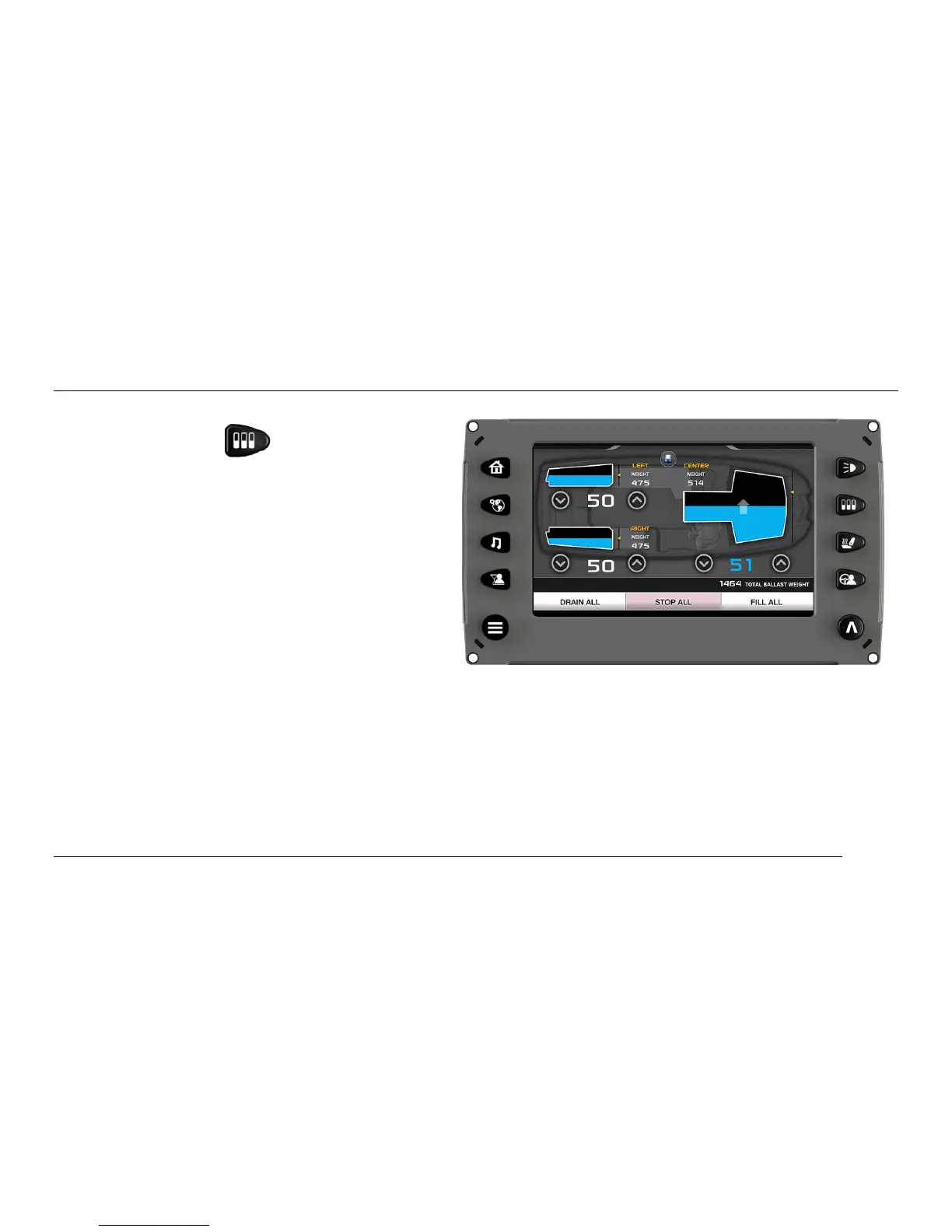
The Ballast screen can be accessed by
pressing the Ballast Quick Access Key.
This screen displays the current state of the
ballasts and is interactive for immediate
settings.
To adjust the Ballast settings slide finger up the
tank to the desired level or tap the UP or
DOWN arrows below the tank. As an example,
the illustration shows the Center tank filling to
achieve 51 percent and the left and right
ballasts have achieved 50 percent tank
capacity.
The following functions can also be accomplished from this screen:
• FILL ALL – touch to fill all the ballasts
• DRAIN ALL – touch to drain all the ballasts
• STOP ALL – touch to stop all filling or draining activity
• SAVE – touch to save the current settings to the current profile or a new profile



 To Next Page