2017-08-30 27 1715054
Comfort
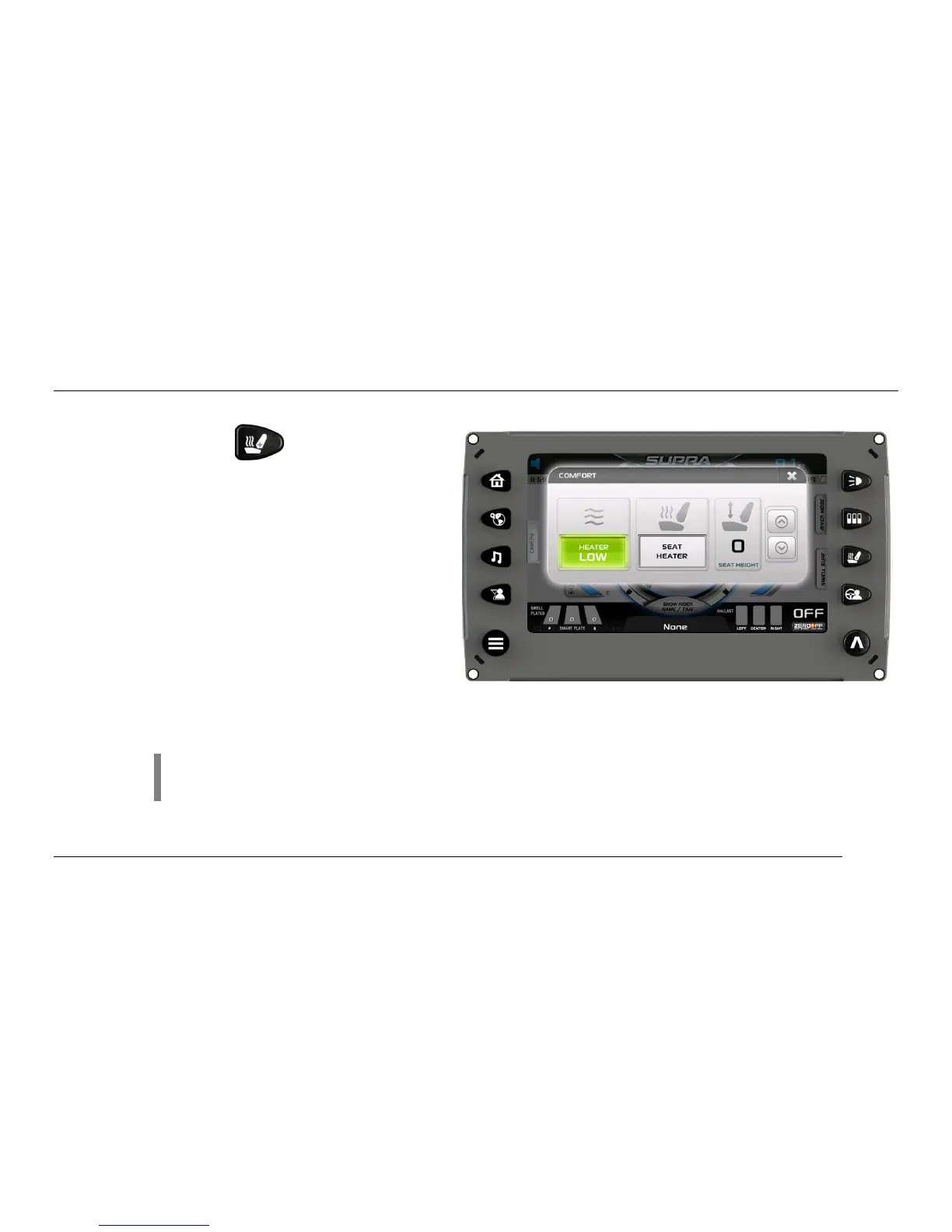
The Comfort screen can be accessed by
pressing the Comfort Quick Access Key.
On the Comfort screen, touch a cell to activate.
Touch it again to change the setting or use the
arrows. The following comfort settings can be
made if the option is installed on your boat
package:
• Heater – HIGH/LOW/OFF
• Seat Heater – ON/OFF
• Seat Height – UP/DOWN
These settings can also be set for specific boat
drivers through the driver presets.
NOTE: If the cell is gray, this indicates the settings are OFF. If the cell is green,
this indicates the settings are ON.



 To Next Page