EasyManua.ls Logo

Supra VISION Touch 2018 - Page 16

Supra VISION Touch 2018
48 pages
Print Icon
To Next Page IconTo Next Page
To Previous Page IconTo Previous Page
Loading...
2017-08-30 16 1715054
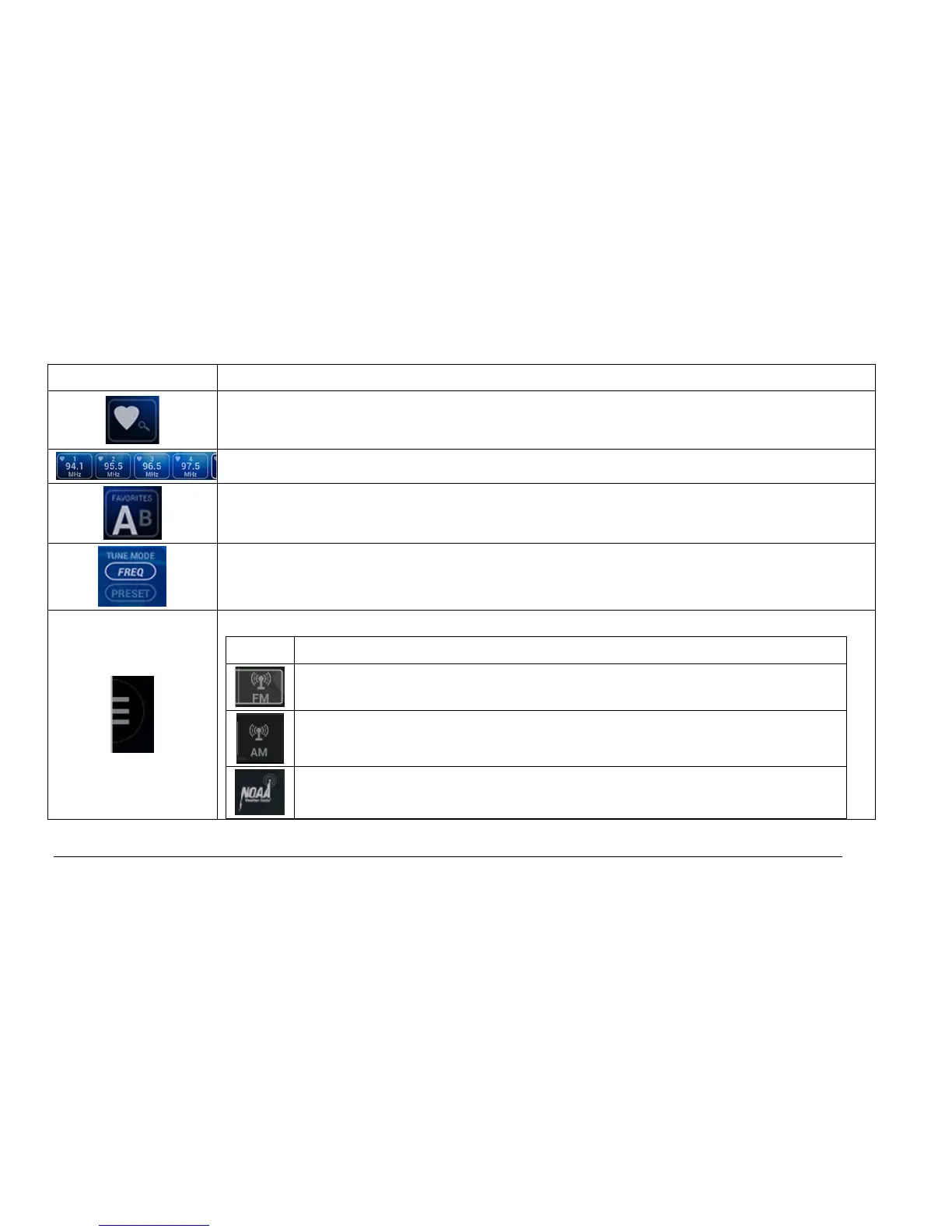
Touch Point Description
Save to Favorites: Touch this button to save the displayed station in your favorite
stations.
Preset Stations: This list contains 6 of the previously saved favorite stations.
Favorites List – Touch to alternate between List A and List B. This provides 12 pre-
saved favorite stations.
Tune ModeChoosing FREQ will allow the scanning of all stations on the dial.
Choosing PRESET will only scan the saved favorite stations on the dial.
ListTouch this point to expand the following list of icons:
Icon Description
Switches to the FM band.
Switches to the AM band.
Displays the Weather band.

Related product manuals