
 Need help?
Do you have a question about the SureCall FLAREDB+ and is the answer not in the manual?
Identify the outside location with the strongest signal for optimal antenna placement.
Mount the outside antenna at the highest possible elevation, ensuring minimum separation from the booster.
Provides solutions for common issues like no power or no signal after installation.
Explains the meaning of LED states for normal operation and potential issues.
The SureCall FlareDB+ is a cellular signal booster kit designed to enhance talk, text, and 4G LTE data signals for Verizon, AT&T, and T-Mobile devices in homes and offices. It aims to eliminate dropped calls and extend cellular range by amplifying both incoming and outgoing cellular signals.
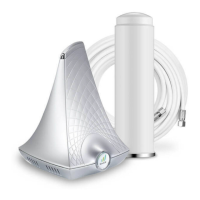
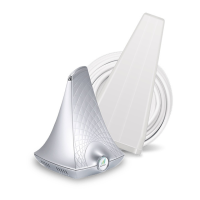
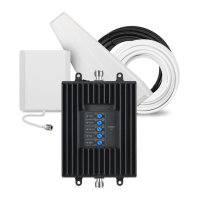
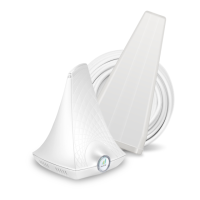
The FlareDB+ system operates by capturing existing cellular signals from an outside antenna, amplifying them, and then rebroadcasting the boosted signal indoors. Conversely, it also amplifies outgoing cellular signals from mobile devices back to the cell tower. The system consists of an outside Yagi antenna, a signal booster unit, a power supply, and a coax cable for connection. The outside antenna is responsible for collecting the signal from the nearest cell tower. This signal is then sent via the coax cable to the FlareDB+ booster. The booster processes and amplifies the signal, distributing it throughout the indoor coverage area. For optimal performance, the booster incorporates Automatic Gain Control (AGC), which self-adjusts to prevent signal overload and maintain stable operation. The system is designed for fixed, in-building use and is compatible with various cellular standards including CDMA, WCDMA, GSM, EDGE, HSPA+, and EVDO 4G.
To use the FlareDB+, users first need to identify the area with the strongest existing cellular signal outside their home or office. This is typically found above the roofline, on the side facing the nearest cell tower, and at the highest possible elevation. Tools like Field Test mode on smartphones or apps like "Network Signal Info" for Android can help determine signal strength in decibels (dB), where a score closer to zero indicates a stronger signal. Once the optimal location is identified, the outside Yagi antenna is mounted, preferably on a pole or pipe, ensuring a minimum separation of 25 feet from the planned booster location. The antenna should be aimed horizontally in the direction of the nearest cell tower.
After the outside antenna is secured and connected to one end of the provided RG6 cable, the booster unit is placed indoors in a central location where signal is needed, maintaining at least 25 feet of separation from the outside antenna. Greater separation between the outside antenna and the booster generally leads to improved performance. The other end of the RG6 cable is then connected to the booster. Finally, the power cord is connected to the signal booster and plugged into an AC power outlet. The system is designed to be user-friendly, with a "soft install" recommended initially to allow for adjustments to optimize performance.
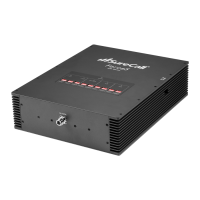
The booster's LED indicators provide feedback on its operational status. When the Left or Right LED is OFF, the booster is operating normally. A Yellow Flashing LED (Left or Right) indicates that the Automatic Gain Control (AGC) is active and self-adjusting, which is part of normal operation and does not require user action. A Red Flashing LED (Left) signifies that the booster is receiving a signal that is too strong, potentially causing one or more frequency bands to shut off. If the signal is still improved despite this, no action may be needed. However, if signal improvement is not observed, users may need to relocate the outside antenna to a weaker signal area, adjust the Yagi antenna's angle in small increments away from the cell tower until the red flashing stops, or, if using an omni antenna, try shielding one side of it. Red/Yellow Alternately Flashing LEDs (Right) indicate that one or more supported frequency bands have shut off. If service quality has not improved, users can try increasing antenna isolation by adding vertical distance between the outside antenna and the Flare booster, ensuring the Yagi antenna is not aimed at the Flare booster, or checking for interference sources like cellular modems or hotspots that may require additional separation. The best way to confirm boosted signal coverage is by placing and holding a call, as signal bars are not always a reliable measure.
The FlareDB+ is designed for minimal maintenance. Users should ensure that cable connections are tightly fitted to both the booster and the antenna. In case of no power, users should connect the power supply to an alternate power source and ensure it's not controlled by a switch. If the POWER LED remains OFF, technical support should be contacted. The device should be stored and transported in a non-extreme room-temperature and dry environment. It is important to note that unauthorized antennas, cables, and/or coupling devices are prohibited by FCC rules, and any changes or modifications not expressly approved by SureCall could void the user's authority to operate the equipment. The product comes with a three-year manufacturer's warranty, which can be activated online. For warranty returns, products must be in their original, unmodified condition, shipped in original or protective packaging with proof-of-purchase, and an RMA number obtained from SureCall. The warranty does not cover products subjected to misuse, abuse, neglect, or mishandling that alters or damages the product's physical or electronic properties.
 General
| Coverage Area | Up to 3, 500 sq ft |
|---|---|
| Max Gain | 72 dB |
| Noise Figure | 5 dB |
| Impedance | 50 Ohms |
| Max Output Power | 1 Watt EIRP |
| Type | Signal Booster |
| Frequency Bands | 700 MHz, 800 MHz, 1900 MHz |
| Uplink Frequency Range | 698-716 MHz, 1850-1915 MHz, 1710-1755 MHz |
| Downlink Frequency Range | 728-746 MHz, 869-894 MHz, 1930-1995 MHz, 2110-2155 MHz |
| VSWR | ≤ 2.0 |
| Power Supply | 5V DC |
| Outdoor Antenna | Yagi Antenna |









 To Next Page
